
Game Overview
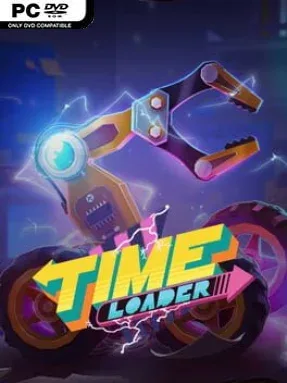
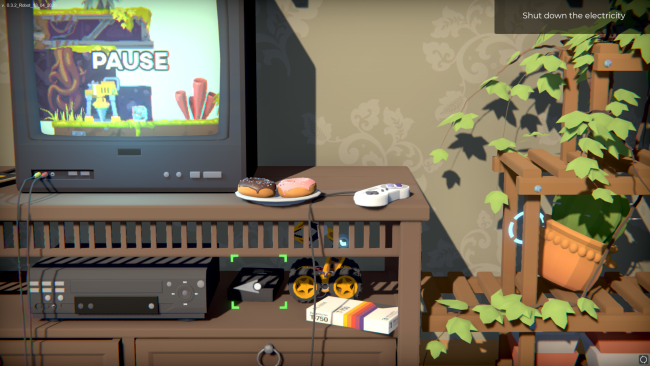
A tiny wheeled robot turns an ordinary 1990s home into a perilous mechanical playground, where cables, bookshelves, appliances, and discarded toys become towering obstacles. Time Loader is a story-focused physics puzzle platformer built around a mission to revisit the past and stop the accident that ruins its creator’s life. Its cozy suburban setting carries a surprisingly melancholy edge, balancing colorful retro nostalgia with the growing unease of altering events that have already happened. What begins as a straightforward rescue attempt gradually asks whether preventing one tragedy might create another.
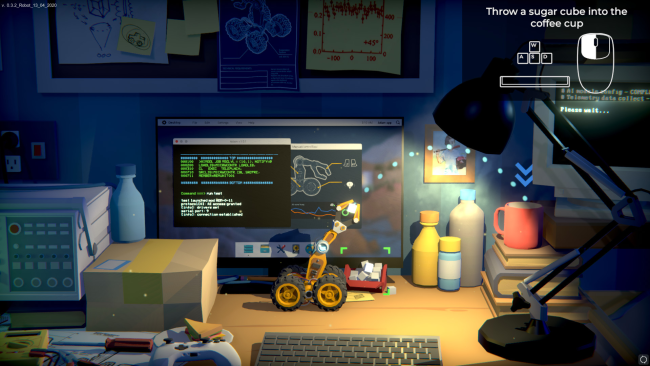
Players guide the robot through rooms packed with environmental hazards, using careful movement and a growing collection of tools to overcome gaps, locked mechanisms, unstable objects, and hostile household technology. Upgrades such as boosters, grappling devices, and screwdriver-like attachments change how obstacles can be approached, letting you pull objects, reach new routes, manipulate switches, or simply survive a dangerous fall. Puzzles rely on momentum, weight, timing, and the robot’s limited scale, so even a ramp made from a book or a rolling ball can become a major part of the solution. Checkpoints keep the challenge approachable, although later stages demand more precise handling and a willingness to experiment with the game’s physics.
Its strongest idea is perspective: familiar rooms feel strange and intimidating when viewed from floor level by a machine no larger than a toy. The 90s details are more than background decoration, with old electronics, music, and household clutter giving the journey a specific sense of time and place. Branching decisions and multiple outcomes add replay value, making the final consequences of your choices worth revisiting rather than treating the story as a one-way trip. Fans of Little Nightmares’ oversized domestic environments, Unravel’s gentle puzzle-platforming, or emotional indie adventures will find plenty to like, while newcomers get a forgiving but thoughtful introduction to physics-based problem solving.
Installation
- Click the green button below to be redirected to UploadHaven.
- Wait 15 seconds, then hit “Free Download.” (Free downloads may be slower — upgrade to UploadHaven Pro for faster speeds.)
- Once downloaded, right-click the .zip file and choose “Extract to Time Loader.” (You’ll need 7-Zip for this.)
- Open the extracted folder and run the game as administrator.
- Enjoy! 🎮 If you see missing DLL errors, check the <strong>_Redist</strong> folder inside and install what’s needed.
System Requirements
- Requires a 64-bit processor and operating system
- OS: Windows 7 SP1 / 8.1 / 10
- Processor: i3 Sandy Bridge Dual Core or Equivalent
- Memory: 4 GB RAM
- Graphics: NVIDIA GeForce GTX 660
- DirectX: Version 11
- Storage: 2 GB available space
- Additional Notes: Controller recommended
Setup Guide & Troubleshooting
How do I fix missing DLL errors for Time Loader (v1.067)?
After extracting Time Loader (v1.067), navigate to the _Redist or _CommonRedist folder inside the game directory and install DirectX, Vcredist, and any other dependencies included.
What should I do if the downloaded file is corrupted?
The full archive is 1.79 GB — make sure your download completed fully before extracting. Use 7-Zip to extract the files. If you still see a "file corrupted" error, re-download and try again.
Why should I run the game as administrator?
Right-click the game executable and select "Run as Administrator" to avoid save file issues and permission errors. This is especially important on the first launch.
How do I update my GPU drivers for this game?
Time Loader (v1.067) requires a NVIDIA GeForce GTX 660 or equivalent. Update your NVIDIA or AMD drivers to the latest version for the best performance.
The game won't launch — what should I try?
This game requires Version 11. Try running in compatibility mode, install the latest DirectX runtime, or install the All-in-One VC Redist Package.
My antivirus is blocking the game — is it safe?
Antivirus false positives are common with pre-installed games. Temporarily pause your antivirus during extraction to prevent it from quarantining game files. You can re-enable it after the extraction completes.