
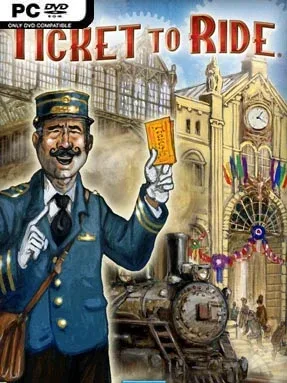
Game Overview
Railway barons race across a colorful map, claiming routes and stitching together far-flung cities before rivals can cut them off. Ticket to Ride turns the beloved tabletop strategy game into an accessible digital contest where a few simple rules conceal plenty of tactical tension. The mood stays welcoming enough for family play, yet every completed line can trigger a sharp reversal when an opponent steals the one connection you desperately need. Matches are quick to learn, easy to read, and surprisingly competitive once everyone understands how valuable a narrow route can become.
Each turn revolves around drawing colored train cards, spending matching sets to occupy rail lines, and quietly pursuing destination tickets that reward you for linking specific cities. Longer routes earn more points, but committing too heavily to one ambitious cross-country connection can leave you vulnerable to blocked paths and unusable cards. Players must balance safe scoring with opportunistic route grabs, while keeping their intended network obscure until it is too late for others to interfere. A guided tutorial explains the essentials clearly, and the game supports solo play against AI as well as online and local multiplayer sessions.
Its greatest strength is how naturally it supports different skill levels: newcomers can focus on building obvious routes, while experienced players calculate bottlenecks, ticket odds, alternate paths, and the exact moment to force an opponent’s hand. The clean board-game presentation keeps the focus on readable maps and satisfying train placement rather than flashy distractions. Additional map packs broaden the formula with settings such as Europe, India, and China, each bringing altered geography and special rules that demand new habits. Anyone who enjoys the approachable strategy of Carcassonne or Catan, but prefers planning networks over negotiating trades, finds a dependable multiplayer staple here; it is equally suited to relaxed family evenings and ruthless veteran showdowns.
Installation
- Click the green button below to be redirected to UploadHaven.
- Wait 15 seconds, then hit “Free Download.” (Free downloads may be slower — upgrade to UploadHaven Pro for faster speeds.)
- Once downloaded, right-click the .zip file and choose “Extract to Ticket to Ride.” (You’ll need 7-Zip for this.)
- Open the extracted folder and run the game as administrator.
- Enjoy! 🎮 If you see missing DLL errors, check the <strong>_Redist</strong> folder inside and install what’s needed.
System Requirements
- OS: Windows Vista, Windows 7
- Processor: Dual Core 1.6 GHz or better
- Memory: 1GB (XP), 2GB (Vista), 2GB (Windows 7)
- Hard Disk Space: 140 MB Free Space
- Video Card: OpenGL 1.4 or higher
- Sound: Windows supported Sound Card
Setup Guide & Troubleshooting
How do I fix missing DLL errors for Ticket to Ride (v1.8.0 & ALL DLC)?
After extracting Ticket to Ride (v1.8.0 & ALL DLC), navigate to the _Redist or _CommonRedist folder inside the game directory and install DirectX, Vcredist, and any other dependencies included.
What should I do if the downloaded file is corrupted?
The full archive is 0.97 GB — make sure your download completed fully before extracting. Use 7-Zip to extract the files. If you still see a "file corrupted" error, re-download and try again.
Why should I run the game as administrator?
Right-click the game executable and select "Run as Administrator" to avoid save file issues and permission errors. This is especially important on the first launch.
How do I update my GPU drivers for this game?
Update your NVIDIA or AMD drivers to the latest version for the best performance and compatibility.
The game won't launch — what should I try?
Try running in compatibility mode, install the latest DirectX runtime, or install the All-in-One VC Redist Package.
My antivirus is blocking the game — is it safe?
Antivirus false positives are common with pre-installed games. Temporarily pause your antivirus during extraction to prevent it from quarantining game files. You can re-enable it after the extraction completes.