
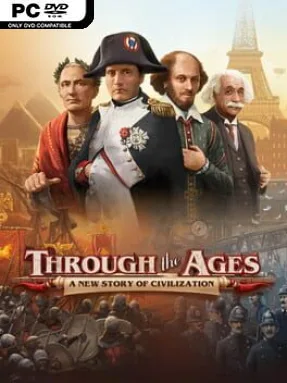
Game Overview
Civilization building becomes a tense, turn-by-turn contest of planning rather than a map-painting exercise. Through the Ages adapts Vlaada Chvátil’s celebrated board game into a focused digital strategy experience where a modest ancient tribe can grow into an industrial superpower, a cultural beacon, or a military threat. Every era demands hard choices: feed a growing population, produce enough resources, develop new technologies, and keep rivals from exploiting an exposed defense. The tone is thoughtful and competitive, with the satisfaction coming from building an efficient engine under constant pressure.
Players draft cards from a shared market to recruit leaders, construct wonders, reform governments, raise armies, and unlock advances ranging from agriculture to space-age science. Limited civil and military actions make every turn a puzzle, since taking an attractive card can mean postponing a crucial building or leaving your nation short on strength. Resources and workers are represented through an elegant board-and-cube system, while wars, aggressions, and political events ensure that ignoring the military is rarely safe. Matches can be played against adjustable AI opponents, through online multiplayer with friends, or in solo challenges that push unusual strategies and specific win conditions; newcomers can also choose a streamlined ruleset alongside the full board-game rules.
What separates Through the Ages from Civilization-style video games is its ruthless economy and absence of map exploration: success comes from reading the card row, sequencing actions efficiently, and anticipating what opponents need. The digital format handles bookkeeping, scoring, and complex combat calculations cleanly, making a famously dense tabletop design far easier to learn through its lively tutorial. Its illustrated cards and compact interface preserve the feel of a premium strategy board game while speeding up turns considerably. Fans of Terraforming Mars, Race for the Galaxy, or deep 4X planning will find a remarkably replayable strategy challenge here, while patient newcomers willing to learn its systems receive one of the strongest civilization games available.
Installation
- Click the green button below to be redirected to UploadHaven.
- Wait 15 seconds, then hit “Free Download.” (Free downloads may be slower — upgrade to UploadHaven Pro for faster speeds.)
- Once downloaded, right-click the .zip file and choose “Extract to Through the Ages.” (You’ll need 7-Zip for this.)
- Open the extracted folder and run the game as administrator.
- Enjoy! 🎮 If you see missing DLL errors, check the <strong>_Redist</strong> folder inside and install what’s needed.
System Requirements
- OS: Windows 7
- Processor: 2 ghz processor single core
- Memory: 2 GB RAM
- Graphics: Intel HD Graphics 3000
- Storage: 250 MB available space
Setup Guide & Troubleshooting
How do I fix missing DLL errors for Through the Ages (v2.19.1132 & ALL DLC)?
After extracting Through the Ages (v2.19.1132 & ALL DLC), navigate to the _Redist or _CommonRedist folder inside the game directory and install DirectX, Vcredist, and any other dependencies included.
What should I do if the downloaded file is corrupted?
The full archive is 199.03 MB — make sure your download completed fully before extracting. Use 7-Zip to extract the files. If you still see a "file corrupted" error, re-download and try again.
Why should I run the game as administrator?
Right-click the game executable and select "Run as Administrator" to avoid save file issues and permission errors. This is especially important on the first launch.
How do I update my GPU drivers for this game?
Through the Ages (v2.19.1132 & ALL DLC) requires a Intel HD Graphics 3000 or equivalent. Update your NVIDIA or AMD drivers to the latest version for the best performance.
The game won't launch — what should I try?
Try running in compatibility mode, install the latest DirectX runtime, or install the All-in-One VC Redist Package.
My antivirus is blocking the game — is it safe?
Antivirus false positives are common with pre-installed games. Temporarily pause your antivirus during extraction to prevent it from quarantining game files. You can re-enable it after the extraction completes.