
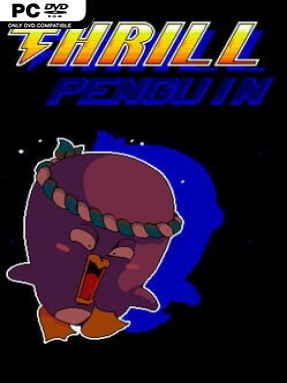
Game Overview
A bandana-wearing penguin turns precision platforming into a brisk, cheerful test of timing in Thrill Penguin. The premise is wonderfully simple: run, jump, slide, and dive through a colorful series of obstacle-filled stages built around momentum and clean movement. Its tone stays light and playful even when the courses start demanding near-perfect reactions, making failure feel more like an invitation to try again than a punishment. Beneath the cute mascot exterior sits a focused parkour challenge designed for players who enjoy shaving seconds and mistakes off a tough run.
Movement relies on left and right directional inputs alongside dedicated jump and dive actions, keeping the controls accessible while still leaving room for smart route choices. Each stage asks you to read hazards, judge distances, preserve speed, and decide whether a safer route or a riskier shortcut suits the moment. Water appears occasionally and lets the penguin dive beneath the surface, but it functions as another platforming wrinkle rather than turning the adventure into a slow swimming game. The campaign spans six themed zones with nine levels apiece and a boss encounter at the end of each area, while Hardcore mode revisits the courses with considerably harsher demands.
Hand-crafted level construction is the main attraction, as stages are built to support several ways through rather than forcing one rigid solution. Easy and Normal settings give newcomers space to learn the movement without relentless frustration, whereas Hardcore mode targets players who want the sharper, repeatable challenge of a score-chasing platformer. The stripped-back control scheme has a little of the immediate readability of Super Meat Boy, but the emphasis is less on elaborate abilities and more on mastering a compact set of actions. Thrill Penguin suits casual players seeking a bright, uncomplicated platformer, but it is most rewarding for completionists and precision-platform veterans who enjoy replaying compact levels until every jump feels automatic.
Installation
- Click the green button below to be redirected to UploadHaven.
- Wait 15 seconds, then hit “Free Download.” (Free downloads may be slower — upgrade to UploadHaven Pro for faster speeds.)
- Once downloaded, right-click the .zip file and choose “Extract to Thrill Penguin.” (You’ll need 7-Zip for this.)
- Open the extracted folder and run the game as administrator.
- Enjoy! 🎮 If you see missing DLL errors, check the <strong>_Redist</strong> folder inside and install what’s needed.
System Requirements
- OS: Windows 7 or higher (win64)
- Processor: Pentium 4 or Higher
- Graphics: 250 MB or higher
- Storage: 520 MB available space
- Sound Card: Any
Setup Guide & Troubleshooting
How do I fix missing DLL errors for Thrill Penguin (v1.8)?
After extracting Thrill Penguin (v1.8), navigate to the _Redist or _CommonRedist folder inside the game directory and install DirectX, Vcredist, and any other dependencies included.
What should I do if the downloaded file is corrupted?
The full archive is 200.32 MB — make sure your download completed fully before extracting. Use 7-Zip to extract the files. If you still see a "file corrupted" error, re-download and try again.
Why should I run the game as administrator?
Right-click the game executable and select "Run as Administrator" to avoid save file issues and permission errors. This is especially important on the first launch.
How do I update my GPU drivers for this game?
Thrill Penguin (v1.8) requires a 250 MB or higher or equivalent. Update your NVIDIA or AMD drivers to the latest version for the best performance.
The game won't launch — what should I try?
Try running in compatibility mode, install the latest DirectX runtime, or install the All-in-One VC Redist Package.
My antivirus is blocking the game — is it safe?
Antivirus false positives are common with pre-installed games. Temporarily pause your antivirus during extraction to prevent it from quarantining game files. You can re-enable it after the extraction completes.