
Game Overview
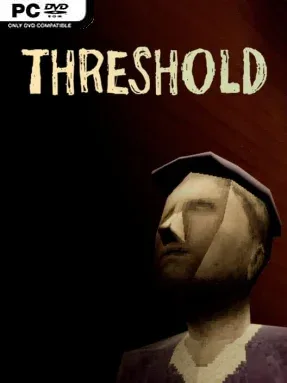
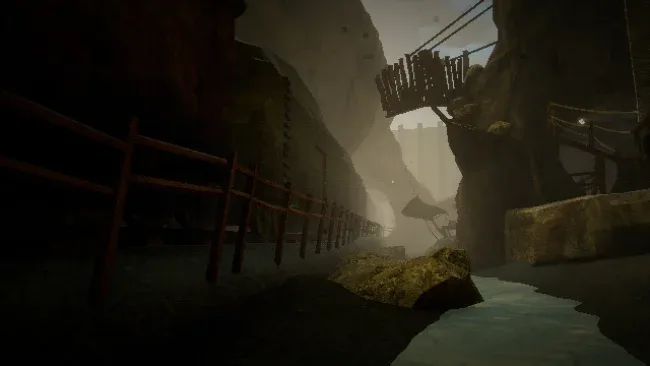
An isolated border station hangs high in the mountains, where an endless train barrels through rotten platforms and every breath feels borrowed. THRESHOLD turns a simple job—blowing a whistle to keep rail traffic moving—into a suffocating first-person horror experience built around exhaustion, isolation, and institutional dread. The thin air is not merely atmosphere: it is the central threat, making even small actions feel dangerous. Its tone is quietly oppressive rather than reliant on constant shocks, with a strange workplace routine gradually revealing something profoundly wrong behind the rules.
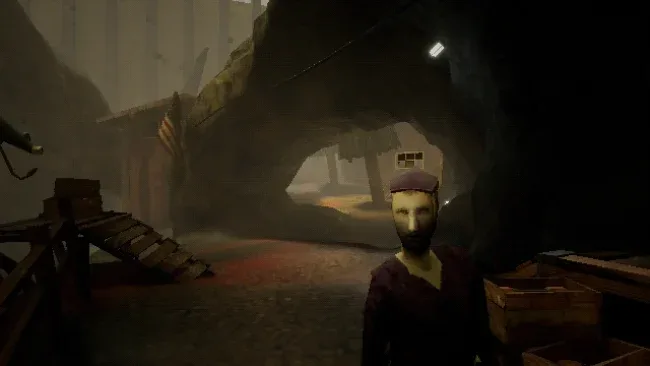
Players spend each shift maintaining the Border Post, checking equipment, carrying reports, gathering useful scraps, and ensuring the train receives the signal it needs. Physical effort drains precious oxygen, so running, talking, and using the whistle all become calculated risks instead of automatic actions. Air canisters provide temporary relief, but they are tied to performance, forcing you to decide which jobs matter most and how much danger you can afford to take on. Conversations with Mo, the station’s unsettlingly helpful other worker, offer clues and questions, while the train itself remains an irresistible forbidden object that the job insists you must never inspect.
The strongest idea here is how convincingly THRESHOLD turns mundane labor into survival horror. Its low-fi visual style, claustrophobic spaces, cryptic dialogue, and sharply designed soundscape make the station feel like a place where bureaucracy and the supernatural have fused together. A semi-linear story allows choices, conversations, and small acts of obedience or curiosity to shape what you learn, encouraging repeat runs for players who want to probe its ambiguities. Fans of Papers, Please, Iron Lung, and short experimental horror games should find plenty to admire, especially if they prefer creeping tension and unsettling narrative detail over combat-heavy scares.
Screenshots
Installation
- Select the <strong>Download</strong> button at the top of this page to open UploadHaven.
- On UploadHaven, wait for any countdown, then select <strong>Free Download</strong>. Optional: UploadHaven Pro for faster downloads.
- When complete, extract the archive to a <strong>THRESHOLD</strong> folder using 7-Zip.
- Open the extracted folder and start the game normally.
- For errors, check <strong>Setup Guide & Troubleshooting</strong> below. Keep your security software enabled.
System Requirements
- OS: 64-bit Windows 10 Home, Pro, Enterprise, or Education, version 1903 or newer
- Processor: Intel Core i5-4460 or AMD Ryzen 3 1200
- Memory: 4 GB RAM
- Graphics: NVIDIA GeForce GTX 960 or AMD Radeon R7 370
- DirectX: Version 11
- Storage: 2 GB available space
Setup Guide & Troubleshooting
How do I fix missing DLL errors for THRESHOLD (v1.1.4)?
After extracting THRESHOLD (v1.1.4), navigate to the _Redist or _CommonRedist folder inside the game directory and install DirectX, Vcredist, and any other dependencies included.
What should I do if the downloaded file is corrupted?
The full archive is 634.17 MB — make sure your download completed fully before extracting. Use 7-Zip to extract the files. If you still see a "file corrupted" error, re-download and try again.
Why should I run the game as administrator?
Right-click the game executable and select "Run as Administrator" to avoid save file issues and permission errors. This is especially important on the first launch.
How do I update my GPU drivers for this game?
THRESHOLD (v1.1.4) requires a NVIDIA GeForce GTX 960 or AMD Radeon R7 370 or equivalent. Update your NVIDIA or AMD drivers to the latest version for the best performance.
The game won't launch — what should I try?
This game requires Version 11. Try running in compatibility mode, install the latest DirectX runtime, or install the All-in-One VC Redist Package.
My antivirus is blocking the game — is it safe?
Antivirus false positives are common with pre-installed games. Temporarily pause your antivirus during extraction to prevent it from quarantining game files. You can re-enable it after the extraction completes.