
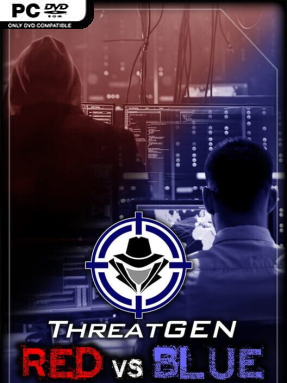
Game Overview
Cybersecurity becomes a tactical contest of planning, risk management, and counterplay in ThreatGEN: Red vs. Blue, an indie simulator built to teach rather than merely entertain. Players take the role of either a red-team attacker probing for weaknesses or a blue-team defender attempting to anticipate, detect, and contain intrusions. Its tone is deliberately technical and demanding, treating networks, security controls, and attack paths as parts of a broader strategic battlefield. Rather than presenting hacking as a flashy fantasy, it focuses on the decisions and trade-offs behind real defensive and offensive thinking.
Matches revolve around reading the state of a simulated environment, choosing an approach, and adapting as the opposing side responds. Red-team play emphasizes understanding how an attacker identifies opportunities and chains actions together, while blue-team play centers on deploying protections and forming a coherent security posture. Solo players can face AI opponents, while online and local shared-screen modes let two people test their knowledge directly against each other; cross-platform support helps make those matches easier to arrange. Extensive in-game hints, a built-in wiki, configurable options, and an accompanying guide provide needed context, especially when the terminology or strategy becomes dense.
What separates ThreatGEN: Red vs. Blue from most hacker-themed games is its professional educational angle: it is designed by ethical-hacking and penetration-testing specialists, and its systems aim to reflect real cybersecurity concepts rather than movie-style computer magic. That also means the interface and convenience features may feel less polished or immediately intuitive than a conventional strategy game, and the learning curve can be steep. Players who enjoy the structured deduction of board games, the asymmetry of attacker-versus-defender strategy, or practical technology training find the most value here. It suits curious newcomers willing to study, but experienced security enthusiasts are likely to appreciate its big-picture focus most.
Installation
- Click the green button below to be redirected to UploadHaven.
- Wait 15 seconds, then hit “Free Download.” (Free downloads may be slower — upgrade to UploadHaven Pro for faster speeds.)
- Once downloaded, right-click the .zip file and choose “Extract to ThreatGEN: Red vs. Blue.” (You’ll need 7-Zip for this.)
- Open the extracted folder and run the game as administrator.
- Enjoy! 🎮 If you see missing DLL errors, check the <strong>_Redist</strong> folder inside and install what’s needed.
System Requirements
- Requires a 64-bit processor and operating system
- OS *: Windows 7 or better (64 bit)
- Processor: Intel Core i3 64-bit 1.5 GHz CPU or better
- Memory: 4 GB RAM
- Graphics: Standard onboard graphics
- Storage: 1 GB available space
- Sound Card: Standard onboard sound
Setup Guide & Troubleshooting
How do I fix missing DLL errors for ThreatGEN: Red vs. Blue (v1.10.4)?
After extracting ThreatGEN: Red vs. Blue (v1.10.4), navigate to the _Redist or _CommonRedist folder inside the game directory and install DirectX, Vcredist, and any other dependencies included.
What should I do if the downloaded file is corrupted?
The full archive is 132.61 MB — make sure your download completed fully before extracting. Use 7-Zip to extract the files. If you still see a "file corrupted" error, re-download and try again.
Why should I run the game as administrator?
Right-click the game executable and select "Run as Administrator" to avoid save file issues and permission errors. This is especially important on the first launch.
How do I update my GPU drivers for this game?
ThreatGEN: Red vs. Blue (v1.10.4) requires a Standard onboard graphics or equivalent. Update your NVIDIA or AMD drivers to the latest version for the best performance.
The game won't launch — what should I try?
Try running in compatibility mode, install the latest DirectX runtime, or install the All-in-One VC Redist Package.
My antivirus is blocking the game — is it safe?
Antivirus false positives are common with pre-installed games. Temporarily pause your antivirus during extraction to prevent it from quarantining game files. You can re-enable it after the extraction completes.