
Game Overview
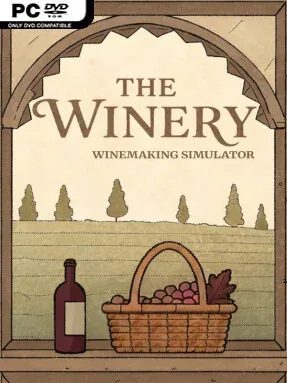
A quiet vineyard management loop gives winemaking the attention it rarely receives in simulation games. The Winery – Winemaking Simulator focuses on the long chain behind every bottle, from seasonal grape harvests to production choices, recipe research, and meeting the exacting tastes of customers. Its tone is calm rather than frantic, but the business demands planning: weather shifts, operational mishaps, and changing demand can turn a promising vintage into a difficult year.
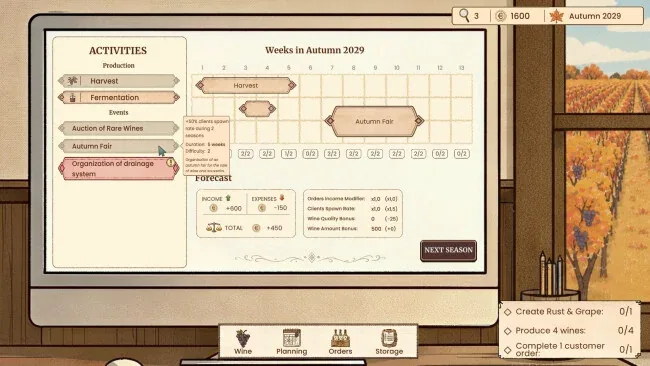
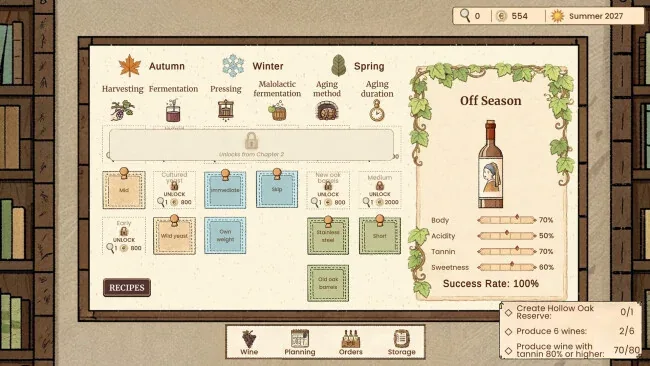
Players develop wines through unlockable recipes and production methods, choosing how to refine quality and shape a bottle’s particular style. The year follows a seasonal rhythm, requiring harvests, production schedules, and enough forethought to avoid bottlenecks when the winery is busiest. Customers request more than broad red-or-white categories, so success depends on learning which flavors, types, and traits appeal to specific buyers. Research opens modern equipment, new techniques, and expanded production possibilities, while winery tours and sommelier visits provide additional ways to build reputation and keep the operation growing.
What distinguishes it from broader farming simulators is its narrower focus on the craft and commerce of wine rather than a sprawling homestead full of unrelated chores. Random events add uncertainty without changing the game’s measured pace, making each in-game year a small exercise in adaptation and long-term decision-making. The Winery – Winemaking Simulator suits players who enjoy the production-chain satisfaction of management games such as Big Ambitions or Farming Simulator, but want a more specialized, low-pressure business experience. It is especially approachable for newcomers to tycoon games, while optimization-minded players can chase better recipes, cleaner workflows, and a customer base with increasingly particular standards.
Screenshots
Installation
- Select the <strong>Download</strong> button at the top of this page to open UploadHaven.
- On UploadHaven, wait for any countdown, then select <strong>Free Download</strong>. Optional: UploadHaven Pro for faster downloads.
- When complete, extract the archive to a <strong>The Winery - Winemaking Simulator</strong> folder using 7-Zip.
- Open the extracted folder and start the game normally.
- For errors, check <strong>Setup Guide & Troubleshooting</strong> below. Keep your security software enabled.
System Requirements
- OS: Windows 10
- Processor: Potato
- Memory: 2 GB RAM
- Graphics: Integrated graphics
- Storage: 200 MB available space
- Sound Card: No