

Game Overview
A dwindling water supply sends you down a supposedly abandoned well, where a ruined underground construction site hides far more than blocked pipes and collapsed passages. THE WELL IS NOT EMPTY is a compact first-person horror experience built around claustrophobic tunnels, failing light, and the constant sense that something is waiting just beyond the next corner. Its setting blends industrial ruins with prison-like cells and deep natural chasms, creating a grim, dirty atmosphere rather than relying on spectacle. Every descent feels like a bad decision made necessary by desperation.
Survival means forcing a path through rubble, searching rooms for clues, and keeping moving before the darkness gives the creatures below their chance. Light is your main protection: hand-cranked backup generators briefly illuminate dangerous areas, turning exploration into a tense race against the clock as you sprint through enemy territory. Encounters are deliberately scrappy, with a rusty spoon used to swat aside rats and quick-time struggles required when imprisoned subterranean figures reach through their gates. Traversal also demands attention, especially when crossing enormous drops where maintaining balance becomes the difference between progress and a long fall.
What stands out is the way ordinary maintenance tasks become horror tools: clearing debris, powering a room, or crossing a gap all carry pressure because the environment never feels safe. Notes and environmental details gradually point toward the fate of the missing workers and the purpose of the unfinished prison, giving the descent a mystery beyond simple monster evasion. The focus is on linear, story-driven scares and mechanical tension rather than open-ended combat or elaborate crafting systems. Players who enjoy the confined industrial dread of Amnesia-style horror, with a dash of chase-driven survival and quick reflex challenges, should find plenty to like, while newcomers should be ready for panic-heavy sequences rather than a relaxed exploration game.
Screenshots
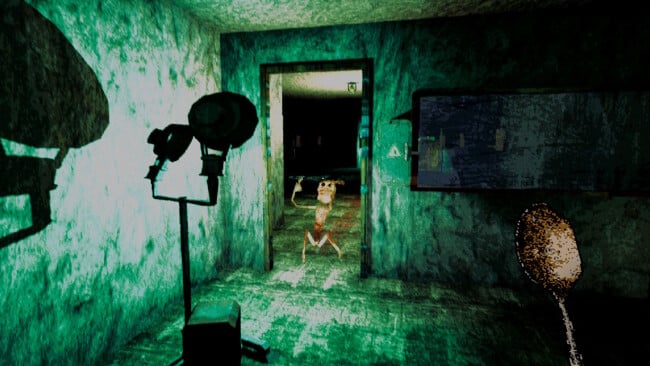
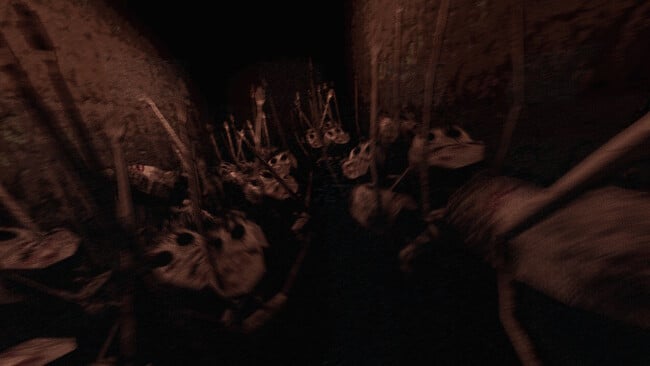
Installation
- Click the green button below to be redirected to UploadHaven.
- Wait 15 seconds, then hit “Free Download.” (Free downloads may be slower — upgrade to UploadHaven Pro for faster speeds.)
- Once downloaded, right-click the .zip file and choose “Extract to THE WELL IS NOT EMPTY.” (You’ll need 7-Zip for this.)
- Open the extracted folder and run the game as administrator.
- Enjoy! 🎮 If you see missing DLL errors, check the <strong>_Redist</strong> folder inside and install what’s needed.
System Requirements
- OS: Windows 10 (64-bit)
- Processor: Intel Core i3-2100 / AMD FX-4300 or equivalent
- Memory: 4 GB RAM
- Graphics: NVIDIA GTX 750 / AMD Radeon R7 260 or equivalent
- DirectX: Version 11
- Storage: 3 GB available space
Setup Guide & Troubleshooting
How do I fix missing DLL errors for THE WELL IS NOT EMPTY?
After extracting THE WELL IS NOT EMPTY, navigate to the _Redist or _CommonRedist folder inside the game directory and install DirectX, Vcredist, and any other dependencies included.
What should I do if the downloaded file is corrupted?
The full archive is 710.85 MB — make sure your download completed fully before extracting. Use 7-Zip to extract the files. If you still see a "file corrupted" error, re-download and try again.
Why should I run the game as administrator?
Right-click the game executable and select "Run as Administrator" to avoid save file issues and permission errors. This is especially important on the first launch.
How do I update my GPU drivers for this game?
THE WELL IS NOT EMPTY requires a NVIDIA GTX 750 / AMD Radeon R7 260 or equivalent or equivalent. Update your NVIDIA or AMD drivers to the latest version for the best performance.
The game won't launch — what should I try?
This game requires Version 11. Try running in compatibility mode, install the latest DirectX runtime, or install the All-in-One VC Redist Package.
My antivirus is blocking the game — is it safe?
Antivirus false positives are common with pre-installed games. Temporarily pause your antivirus during extraction to prevent it from quarantining game files. You can re-enable it after the extraction completes.