
Game Overview
An abandoned rural settlement becomes the setting for a remarkably quiet survival drama about routine, isolation, and the uneasy feeling that the outside world is changing without you. You play Talma, an elderly woman who remains behind after her neighbors leave for the city, tending a small homestead as her life narrows to the work immediately in front of her. The Stillness of the Wind is not interested in action or conquest; its tone is patient, melancholy, and increasingly unsettling. Days pass beneath open skies and sparse landscapes, while letters from Talma’s family slowly turn a peaceful existence into something far more ominous.
Most of your time goes into maintaining the farm at a deliberate, hands-on pace. Talma feeds and milks her goats, turns milk into cheese, gathers eggs, grows vegetables, prepares meals, and trades goods with a passing merchant for supplies. The game lets you establish a personal rhythm rather than chase a strict checklist, but the labor has weight: time, hunger, limited resources, and Talma’s age make every errand feel considered. There is no conventional combat system or sprawling quest structure, so progression comes through surviving another day, learning efficient habits, and following the story hidden in correspondence and small environmental details.
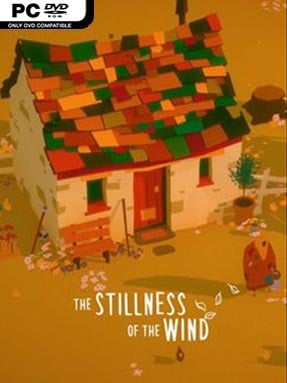
What makes the experience memorable is how it uses ordinary chores to create emotional tension. Its low-poly visual style and quiet soundscape make the empty village feel beautiful at first, then painfully lonely as the narrative develops. The slow pacing will not suit players looking for a busy farming sim in the Stardew Valley mold, but fans of reflective indies such as Firewatch, The Vanishing of Ethan Carter, or narrative-focused walking simulators should find its restraint powerful. Newcomers can pick it up easily, while patient players willing to sit with ambiguity get the strongest reward.
Installation
- Click the green button below to be redirected to UploadHaven.
- Wait 15 seconds, then hit “Free Download.” (Free downloads may be slower — upgrade to UploadHaven Pro for faster speeds.)
- Once downloaded, right-click the .zip file and choose “Extract to The Stillness Of The Wind.” (You’ll need 7-Zip for this.)
- Open the extracted folder and run the game as administrator.
- Enjoy! 🎮 If you see missing DLL errors, check the <strong>_Redist</strong> folder inside and install what’s needed.
System Requirements
- OS: Windows XP SP2+
- Processor: 2.0 GHz
- Memory: 4 GB RAM
- Graphics: GPU: DirectX 9 compatible
- DirectX: Version 9.0
- Storage: 2 GB available space
Setup Guide & Troubleshooting
How do I fix missing DLL errors for The Stillness Of The Wind?
After extracting The Stillness Of The Wind, navigate to the _Redist or _CommonRedist folder inside the game directory and install DirectX, Vcredist, and any other dependencies included.
What should I do if the downloaded file is corrupted?
The full archive is 575.49 MB — make sure your download completed fully before extracting. Use 7-Zip to extract the files. If you still see a "file corrupted" error, re-download and try again.
Why should I run the game as administrator?
Right-click the game executable and select "Run as Administrator" to avoid save file issues and permission errors. This is especially important on the first launch.
How do I update my GPU drivers for this game?
The Stillness Of The Wind requires a GPU: DirectX 9 compatible or equivalent. Update your NVIDIA or AMD drivers to the latest version for the best performance.
The game won't launch — what should I try?
This game requires Version 9.0. Try running in compatibility mode, install the latest DirectX runtime, or install the All-in-One VC Redist Package.
My antivirus is blocking the game — is it safe?
Antivirus false positives are common with pre-installed games. Temporarily pause your antivirus during extraction to prevent it from quarantining game files. You can re-enable it after the extraction completes.