
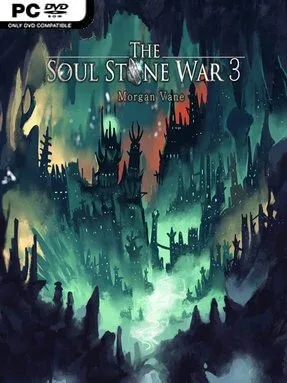
The Soul Stone War 3 Cover Art

The Soul Stone War 3

INDIE 141.01 MB

Game Overview

A rebellion gathers momentum as a Soul Stone Wielder emerges from the ruins of a dangerous infiltration and faces a far larger war. The Soul Stone War 3 is a text-driven fantasy RPG built around choice, relationships, and the mounting consequences of carrying ancient magical power. Its world mixes dragons, gods, political resistance, and personal sacrifice, but the tone stays rooted in the people traveling beside you and the loyalties that may hold—or fracture—under pressure. Familiar companions return, Manerkol’s designs become clearer, and the fate of Dragonkind moves from distant lore to an immediate responsibility.

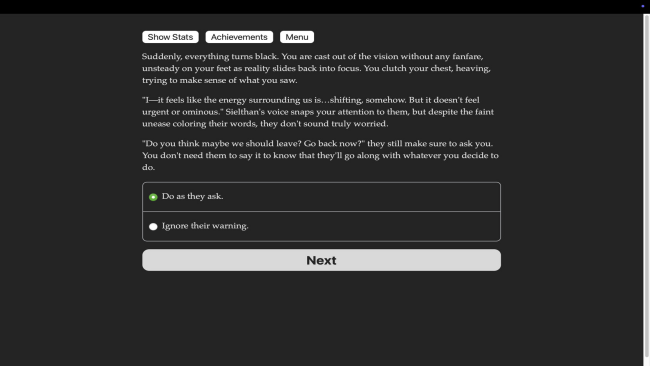
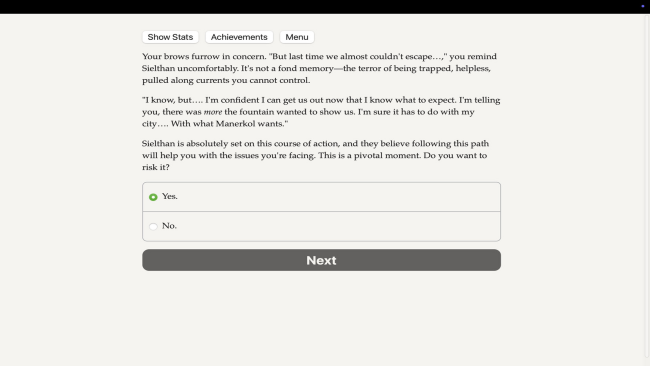
Rather than relying on reflex combat or exploration maps, the game asks players to define their hero through frequent narrative decisions. Conversations, tactical approaches, displays of Soul Stone power, and moments of trust all shape relationships and steer the plot toward different outcomes. New abilities open alternative ways through conflicts, letting a diplomatic, cunning, compassionate, or forceful protagonist tackle the same crisis differently. Character identity is handled broadly, with male, female, and nonbinary options alongside straight, gay, bisexual, and aromantic paths; romances can continue from earlier entries or develop in new directions. Progress carries the weight expected of a sequel, especially for players importing an established character and relationships from The Soul Stone War 2.

What separates it from a conventional fantasy novel is its sustained attention to party dynamics and player ownership over the protagonist’s legend. The Dragon God sharing space in your mind is more than background flavor, creating another evolving bond whose implications reach into the story’s central mysteries. At roughly 260,000 words, it offers a substantial read with replay value coming from divergent choices, romance routes, personality builds, and the consequences of alliances. Fans of Choice of Games-style interactive fiction, Dragon Age’s companion-focused fantasy, or character-led RPG storytelling find plenty to enjoy, while newcomers should ideally begin with the previous installments to understand the cast, prior victories, and emotional stakes.

Installation

  1. Click the green button below to be redirected to UploadHaven.
  2. Wait 15 seconds, then hit “Free Download.” (Free downloads may be slower — upgrade to UploadHaven Pro for faster speeds.)
  3. Once downloaded, right-click the .zip file and choose “Extract to The Soul Stone War 3.” (You’ll need 7-Zip for this.)
  4. Open the extracted folder and run the game as administrator.
  5. Enjoy! 🎮 If you see missing DLL errors, check the <strong>_Redist</strong> folder inside and install what’s needed.

System Requirements

  • OS: Windows
  • Storage: 141.01 MB available space
  • License: Free

Setup Guide & Troubleshooting

How do I fix missing DLL errors for The Soul Stone War 3?

After extracting The Soul Stone War 3, navigate to the _Redist or _CommonRedist folder inside the game directory and install DirectX, Vcredist, and any other dependencies included.

What should I do if the downloaded file is corrupted?

The full archive is 141.01 MB — make sure your download completed fully before extracting. Use 7-Zip to extract the files. If you still see a "file corrupted" error, re-download and try again.

Why should I run the game as administrator?

Right-click the game executable and select "Run as Administrator" to avoid save file issues and permission errors. This is especially important on the first launch.

How do I update my GPU drivers for this game?

Update your NVIDIA or AMD drivers to the latest version for the best performance and compatibility.

The game won't launch — what should I try?

Try running in compatibility mode, install the latest DirectX runtime, or install the All-in-One VC Redist Package.

My antivirus is blocking the game — is it safe?

Antivirus false positives are common with pre-installed games. Temporarily pause your antivirus during extraction to prevent it from quarantining game files. You can re-enable it after the extraction completes.

Need more help? Browse our FAQ & Troubleshooting Guide for solutions to common issues.
Looking for something else? Explore all games on Steam Unlocked