
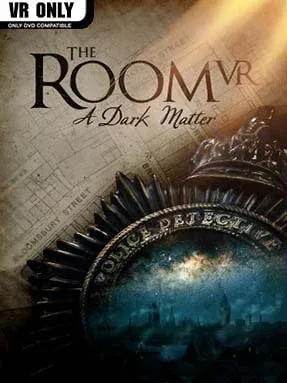
Game Overview
London in 1908 becomes a maze of locked cabinets, occult machinery, and unsettling secrets as a police investigation into a vanished Egyptologist spirals far beyond ordinary crime. The Room VR: A Dark Matter brings Fireproof Games’ puzzle-box series into a fully realized virtual space, trading flat-screen tapping for the satisfying sensation of physically handling impossible devices. Its atmosphere stays deliberately quiet and oppressive, using creaking rooms, dim lamplight, and strange scientific artifacts to make every discovery feel suspicious. Rather than relying on cheap shocks, it builds dread through the sense that reality itself is becoming unreliable.
Players search a succession of intricately designed locations, inspecting evidence, opening hidden compartments, and manipulating elaborate mechanisms one piece at a time. Puzzles ask you to rotate dials, align symbols, fit components together, peer through specialized lenses, and notice how objects in one corner of a room affect something elsewhere. Movement is designed around VR comfort, with teleport-style navigation and interactive hotspots that keep the focus on observation and hands-on problem-solving instead of action. Progress comes from carefully reading the environment and following the chain of clues, while later chapters introduce increasingly surreal tricks that play with perspective, scale, and the boundary between the tangible world and illusion.
What separates it from many VR escape-room games is the sheer physical believability of its contraptions: drawers resist, switches click, and every ornate object seems built to hide another layer. The puzzle difficulty generally feels fair, though impatient players may find themselves stumped when they overlook a tiny detail or fail to reconsider an earlier clue. Its compact, story-led campaign favors dense set pieces over open-ended exploration, making it an excellent one- or two-session mystery rather than a long-form adventure. Fans of Myst, escape rooms, and earlier The Room entries will find a polished, atmospheric VR adaptation, while newcomers get an accessible introduction to the series’ signature mechanical riddles.
Installation
- Click the green button below to be redirected to UploadHaven.
- Wait 15 seconds, then hit “Free Download.” (Free downloads may be slower — upgrade to UploadHaven Pro for faster speeds.)
- Once downloaded, right-click the .zip file and choose “Extract to The Room VR: A Dark Matter.” (You’ll need 7-Zip for this.)
- Open the extracted folder and run the game as administrator.
- Enjoy! 🎮 If you see missing DLL errors, check the <strong>_Redist</strong> folder inside and install what’s needed.
System Requirements
- Requires a 64-bit processor and operating system
- OS: Windows 10
- Processor: Intel i3-6100/AMD Ryzen 3 1200, FX4350 or greater
- Memory: 8 GB RAM
- Graphics: NVIDIA GTX 1050 Ti/AMD Radeon RX 470 or greater
- Storage: 4 GB available space
Setup Guide & Troubleshooting
How do I fix missing DLL errors for The Room VR: A Dark Matter?
After extracting The Room VR: A Dark Matter, navigate to the _Redist or _CommonRedist folder inside the game directory and install DirectX, Vcredist, and any other dependencies included.
What should I do if the downloaded file is corrupted?
The full archive is 2.22 GB — make sure your download completed fully before extracting. Use 7-Zip to extract the files. If you still see a "file corrupted" error, re-download and try again.
Why should I run the game as administrator?
Right-click the game executable and select "Run as Administrator" to avoid save file issues and permission errors. This is especially important on the first launch.
How do I update my GPU drivers for this game?
The Room VR: A Dark Matter requires a NVIDIA GTX 1050 Ti/AMD Radeon RX 470 or greater or equivalent. Update your NVIDIA or AMD drivers to the latest version for the best performance.
The game won't launch — what should I try?
Try running in compatibility mode, install the latest DirectX runtime, or install the All-in-One VC Redist Package.
My antivirus is blocking the game — is it safe?
Antivirus false positives are common with pre-installed games. Temporarily pause your antivirus during extraction to prevent it from quarantining game files. You can re-enable it after the extraction completes.