
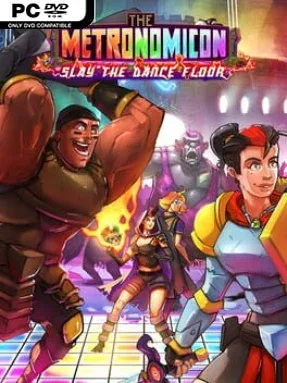
The Metronomicon: Slay The Dance Floor (Incl. ALL DLC’s) Cover Art

The Metronomicon: Slay The Dance Floor (Incl. ALL DLC’s)

INDIE 0.95 GB

Game Overview

Rhythm games rarely ask you to manage a full RPG party while keeping perfect time, and that is the sharp hook behind The Metronomicon: Slay The Dance Floor. A bright fantasy world faces a demon problem best solved through weaponized choreography, with eight heroes using magic, martial arts, and relentlessly energetic dance routines to stop monsters from turning civilization into chaos. Its tone is knowingly silly but mechanically demanding, pairing colorful character banter and disco excess with fights that can become genuinely intense. The included DLC broadens the package with additional music and challenges for players who want to push beyond the main campaign.

Combat plays like a rhythm-driven party battler: up to four characters occupy separate tracks, and every ability must be triggered on the beat to deal damage, heal allies, apply buffs, or disrupt enemies. Rather than simply hitting notes for a score, you juggle cooldowns, enemy threats, class roles, and each hero’s resource bars while the song continues at full speed. Loot changes character builds, letting players experiment with different stat bonuses and ability-focused setups, while the story mode steadily introduces more demanding encounters. Local couch co-op allows friends to split control of the party, though solo play is often the better way to learn the timing and tactical flow.

What makes the adventure memorable is how convincingly it merges the structure of a light dungeon RPG with the physical concentration of a music game. The licensed soundtrack moves through electronic, synthwave, chiptune, and indie styles, so rhythm patterns feel tied to each track rather than like a generic note chart pasted over combat. Bosses and later missions demand real coordination, making it more welcoming to rhythm veterans than complete newcomers, although adjustable difficulty helps players find their footing. Fans of Crypt of the NecroDancer, classic MMO-style ability rotations, or arcade rhythm games with personality will find an unusually deep and cheerful hybrid here.

Installation

  1. Click the green button below to be redirected to UploadHaven.
  2. Wait 15 seconds, then hit “Free Download.” (Free downloads may be slower — upgrade to UploadHaven Pro for faster speeds.)
  3. Once downloaded, right-click the .zip file and choose “Extract to The Metronomicon: Slay The Dance Floor.” (You’ll need 7-Zip for this.)
  4. Open the extracted folder and run the game as administrator.
  5. Enjoy! 🎮 If you see missing DLL errors, check the <strong>_Redist</strong> folder inside and install what’s needed.

System Requirements

  • OS: Windows 7, 8.1, 10
  • Processor: Intel Core i3 or equivalent
  • Memory: 2 GB RAM
  • Graphics: 1GB, OpenGL 1.5+
  • Storage: 2500 MB available space
  • Sound Card: One that allows sound to come out of a sound maker

Setup Guide & Troubleshooting

How do I fix missing DLL errors for The Metronomicon: Slay The Dance Floor (Incl. ALL DLC’s)?

After extracting The Metronomicon: Slay The Dance Floor (Incl. ALL DLC’s), navigate to the _Redist or _CommonRedist folder inside the game directory and install DirectX, Vcredist, and any other dependencies included.

What should I do if the downloaded file is corrupted?

The full archive is 0.95 GB — make sure your download completed fully before extracting. Use 7-Zip to extract the files. If you still see a "file corrupted" error, re-download and try again.

Why should I run the game as administrator?

Right-click the game executable and select "Run as Administrator" to avoid save file issues and permission errors. This is especially important on the first launch.

How do I update my GPU drivers for this game?

The Metronomicon: Slay The Dance Floor (Incl. ALL DLC’s) requires a 1GB, OpenGL 1.5+ or equivalent. Update your NVIDIA or AMD drivers to the latest version for the best performance.

The game won't launch — what should I try?

Try running in compatibility mode, install the latest DirectX runtime, or install the All-in-One VC Redist Package.

My antivirus is blocking the game — is it safe?

Antivirus false positives are common with pre-installed games. Temporarily pause your antivirus during extraction to prevent it from quarantining game files. You can re-enable it after the extraction completes.

Need more help? Browse our FAQ & Troubleshooting Guide for solutions to common issues.
Looking for something else? Explore all games on Steam Unlocked