
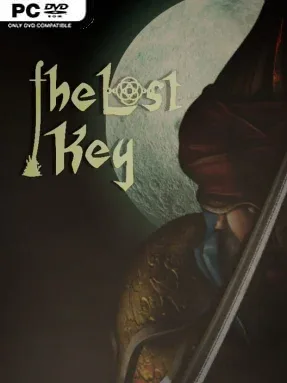
Game Overview
A fallen city becomes the stage for a compact fantasy revenge tale built around betrayal, occupation, and a lone knight who refuses to accept defeat. After a ruler hands over the city’s key in the hope of peace, the invading force ignores its agreement and turns on civilians, leaving resistance as the only answer. You take up the role of that surviving knight, turning a sword into a symbol of defiance while pushing through enemy-held territory. The tone is direct and old-school: a small-scale action adventure focused on restoring justice rather than wandering through a sprawling open world.
Combat and level completion drive the experience across eight distinct stages, each mixing enemy encounters, boss fights, and an assigned objective that must be completed before moving forward. Your knight develops through a straightforward money-based upgrade system, allowing you to improve health, mana, stamina, and attack power according to the challenges giving you the most trouble. Stores provide additional items, making resource spending an important part of preparing for tougher battles instead of relying purely on reflexes. Progress therefore follows a familiar action-RPG rhythm of fighting, earning currency, improving your build, and returning stronger for the next challenge.
The Lost Key stands out less through elaborate storytelling than through its focused campaign structure and its emphasis on individual level goals. Bosses break up the adventure and give the short eight-level format a sense of escalation, while the leaderboard adds a competitive reason to replay and compare completion results with other players. Its accessible upgrade mechanics make it suitable for players who want simple fantasy combat with visible character growth, rather than a demanding systems-heavy RPG. Fans of modest indie sword-and-sorcery adventures, especially those who enjoy linear progression and score-chasing, should find a concise but purposeful quest here.
Installation
- Click the green button below to be redirected to UploadHaven.
- Wait 15 seconds, then hit “Free Download.” (Free downloads may be slower — upgrade to UploadHaven Pro for faster speeds.)
- Once downloaded, right-click the .zip file and choose “Extract to The Lost Key.” (You’ll need 7-Zip for this.)
- Open the extracted folder and run the game as administrator.
- Enjoy! 🎮 If you see missing DLL errors, check the <strong>_Redist</strong> folder inside and install what’s needed.
System Requirements
- OS *: windows 7 or high
- Processor: intel i5
- Memory: 8 GB RAM
- Graphics: anything
- Storage: 2 GB available space
- Sound Card: anything
Setup Guide & Troubleshooting
How do I fix missing DLL errors for The Lost Key?
After extracting The Lost Key, navigate to the _Redist or _CommonRedist folder inside the game directory and install DirectX, Vcredist, and any other dependencies included.
What should I do if the downloaded file is corrupted?
The full archive is 1.26 GB — make sure your download completed fully before extracting. Use 7-Zip to extract the files. If you still see a "file corrupted" error, re-download and try again.
Why should I run the game as administrator?
Right-click the game executable and select "Run as Administrator" to avoid save file issues and permission errors. This is especially important on the first launch.
How do I update my GPU drivers for this game?
The Lost Key requires a anything or equivalent. Update your NVIDIA or AMD drivers to the latest version for the best performance.
The game won't launch — what should I try?
Try running in compatibility mode, install the latest DirectX runtime, or install the All-in-One VC Redist Package.
My antivirus is blocking the game — is it safe?
Antivirus false positives are common with pre-installed games. Temporarily pause your antivirus during extraction to prevent it from quarantining game files. You can re-enable it after the extraction completes.