
Game Overview
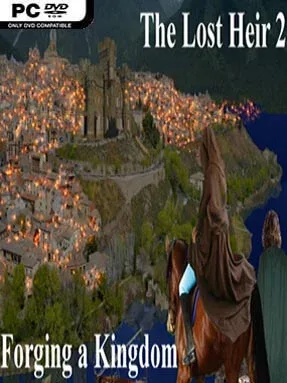
A displaced heir gathers allies, studies forbidden powers, and prepares to reclaim a stolen throne in this sprawling fantasy interactive novel. Daria is a realm of courtly schemes, old grudges, and escalating warfare, where the murder of your royal parents still shapes every political decision. The Lost Heir 2: Forging A Kingdom continues the prince or princess’s campaign with a serious but flexible tone, balancing personal revenge, romance, diplomacy, and battlefield ambition. With no graphics or voiced scenes to lean on, its appeal rests entirely on vivid writing and the consequences of your decisions.
Each chapter asks you to define the kind of ruler and adventurer you become through dialogue choices, stat-based challenges, alliances, and moral calls. You travel across the kingdom seeking legendary mentors, magical relics, and the support of elves, dwarves, gnomes, and other factions that may not share your priorities. Conflict can involve direct martial leadership, cunning political maneuvering, magical experimentation, or more unusual paths such as raising undead forces, binding demons, mastering alchemy, and riding dragons into war. Character identity also remains central to the story, allowing male or female protagonists and a range of sexual orientations while offering relationships that can influence the larger campaign.
Its greatest strength is the sheer scope packed into a text-only format: choices do not merely change a line or two, but help determine your abilities, allies, enemies, and the future shape of Daria. The writing gives players room to role-play a noble idealist, ruthless conqueror, secretive mage, or pragmatic ruler without forcing one obvious “correct” route. Branching routes and radically different power sets encourage repeat play, especially for readers who enjoy testing alternate political and romantic outcomes. Fans of Choice of Games-style fiction, classic choose-your-own-adventure books, and fantasy political dramas will find plenty to enjoy, while newcomers should be ready for a sequel that rewards attention to its ongoing kingdom-wide conflict.
Installation
- Click the green button below to be redirected to UploadHaven.
- Wait 15 seconds, then hit “Free Download.” (Free downloads may be slower — upgrade to UploadHaven Pro for faster speeds.)
- Once downloaded, right-click the .zip file and choose “Extract to The Lost Heir 2: Forging A Kingdom.” (You’ll need 7-Zip for this.)
- Open the extracted folder and run the game as administrator.
- Enjoy! 🎮 If you see missing DLL errors, check the <strong>_Redist</strong> folder inside and install what’s needed.
System Requirements
- OS: Windows
- Storage: 96.33 MB available space
- License: Free
Setup Guide & Troubleshooting
How do I fix missing DLL errors for The Lost Heir 2: Forging A Kingdom?
After extracting The Lost Heir 2: Forging A Kingdom, navigate to the _Redist or _CommonRedist folder inside the game directory and install DirectX, Vcredist, and any other dependencies included.
What should I do if the downloaded file is corrupted?
The full archive is 96.33 MB — make sure your download completed fully before extracting. Use 7-Zip to extract the files. If you still see a "file corrupted" error, re-download and try again.
Why should I run the game as administrator?
Right-click the game executable and select "Run as Administrator" to avoid save file issues and permission errors. This is especially important on the first launch.
How do I update my GPU drivers for this game?
Update your NVIDIA or AMD drivers to the latest version for the best performance and compatibility.
The game won't launch — what should I try?
Try running in compatibility mode, install the latest DirectX runtime, or install the All-in-One VC Redist Package.
My antivirus is blocking the game — is it safe?
Antivirus false positives are common with pre-installed games. Temporarily pause your antivirus during extraction to prevent it from quarantining game files. You can re-enable it after the extraction completes.