
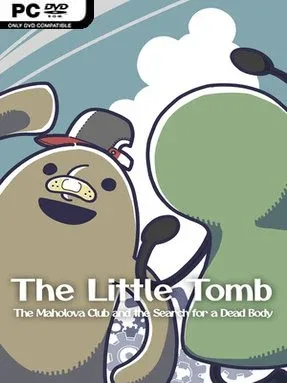
The Little Tomb: The Maholova Club And The Search For A Dead Body
Game Overview
Kofun is a young boy with an unusual conviction: he believes he is an ancient Japanese burial mound, and he wants nothing more than to find a dead body that can be laid to rest inside him. That deliberately strange premise gives this adventure a playful, melancholy personality rather than a conventional mystery tone. His search leads through a small world full of odd people, everyday objects, and conversations that balance childish imagination with the uncomfortable idea of death. The result feels like a coming-of-age story filtered through surreal comedy and Japanese folklore.
Play revolves around investigating each location, speaking with characters, and poking at nearly everything in the environment to see what Kofun can learn or collect. A To-Do List provides the main structure, turning the story into a sequence of approachable tasks while still leaving room to examine details and chase optional interactions. Actions earn Action Points, which function as a useful progression resource: spend them to unlock new abilities or purchase hints when the next solution is not immediately obvious. Rather than relying on combat or reflex challenges, the adventure emphasizes observation, dialogue, inventory-style problem solving, and deciding which leads are worth pursuing.
What makes the experience memorable is its willingness to build an entire emotional journey around an absurdly specific childhood belief. Kofun’s tomb fixation is funny on the surface, but it also gives the game space to consider identity, loneliness, and the way children make sense of intimidating subjects. The compact task-based design makes it accessible for players who do not usually play dense point-and-click adventures, while the offbeat writing and cultural flavor reward anyone looking for something stranger than the genre’s usual detective stories. Fans of whimsical narrative games with eccentric protagonists, especially those who enjoy gentle puzzles over punishing difficulty, are likely to find its bizarre premise surprisingly heartfelt.
Installation
- Click the green button below to be redirected to UploadHaven.
- Wait 15 seconds, then hit “Free Download.” (Free downloads may be slower — upgrade to UploadHaven Pro for faster speeds.)
- Once downloaded, right-click the .zip file and choose “Extract to The Little Tomb: The Maholova Club And The Search For A Dead Body.” (You’ll need 7-Zip for this.)
- Open the extracted folder and run the game as administrator.
- Enjoy! 🎮 If you see missing DLL errors, check the <strong>_Redist</strong> folder inside and install what’s needed.
System Requirements
- Requires a 64-bit processor and operating system
- OS: Windows 10 64bit
- Processor: intel Core i7 4770
- Memory: 8 GB RAM
- Graphics: NVIDIA GeForce GTX 970
- DirectX: Version 11
- Storage: 7 GB available space
Setup Guide & Troubleshooting
How do I fix missing DLL errors for The Little Tomb: The Maholova Club And The Search For A Dead Body (v1.0.0)?
After extracting The Little Tomb: The Maholova Club And The Search For A Dead Body (v1.0.0), navigate to the _Redist or _CommonRedist folder inside the game directory and install DirectX, Vcredist, and any other dependencies included.
What should I do if the downloaded file is corrupted?
The full archive is 6.13 GB — make sure your download completed fully before extracting. Use 7-Zip to extract the files. If you still see a "file corrupted" error, re-download and try again.
Why should I run the game as administrator?
Right-click the game executable and select "Run as Administrator" to avoid save file issues and permission errors. This is especially important on the first launch.
How do I update my GPU drivers for this game?
The Little Tomb: The Maholova Club And The Search For A Dead Body (v1.0.0) requires a NVIDIA GeForce GTX 970 or equivalent. Update your NVIDIA or AMD drivers to the latest version for the best performance.
The game won't launch — what should I try?
This game requires Version 11. Try running in compatibility mode, install the latest DirectX runtime, or install the All-in-One VC Redist Package.
My antivirus is blocking the game — is it safe?
Antivirus false positives are common with pre-installed games. Temporarily pause your antivirus during extraction to prevent it from quarantining game files. You can re-enable it after the extraction completes.