
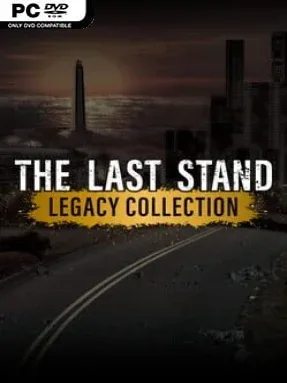
Game Overview
A zombie apocalypse unfolds across three influential browser-era survival games, rebuilt with cleaner AI-upscaled visuals while keeping their lean, tense design intact. The collection begins with a desperate overnight defense as Jack and a handful of civilians try to hold a barricade against increasingly brutal undead swarms. It then widens into a race across a collapsing country, before shifting to the streets of Union City for a more personal, RPG-driven search for a missing partner. The mood is bleak but satisfyingly pulpy, built around dwindling supplies, improvised defenses, and the pressure of never having quite enough time.
The first two games revolve around a strong day-and-night loop: spend daylight searching for guns, ammunition, survivors, and useful materials, then use the night to protect your shelter from the horde. Barricade repairs, survivor assignments, weapon choices, and trap placement matter, especially as the enemy numbers rise and stronger infected appear. The Last Stand 2 adds a 40-day push toward the coast, asking players to choose routes between towns and decide where to risk stopping for supplies. The Last Stand: Union City changes pace considerably, presenting a side-scrolling action RPG with character customization, stat upgrades, dialogue choices, scavenging, quests, and dozens of melee and ranged weapons.
What makes the package compelling is its view of the outbreak at different scales: one fortified camp, a cross-country escape, and an open-ended city survival story. The earlier entries remain compact arcade-defense experiences, while Union City offers more room to build a survivor around firearms, brawling, survival skills, or a balanced approach. Their dated foundations are visible, but the straightforward controls and fast restart-friendly structure still make them easy to pick up. Fans of old-school zombie shooters, survival management, and Flash-game classics will get the most from it, while newcomers who enjoy the tension of State of Decay-style scavenging in a much simpler 2D format should find plenty to like.
Installation
- Click the green button below to be redirected to UploadHaven.
- Wait 15 seconds, then hit “Free Download.” (Free downloads may be slower — upgrade to UploadHaven Pro for faster speeds.)
- Once downloaded, right-click the .zip file and choose “Extract to The Last Stand Legacy Collection.” (You’ll need 7-Zip for this.)
- Open the extracted folder and run the game as administrator.
- Enjoy! 🎮 If you see missing DLL errors, check the <strong>_Redist</strong> folder inside and install what’s needed.
System Requirements
- OS: Windows
- Storage: 194.44 MB available space
- License: Free
Setup Guide & Troubleshooting
How do I fix missing DLL errors for The Last Stand Legacy Collection (v1.04)?
After extracting The Last Stand Legacy Collection (v1.04), navigate to the _Redist or _CommonRedist folder inside the game directory and install DirectX, Vcredist, and any other dependencies included.
What should I do if the downloaded file is corrupted?
The full archive is 194.44 MB — make sure your download completed fully before extracting. Use 7-Zip to extract the files. If you still see a "file corrupted" error, re-download and try again.
Why should I run the game as administrator?
Right-click the game executable and select "Run as Administrator" to avoid save file issues and permission errors. This is especially important on the first launch.
How do I update my GPU drivers for this game?
Update your NVIDIA or AMD drivers to the latest version for the best performance and compatibility.
The game won't launch — what should I try?
Try running in compatibility mode, install the latest DirectX runtime, or install the All-in-One VC Redist Package.
My antivirus is blocking the game — is it safe?
Antivirus false positives are common with pre-installed games. Temporarily pause your antivirus during extraction to prevent it from quarantining game files. You can re-enable it after the extraction completes.