
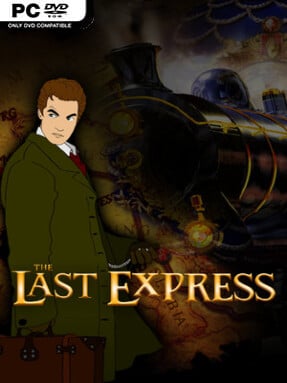
Game Overview
A murder aboard the Orient Express turns a luxurious 1914 rail journey into one of PC gaming’s most tense and intelligent mysteries. You play Robert Cath, an American drawn onto the Paris-to-Constantinople route by a desperate message from his friend Tyler Whitney, only to find Tyler dead and a cryptic Russian document left behind. Every carriage hides a potential ally, liar, spy, or killer as Europe edges toward the First World War. The mood is elegant but deeply uneasy, blending international politics, romance, conspiracy, and personal betrayal inside a train that never stops moving.
Investigation unfolds in real time, meaning passengers follow their own schedules, conversations happen whether you hear them or not, and failing to arrive somewhere on time can permanently alter events. Cath moves through compartments, dining cars, baggage areas, and corridors, searching objects, questioning travelers, listening at doors, and occasionally improvising his way out of dangerous confrontations. Dialogue matters as much as inventory puzzles, especially since the multinational cast speaks several languages and often reveals more through tone, timing, and overheard remarks than direct confession. Death and failure are part of the design rather than simple dead ends, with the ability to revisit earlier moments encouraging experimentation and a more complete understanding of the train’s web of motives.
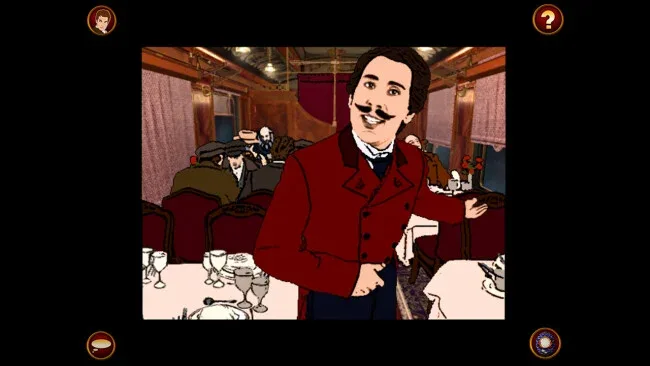
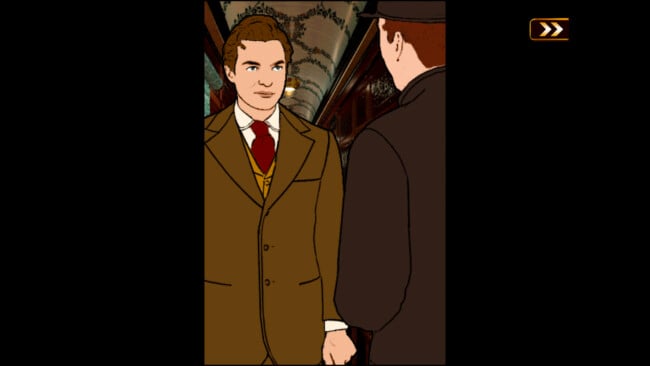
Its hand-drawn, rotoscoped animation remains distinctive, giving every passenger a theatrical physicality that suits the period setting far better than conventional adventure-game sprites. The enclosed train is an unusually convincing world because its cast keeps living their lives around you instead of waiting for the player to solve the next puzzle. Multiple routes and endings reward repeat play, while the real-time structure makes even familiar scenes feel fragile and unpredictable. Fans of classic point-and-click adventures, historical thrillers, and narrative-heavy games such as Broken Sword or The Wolf Among Us should find plenty to admire, though newcomers should expect an old-school adventure that demands attention, patience, and careful observation.
Screenshots
Installation
- Click the green button below to be redirected to UploadHaven.
- Wait 15 seconds, then hit “Free Download.” (Free downloads may be slower — upgrade to UploadHaven Pro for faster speeds.)
- Once downloaded, right-click the .zip file and choose “Extract to The Last Express Gold Edition.” (You’ll need 7-Zip for this.)
- Open the extracted folder and run the game as administrator.
- Enjoy! 🎮 If you see missing DLL errors, check the <strong>_Redist</strong> folder inside and install what’s needed.
System Requirements
- OS *: Windows Vista, 7, 8
- Processor: Pentium 4 2.4Ghz
- Memory: 1 GB RAM
- Graphics: 3D Graphics Card
- Storage: 2 GB available space
Setup Guide & Troubleshooting
How do I fix missing DLL errors for The Last Express Gold Edition?
After extracting The Last Express Gold Edition, navigate to the _Redist or _CommonRedist folder inside the game directory and install DirectX, Vcredist, and any other dependencies included.
What should I do if the downloaded file is corrupted?
The full archive is 2.76 GB — make sure your download completed fully before extracting. Use 7-Zip to extract the files. If you still see a "file corrupted" error, re-download and try again.
Why should I run the game as administrator?
Right-click the game executable and select "Run as Administrator" to avoid save file issues and permission errors. This is especially important on the first launch.
How do I update my GPU drivers for this game?
The Last Express Gold Edition requires a 3D Graphics Card or equivalent. Update your NVIDIA or AMD drivers to the latest version for the best performance.
The game won't launch — what should I try?
Try running in compatibility mode, install the latest DirectX runtime, or install the All-in-One VC Redist Package.
My antivirus is blocking the game — is it safe?
Antivirus false positives are common with pre-installed games. Temporarily pause your antivirus during extraction to prevent it from quarantining game files. You can re-enable it after the extraction completes.