
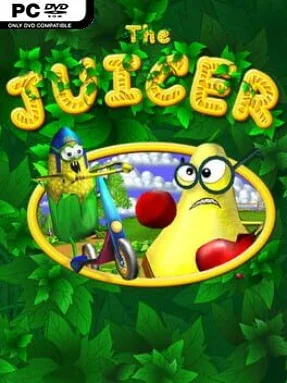
Game Overview
A botched agricultural experiment turns a quiet farm into a brightly colored war zone where sentient produce fights back against the people who tried to supersize it. The Juicer is an indie action shooter built around a deliberately silly premise: mutant fruits and vegetables swarm the player, and their defeat produces the juice needed to survive. Its cartoon presentation keeps the mood playful rather than horrific, even when tomatoes, pumpkins, and other oversized crops are charging from every direction. Beneath the jokes is a fast arcade-style struggle to keep the harvest under control before the farm’s new inhabitants overwhelm you.
Each level revolves around eliminating attacking produce while carefully managing a constantly important juice meter. Shooting enemies provides juice, but taking hits drains it, so success depends on staying mobile, picking targets efficiently, and avoiding careless close-range encounters. Weapons and grenades give the player different ways to clear crowds, while money collected during play can be spent on stronger gear and upgrades. That progression adds a useful incentive to replay stages, especially when a tougher wave exposes the limits of an underpowered loadout. The controls and goals are straightforward, but the pressure comes from balancing offense with survival instead of simply wiping out every enemy in sight.
The strongest appeal is the contrast between its absurd B-movie setup and its uncomplicated, energetic shooting. Rather than aiming for a deep simulation of farming or a complex tactical shooter, it delivers compact levels, colorful visuals, low hardware demands, and a sense of humor centered on weaponizing a disastrous harvest. The juice-management mechanic gives its basic combat a small but meaningful twist, forcing players to think about resource flow during every fight. Fans of lightweight arcade shooters, goofy monster games, and score-chasing action in the vein of old-school horde modes are likely to get the most from it. Veterans should not expect elaborate storytelling or advanced systems, but newcomers can jump in quickly and enjoy its clear objectives, accessible upgrades, and ridiculous mutant-vegetable chaos.
Installation
- Click the green button below to be redirected to UploadHaven.
- Wait 15 seconds, then hit “Free Download.” (Free downloads may be slower — upgrade to UploadHaven Pro for faster speeds.)
- Once downloaded, right-click the .zip file and choose “Extract to The Juicer.” (You’ll need 7-Zip for this.)
- Open the extracted folder and run the game as administrator.
- Enjoy! 🎮 If you see missing DLL errors, check the <strong>_Redist</strong> folder inside and install what’s needed.
System Requirements
- OS: Windows XP
- Processor: Intel Pentium 4
- Memory: 512 MB RAM
- Graphics: DirectX 9.0 compatible video card
- DirectX: Version 9.0c
- Storage: 200 MB available space
- Sound Card: Any sound card
Setup Guide & Troubleshooting
How do I fix missing DLL errors for The Juicer (v1.29)?
After extracting The Juicer (v1.29), navigate to the _Redist or _CommonRedist folder inside the game directory and install DirectX, Vcredist, and any other dependencies included.
What should I do if the downloaded file is corrupted?
The full archive is 114.61 MB — make sure your download completed fully before extracting. Use 7-Zip to extract the files. If you still see a "file corrupted" error, re-download and try again.
Why should I run the game as administrator?
Right-click the game executable and select "Run as Administrator" to avoid save file issues and permission errors. This is especially important on the first launch.
How do I update my GPU drivers for this game?
The Juicer (v1.29) requires a DirectX 9.0 compatible video card or equivalent. Update your NVIDIA or AMD drivers to the latest version for the best performance.
The game won't launch — what should I try?
This game requires Version 9.0c. Try running in compatibility mode, install the latest DirectX runtime, or install the All-in-One VC Redist Package.
My antivirus is blocking the game — is it safe?
Antivirus false positives are common with pre-installed games. Temporarily pause your antivirus during extraction to prevent it from quarantining game files. You can re-enable it after the extraction completes.