
Game Overview
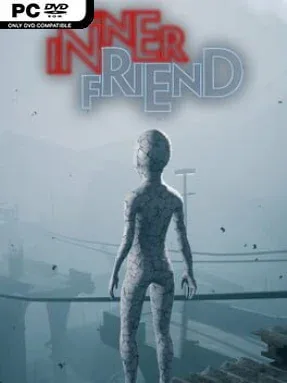
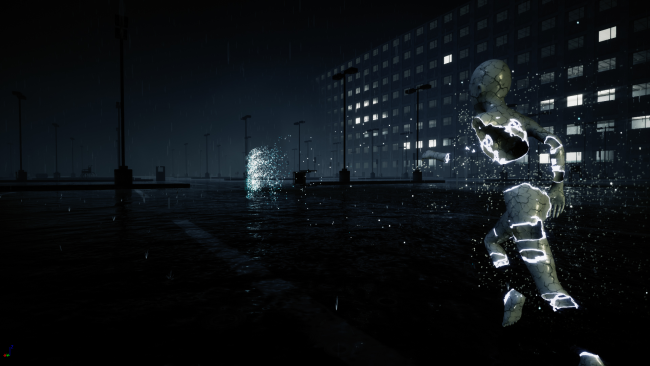
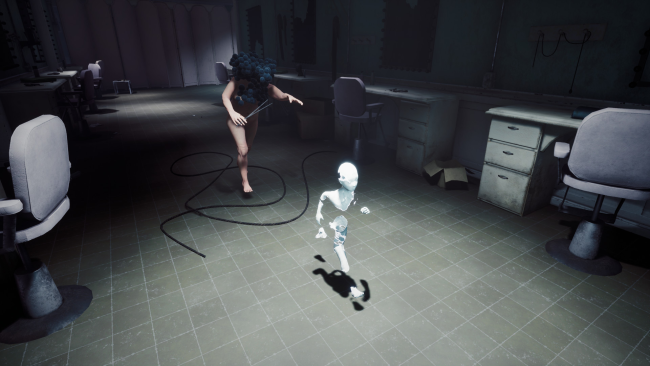
Childhood fears become physical places in this surreal psychological-horror adventure, where every hallway, toy, and shadow carries the weight of a damaged memory. You follow a silent, vulnerable presence known as the Shadow through a subconscious landscape shaped by loneliness, trauma, and the uneasy logic of nightmares. Rather than relying on constant jump scares, the experience builds dread through distorted environments, grotesque pursuers, and an oppressive soundscape that makes even quiet rooms feel unsafe. Its story unfolds without conventional dialogue, asking players to read emotion through movement, music, imagery, and the gradual reconstruction of a lost safe place.
Progress revolves around guiding the Shadow through hostile dream spaces, solving environmental puzzles, navigating platforming obstacles, and escaping creatures that are usually far more dangerous than you are. Many encounters emphasize stealth and evasion, with chase sequences that force quick reactions and careful use of cover, while later moments ask you to confront threats more directly. Collectible artifacts scattered throughout each area contribute to rebuilding the Shadow’s refuge, giving exploration a tangible emotional purpose beyond completion percentage. The controls and objectives remain approachable, although some puzzles and pursuit sections can feel deliberately tense or slightly opaque, fitting the game’s dreamlike design.
What separates The Inner Friend from many indie horror games is its commitment to wordless storytelling and its striking mixture of children’s imagery with unsettling body horror. Its visual language recalls the unnerving atmosphere of Little Nightmares, while its focus on memory and inner trauma gives it a more intimate, abstract identity. The shifting soundtrack and cinematic framing often communicate more than exposition could, making the journey feel like an interactive animated nightmare rather than a standard monster chase. It suits players who appreciate atmospheric horror, symbolic narratives, and puzzle-led adventures, especially those willing to accept ambiguity in exchange for a memorable emotional mood.
Installation
- Click the green button below to be redirected to UploadHaven.
- Wait 15 seconds, then hit “Free Download.” (Free downloads may be slower — upgrade to UploadHaven Pro for faster speeds.)
- Once downloaded, right-click the .zip file and choose “Extract to The Inner Friend.” (You’ll need 7-Zip for this.)
- Open the extracted folder and run the game as administrator.
- Enjoy! 🎮 If you see missing DLL errors, check the <strong>_Redist</strong> folder inside and install what’s needed.
System Requirements
- Requires a 64-bit processor and operating system
- OS: Windows 7 64-bit
- Processor: Intel Core i5 2310 2.9 GHz / AMD FX-6300
- Memory: 4 GB RAM
- Graphics: GTX 550 Ti 1GB/ Radeon 6950 1GB or better
- DirectX: Version 11
- Storage: 5 GB available space
Setup Guide & Troubleshooting
How do I fix missing DLL errors for The Inner Friend?
After extracting The Inner Friend, navigate to the _Redist or _CommonRedist folder inside the game directory and install DirectX, Vcredist, and any other dependencies included.
What should I do if the downloaded file is corrupted?
The full archive is 3.43 GB — make sure your download completed fully before extracting. Use 7-Zip to extract the files. If you still see a "file corrupted" error, re-download and try again.
Why should I run the game as administrator?
Right-click the game executable and select "Run as Administrator" to avoid save file issues and permission errors. This is especially important on the first launch.
How do I update my GPU drivers for this game?
The Inner Friend requires a GTX 550 Ti 1GB/ Radeon 6950 1GB or better or equivalent. Update your NVIDIA or AMD drivers to the latest version for the best performance.
The game won't launch — what should I try?
This game requires Version 11. Try running in compatibility mode, install the latest DirectX runtime, or install the All-in-One VC Redist Package.
My antivirus is blocking the game — is it safe?
Antivirus false positives are common with pre-installed games. Temporarily pause your antivirus during extraction to prevent it from quarantining game files. You can re-enable it after the extraction completes.