
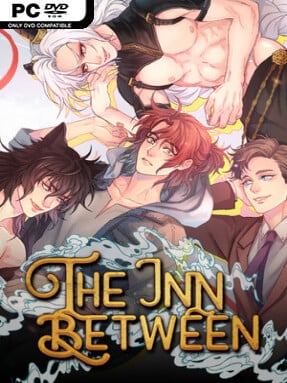
Game Overview
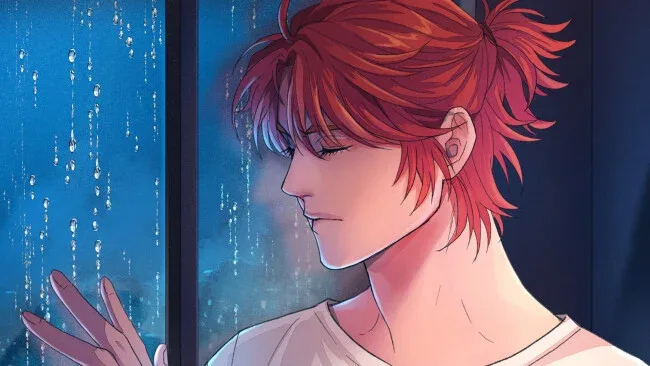
A single phone call fractures Myka Riley’s ordinary university life and points him toward the answers buried beneath seventeen years of missing memories. The Inn Between is a boys’ love fantasy romance visual novel where modern apartments, late-night conversations, and familiar anxieties collide with gods, spirits, monsters, and a hidden supernatural community. Myka remembers neither the accident that separated him from his family nor the strange creatures he has spent years sketching, despite fearing ghosts more than almost anything. Its tone balances emotional mystery and flirtatious character comedy with an increasingly ominous story about fate, identity, and old wounds that refuse to stay buried.
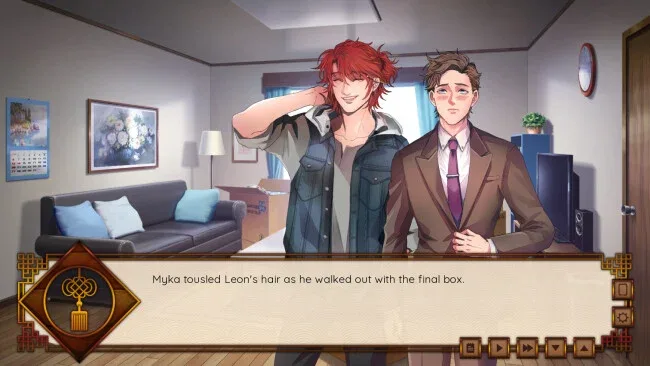
Reading, choosing dialogue, and following relationship scenes form the heart of the experience. Myka’s investigation gradually brings him to the titular inn, where every new encounter supplies clues about his past while opening up possibilities for romance. Player decisions shape his bonds with three very different love interests: Leon, the well-meaning childhood friend and roommate; Emrys, a mischievous cat god with little interest in personal boundaries; and Solas, a fallen god whose attention carries obvious danger. Route choices and key conversations lead toward multiple endings, making it worth revisiting for players who want to see how each relationship reframes the larger mystery.
Rather than treating its fantasy setting as a backdrop for dating scenes, the story uses mythology and supernatural politics to complicate Myka’s search for belonging. The contrast between contemporary life and a magical refuge gives the setting a cozy but unsettled personality, while expressive character art, CG scenes, and an original soundtrack sell both the romance and the darker revelations. Cat lovers will find plenty to enjoy in Myka and Emrys’s feline fixation, though the cast extends well beyond its playful premise with more than twenty characters populating the narrative. Fans of character-driven visual novels such as The Arcana or supernatural BL stories with branching romances should find a lot to like, especially if they prefer a substantial, text-heavy read over mechanical challenge.
Screenshots
Installation
- Click the green button below to be redirected to UploadHaven.
- Wait 15 seconds, then hit “Free Download.” (Free downloads may be slower — upgrade to UploadHaven Pro for faster speeds.)
- Once downloaded, right-click the .zip file and choose “Extract to The Inn Between.” (You’ll need 7-Zip for this.)
- Open the extracted folder and run the game as administrator.
- Enjoy! 🎮 If you see missing DLL errors, check the <strong>_Redist</strong> folder inside and install what’s needed.
System Requirements
- Requires a 64-bit processor and operating system
- OS: Windows 10
- Processor: 1GHz
- Memory: 512 MB RAM
- Graphics: DirectX or OpenGL compatible card
- DirectX: Version 10
- Storage: 5 GB available space
Setup Guide & Troubleshooting
How do I fix missing DLL errors for The Inn Between (v1.0.0)?
After extracting The Inn Between (v1.0.0), navigate to the _Redist or _CommonRedist folder inside the game directory and install DirectX, Vcredist, and any other dependencies included.
What should I do if the downloaded file is corrupted?
The full archive is 2.14 GB — make sure your download completed fully before extracting. Use 7-Zip to extract the files. If you still see a "file corrupted" error, re-download and try again.
Why should I run the game as administrator?
Right-click the game executable and select "Run as Administrator" to avoid save file issues and permission errors. This is especially important on the first launch.
How do I update my GPU drivers for this game?
The Inn Between (v1.0.0) requires a DirectX or OpenGL compatible card or equivalent. Update your NVIDIA or AMD drivers to the latest version for the best performance.
The game won't launch — what should I try?
This game requires Version 10. Try running in compatibility mode, install the latest DirectX runtime, or install the All-in-One VC Redist Package.
My antivirus is blocking the game — is it safe?
Antivirus false positives are common with pre-installed games. Temporarily pause your antivirus during extraction to prevent it from quarantining game files. You can re-enable it after the extraction completes.