
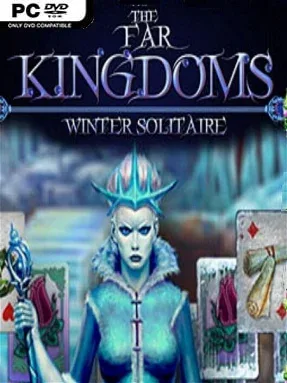
Game Overview
A vengeful Ice Queen buries a fairy-tale realm beneath a merciless winter, leaving Princess Arianna to reclaim the kingdoms before the frost becomes permanent. The Far Kingdoms: Winter Solitaire turns that familiar rescue story into a relaxed, fantasy-flavored card campaign built for short sessions and steady progress. Its tone stays light and colorful rather than grim, with enchanted scenery, royal trinkets, and a simple good-versus-evil quest framing every challenge. The central appeal is straightforward: clear tricky solitaire layouts, build magical momentum, and push Arianna closer to the final confrontation.
Each of the 50 levels asks you to remove cards from layered boards by playing values one rank higher or lower than the active card, making smart use of the deck before it runs out. Early boards serve as gentle introductions, while later arrangements demand more planning as blocked cards, awkward number chains, and limited options make every move matter. Successful rounds award resources that unlock upgrades and power-ups, giving players useful tools for difficult layouts rather than forcing perfect play. Hidden-object segments break up the card action, asking you to scan illustrated scenes for required items, while charging the royal amulet provides a clear sense of campaign advancement.
What distinguishes it from a bare-bones solitaire collection is the consistent story structure and the way card clearing, item hunting, and amulet progression support the same magical quest. The presentation follows the polished casual-puzzle style associated with titles like Fairway Solitaire and other fantasy-themed card adventures, prioritizing accessibility over deep competitive systems. Random draws still create occasional setbacks, but the power-up system softens the frustration and keeps failed boards from feeling punishing. Players looking for a demanding strategy card game may find it too gentle, yet it suits solitaire fans, hidden-object regulars, and newcomers who want an easygoing winter fantasy with enough variety to sustain a full campaign.
Installation
- Click the green button below to be redirected to UploadHaven.
- Wait 15 seconds, then hit “Free Download.” (Free downloads may be slower — upgrade to UploadHaven Pro for faster speeds.)
- Once downloaded, right-click the .zip file and choose “Extract to The Far Kingdoms: Winter Solitaire.” (You’ll need 7-Zip for this.)
- Open the extracted folder and run the game as administrator.
- Enjoy! 🎮 If you see missing DLL errors, check the <strong>_Redist</strong> folder inside and install what’s needed.
System Requirements
- OS *: Windows XP/ME/Vista/7/8/10
- Processor: 1.0GHz CPU
- Graphics: 128MB
- DirectX: Version 9.0
- Storage: 1 GB available space
- Sound Card: DirectX compatible sound card
Setup Guide & Troubleshooting
How do I fix missing DLL errors for The Far Kingdoms: Winter Solitaire?
After extracting The Far Kingdoms: Winter Solitaire, navigate to the _Redist or _CommonRedist folder inside the game directory and install DirectX, Vcredist, and any other dependencies included.
What should I do if the downloaded file is corrupted?
The full archive is 150.59 MB — make sure your download completed fully before extracting. Use 7-Zip to extract the files. If you still see a "file corrupted" error, re-download and try again.
Why should I run the game as administrator?
Right-click the game executable and select "Run as Administrator" to avoid save file issues and permission errors. This is especially important on the first launch.
How do I update my GPU drivers for this game?
The Far Kingdoms: Winter Solitaire requires a 128MB or equivalent. Update your NVIDIA or AMD drivers to the latest version for the best performance.
The game won't launch — what should I try?
This game requires Version 9.0. Try running in compatibility mode, install the latest DirectX runtime, or install the All-in-One VC Redist Package.
My antivirus is blocking the game — is it safe?
Antivirus false positives are common with pre-installed games. Temporarily pause your antivirus during extraction to prevent it from quarantining game files. You can re-enable it after the extraction completes.