
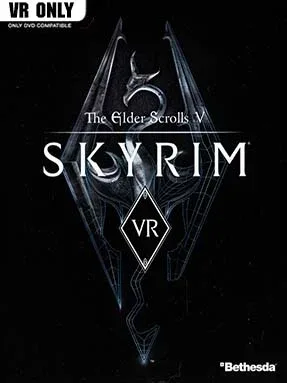
Game Overview
Tamriel feels vastly more immediate when a dragon’s shadow crosses the ground above your own head. Skyrim VR turns Bethesda’s enormous fantasy role-playing adventure into a first-person virtual reality journey, placing you in a cold northern province of ruined forts, mountain passes, Nordic tombs, and war-torn cities. You play the Dragonborn, a customizable hero whose ability to wield ancient shouts makes them the key to stopping the return of dragons. The mood alternates between lonely wilderness travel, bombastic monster fights, and the wonderfully odd side stories that have always defined Skyrim.
Most of the familiar Elder Scrolls loop remains intact: choose a direction, find a cave or settlement, pick up quests, fight whatever waits inside, and steadily shape a character around preferred skills. Motion-controlled weapons make sword swings, shield blocks, spellcasting, bow shots, lockpicking, and scavenging feel more physical, while movement options accommodate both smoother free locomotion and more comfort-focused play. Character growth comes through repeated use, so sneaking improves stealth, casting strengthens magic, and surviving brutal melee encounters builds combat skills naturally. Beyond the main dragon storyline, the package includes Dawnguard, Hearthfire, and Dragonborn, adding vampire warfare, home building, and a substantial trip to Solstheim.
VR’s strongest contribution is scale: cliffs feel steeper, ancient halls seem cavernous, and even familiar encounters gain tension when enemies occupy the same apparent space as the player. Not every old interface or animation feels designed from the ground up for headsets, and the underlying game still carries Skyrim’s famously rough-edged Bethesda character, but its sheer freedom compensates. PC players also benefit from an active mod scene, with community fixes, visual improvements, and VR-focused adjustments available for those willing to customize their setup. It suits veterans who want to revisit a landmark RPG from inside its world, while newcomers who can tolerate an older structure receive one of virtual reality’s largest and most flexible fantasy adventures.
Installation
- Click the green button below to be redirected to UploadHaven.
- Wait 15 seconds, then hit “Free Download.” (Free downloads may be slower — upgrade to UploadHaven Pro for faster speeds.)
- Once downloaded, right-click the .zip file and choose “Extract to The Elder Scrolls V: Skyrim VR.” (You’ll need 7-Zip for this.)
- Open the extracted folder and run the game as administrator.
- Enjoy! 🎮 If you see missing DLL errors, check the <strong>_Redist</strong> folder inside and install what’s needed.
System Requirements
- OS: Windows 7/8.1/10 (64-bit versions)
- Processor: Intel Core i5-6600K or AMD Ryzen 5 1400 or better
- Memory: 8 GB RAM
- Graphics: Nvidia GeForce GTX 970 / AMD RX 480 8GB or better
- Storage: 15 GB available space
Setup Guide & Troubleshooting
How do I fix missing DLL errors for The Elder Scrolls V: Skyrim VR (v1.4.0.15.8)?
After extracting The Elder Scrolls V: Skyrim VR (v1.4.0.15.8), navigate to the _Redist or _CommonRedist folder inside the game directory and install DirectX, Vcredist, and any other dependencies included.
What should I do if the downloaded file is corrupted?
The full archive is 11.27 GB — make sure your download completed fully before extracting. Use 7-Zip to extract the files. If you still see a "file corrupted" error, re-download and try again.
Why should I run the game as administrator?
Right-click the game executable and select "Run as Administrator" to avoid save file issues and permission errors. This is especially important on the first launch.
How do I update my GPU drivers for this game?
The Elder Scrolls V: Skyrim VR (v1.4.0.15.8) requires a Nvidia GeForce GTX 970 / AMD RX 480 8GB or better or equivalent. Update your NVIDIA or AMD drivers to the latest version for the best performance.
The game won't launch — what should I try?
Try running in compatibility mode, install the latest DirectX runtime, or install the All-in-One VC Redist Package.
My antivirus is blocking the game — is it safe?
Antivirus false positives are common with pre-installed games. Temporarily pause your antivirus during extraction to prevent it from quarantining game files. You can re-enable it after the extraction completes.