
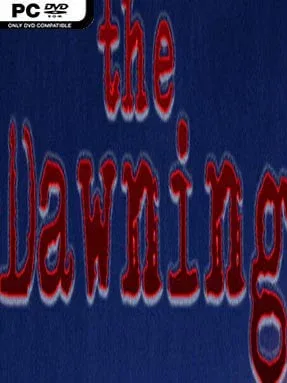
The Dawning Cover Art

The Dawning

INDIE 6.95 GB

Game Overview

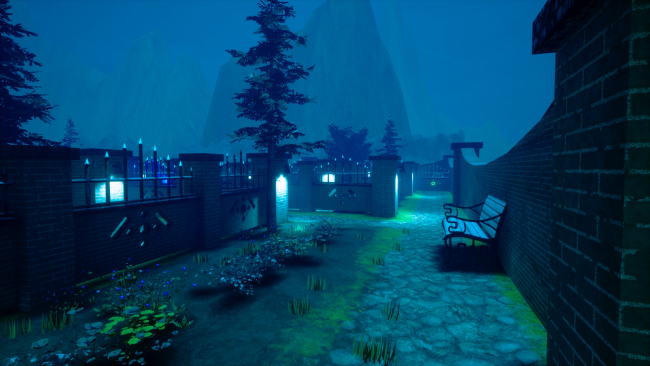
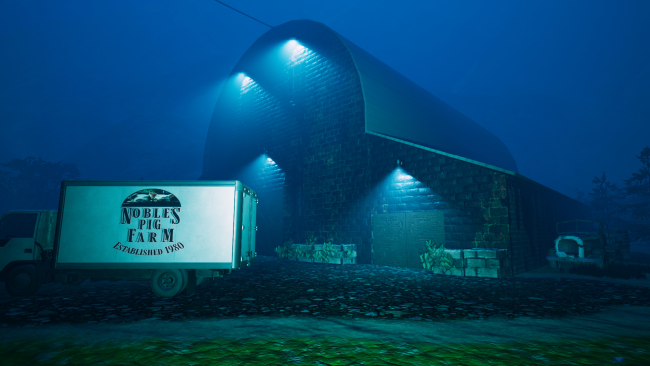
A rain-soaked pig farm becomes the stage for a tense, intimate horror mystery in which former private investigator James Madison wakes to find an entire family gone. His retirement offers no peace: cryptic messages from an unseen tormentor turn the isolated property into a hunting ground, with the promise of murder hanging over every clue. The Dawning leans into uneasy atmosphere rather than grand spectacle, using its rural setting, abandoned rooms, and nighttime silence to make even familiar places feel hostile. It is a compact indie thriller built around suspicion, dread, and the fear that Madison’s past may not be as buried as he hopes.

Players search the Noble family’s farm for evidence, following leads through increasingly dangerous areas while piecing together what happened after the knock at the door. Progress depends on solving environmental puzzles, examining the surroundings carefully, and interpreting the threatening communications that keep arriving throughout the night. Wolves roaming the property add a survival-horror edge, forcing caution and route planning instead of treating every encounter as a straightforward fight. The central loop is investigative: uncover a clue, unlock access to another part of the farm, avoid immediate threats, and slowly narrow down the identity and motive of the killer.

Its strongest appeal comes from the collision of detective-fiction structure and rural horror. Madison is not an ordinary helpless victim, but his investigative instincts do not make him safe when the setting itself seems designed to trap him. The confined farm location gives the mystery a focused, claustrophobic quality, while the puzzles provide a slower pace than action-heavy horror games. Fans of small-scale psychological horror, escape-room-style problem solving, and stories in the vein of classic survival-horror mysteries should find plenty to like, especially if they prefer tension and investigation over constant combat.

Installation

  1. Click the green button below to be redirected to UploadHaven.
  2. Wait 15 seconds, then hit “Free Download.” (Free downloads may be slower — upgrade to UploadHaven Pro for faster speeds.)
  3. Once downloaded, right-click the .zip file and choose “Extract to The Dawning.” (You’ll need 7-Zip for this.)
  4. Open the extracted folder and run the game as administrator.
  5. Enjoy! 🎮 If you see missing DLL errors, check the <strong>_Redist</strong> folder inside and install what’s needed.

System Requirements

  • Requires a 64-bit processor and operating system
  • OS: Windows 10 64 bit
  • Processor: Intel i5 or equivalent
  • Memory: 8 GB RAM
  • Graphics: NVIDIA GTX 1060/AMD Radeon RX 580
  • DirectX: Version 12
  • Storage: 16 GB available space

Setup Guide & Troubleshooting

How do I fix missing DLL errors for The Dawning?

After extracting The Dawning, navigate to the _Redist or _CommonRedist folder inside the game directory and install DirectX, Vcredist, and any other dependencies included.

What should I do if the downloaded file is corrupted?

The full archive is 6.95 GB — make sure your download completed fully before extracting. Use 7-Zip to extract the files. If you still see a "file corrupted" error, re-download and try again.

Why should I run the game as administrator?

Right-click the game executable and select "Run as Administrator" to avoid save file issues and permission errors. This is especially important on the first launch.

How do I update my GPU drivers for this game?

The Dawning requires a NVIDIA GTX 1060/AMD Radeon RX 580 or equivalent. Update your NVIDIA or AMD drivers to the latest version for the best performance.

The game won't launch — what should I try?

This game requires Version 12. Try running in compatibility mode, install the latest DirectX runtime, or install the All-in-One VC Redist Package.

My antivirus is blocking the game — is it safe?

Antivirus false positives are common with pre-installed games. Temporarily pause your antivirus during extraction to prevent it from quarantining game files. You can re-enable it after the extraction completes.

Need more help? Browse our FAQ & Troubleshooting Guide for solutions to common issues.
Looking for something else? Explore all games on Steam Unlocked