

Game Overview
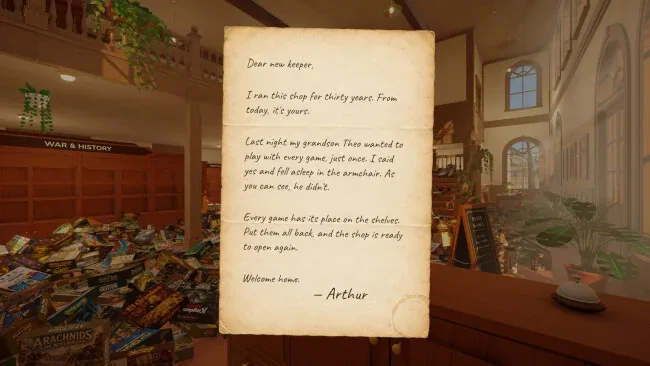
Order becomes the central pleasure in this first-person tidying sim, where a family board-game shop has been reduced to a cheerful carpet of cardboard boxes. Its longtime owner, Arthur, has finally handed over the keys, while a single night of enthusiastic play by grandson Theo leaves thousands of copies misplaced before opening time. The Cozy Board Game Shop: Tidy Up trades urgency for gentle satisfaction: sun pours through the windows, a mellow soundtrack plays, and every correctly stocked shelf makes the cluttered store feel more personal.
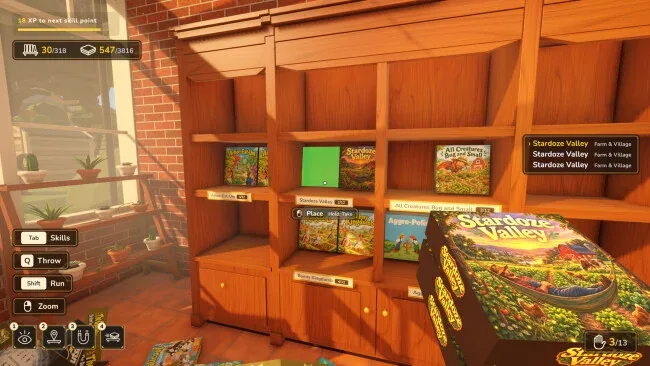
Players lift individual boxes or precarious armfuls, rotate through the pile with the mouse wheel, and match each title to its appropriate section across two floors. A completed run of twelve copies visibly rewards the effort, while the shop’s map helps locate genres and more awkward corners such as the greenhouse, reading loft, and themed rooms. Each box grants experience that feeds a small skill tree; upgrades can highlight matching loose copies, pull nearby boxes close, increase carrying capacity, or automatically place and sort a stack. There are no clocks or penalties, so progress is about planning efficient routes, learning shelf layouts, and saving whenever a session ends.
The scale is unusually committed for such a quiet premise, with 318 spoof game covers inviting players to inspect jokes and recognize familiar tabletop inspirations amid 3,816 objects. Tossing a box across the room and experimenting with stack-management abilities gives the otherwise straightforward job enough playful physicality to avoid feeling like pure bookkeeping. Fans of A Little to the Left, Unpacking, or PowerWash Simulator who enjoy visible incremental order should find an easygoing palate cleanser here, while completionists receive a sizeable, low-stress organizing project rather than a demanding puzzle challenge.
Screenshots
Installation
- Select the <strong>Download</strong> button at the top of this page to open UploadHaven.
- On UploadHaven, wait for any countdown, then select <strong>Free Download</strong>. Optional: UploadHaven Pro for faster downloads.
- When complete, extract the archive to a <strong>The Cozy Board Game Shop: Tidy Up</strong> folder using 7-Zip.
- Open the extracted folder and start the game normally.
- For errors, check <strong>Setup Guide & Troubleshooting</strong> below. Keep your security software enabled.
System Requirements
- Requires a 64-bit processor and operating system
- OS: Windows 10 64-bit
- Processor: Intel Core i5-8400 / AMD Ryzen 5 2600
- Memory: 8 GB RAM
- Graphics: NVIDIA GeForce GTX 1060 (6 GB) / AMD Radeon RX 580
- DirectX: Version 11
- Storage: 2 GB available space