
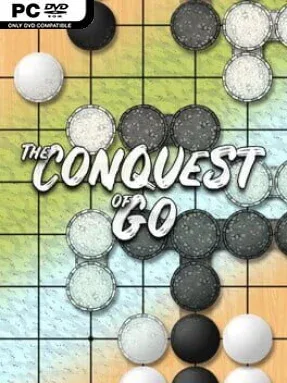
Game Overview
Ancient board-game strategy becomes a campaign for political influence in The Conquest of Go, an approachable but demanding indie adaptation of one of history’s deepest competitive games. Its central contest is elegantly simple: players alternate placing black or white stones, surrounding empty intersections and claiming more territory than their rival. Beneath that clean rule set lies a ruthless battle of influence, sacrifice, encirclement, and long-term planning. The mood is thoughtful rather than flashy, making every move feel like a commitment that can quietly shape the entire board.
Campaign matches frame Go as a struggle between nations competing for land and resources, giving solo play more purpose than a sequence of disconnected board battles. Players learn the fundamentals through interactive lessons, then put them into practice against computer-controlled opponents with varying levels of challenge. Improvement comes from playing complete games, studying finished matches, and tackling focused Go problems that teach life-and-death situations, captures, territory judgment, and tactical reading. AI-assisted tools help identify mistakes and clarify stronger options, while online play opens the door to matches against human opponents around the world once the basics become second nature.
What stands out is the effort to make an intimidating classic understandable without flattening its complexity. Go has fewer rules than chess, yet its boards can create broader strategic possibilities, where one small stone may matter more for future influence than immediate points. The campaign structure and learning tools give newcomers a useful route into the game, while match review and puzzle content offer experienced players meaningful ways to sharpen their reading. Fans of Chess Ultra, digital board games, and deliberate turn-based strategy should find plenty to appreciate, but patience is essential: The Conquest of Go rewards careful observation and the willingness to lose, review, and return smarter.
Installation
- Click the green button below to be redirected to UploadHaven.
- Wait 15 seconds, then hit “Free Download.” (Free downloads may be slower — upgrade to UploadHaven Pro for faster speeds.)
- Once downloaded, right-click the .zip file and choose “Extract to The Conquest of Go.” (You’ll need 7-Zip for this.)
- Open the extracted folder and run the game as administrator.
- Enjoy! 🎮 If you see missing DLL errors, check the <strong>_Redist</strong> folder inside and install what’s needed.
System Requirements
- Requires a 64-bit processor and operating system
- OS: Windows 7 or later
- Processor: Intel Core i3
- Memory: 4 GB RAM
- Graphics: Intel HD Graphics
- DirectX: Version 10
- Storage: 700 MB available space
Setup Guide & Troubleshooting
How do I fix missing DLL errors for The Conquest of Go (v0.22.0)?
After extracting The Conquest of Go (v0.22.0), navigate to the _Redist or _CommonRedist folder inside the game directory and install DirectX, Vcredist, and any other dependencies included.
What should I do if the downloaded file is corrupted?
The full archive is 350.47 MB — make sure your download completed fully before extracting. Use 7-Zip to extract the files. If you still see a "file corrupted" error, re-download and try again.
Why should I run the game as administrator?
Right-click the game executable and select "Run as Administrator" to avoid save file issues and permission errors. This is especially important on the first launch.
How do I update my GPU drivers for this game?
The Conquest of Go (v0.22.0) requires a Intel HD Graphics or equivalent. Update your NVIDIA or AMD drivers to the latest version for the best performance.
The game won't launch — what should I try?
This game requires Version 10. Try running in compatibility mode, install the latest DirectX runtime, or install the All-in-One VC Redist Package.
My antivirus is blocking the game — is it safe?
Antivirus false positives are common with pre-installed games. Temporarily pause your antivirus during extraction to prevent it from quarantining game files. You can re-enable it after the extraction completes.