
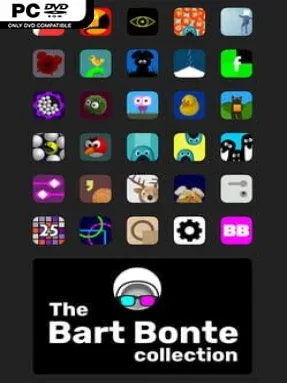
The Bart Bonte Collection Cover Art

The Bart Bonte Collection

INDIE 99.76 MB v1.0.0.3

Game Overview

Bart Bonte’s puzzle games thrive on small ideas pushed in clever, often playful directions. The Bart Bonte Collection gathers 28 remastered browser-era games into one compact package, preserving everything from minimalist logic challenges to eccentric escape rooms and tactile factory puzzles. Its mood is light, colorful, and pleasantly strange, but the solutions regularly demand close observation rather than random clicking. Each entry is short enough for a coffee break, while the best ones linger because their rules keep changing just when you think you understand them.

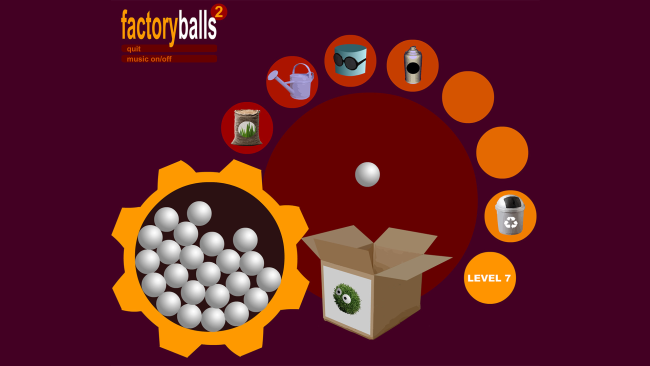
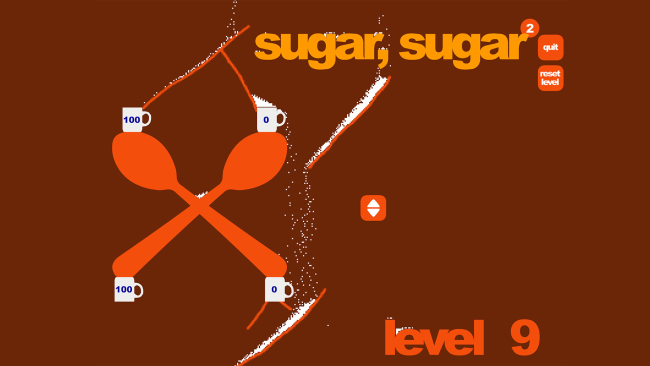
Players move through a selection menu and tackle each game independently, making this an easy collection to dip in and out of. In the Factory Balls series, you transform plain spheres into target designs using tools, paint, masks, and careful ordering; Sugar, Sugar has you draw paths that guide falling sugar into matching cups; the Me and the Key games turn single-screen escape puzzles into compact tests of visual reasoning. Other titles ask you to uncover hidden interactions, decode unusual interfaces, manipulate words, or find a way out of surreal rooms. Progress comes from solving stages and experimenting with the logic of each individual game, while achievements provide an extra reason to revisit completed puzzles or chase solutions more efficiently.

Variety is the collection’s biggest strength: no single mechanic has enough time to wear out its welcome, yet Bart Bonte’s clean visual language and fondness for surprising twists tie the anthology together. Many puzzles communicate almost entirely through images and interaction, so the satisfying part is learning how an unfamiliar object or screen behaves without lengthy instructions. Remastering also means these former Flash staples work as a modern standalone archive rather than relying on a vanished browser plugin. Fans of games such as The Room, Rusty Lake, World of Goo, or inventive mobile puzzlers should find plenty to enjoy, and newcomers get an approachable tour of a distinctive indie designer’s catalog.

Installation

  1. Click the green button below to be redirected to UploadHaven.
  2. Wait 15 seconds, then hit “Free Download.” (Free downloads may be slower — upgrade to UploadHaven Pro for faster speeds.)
  3. Once downloaded, right-click the .zip file and choose “Extract to The Bart Bonte Collection.” (You’ll need 7-Zip for this.)
  4. Open the extracted folder and run the game as administrator.
  5. Enjoy! 🎮 If you see missing DLL errors, check the <strong>_Redist</strong> folder inside and install what’s needed.

System Requirements

  • OS: Microsoft® Windows® XP/Vista/7,8, 10 or later
  • Processor: 1.8 Ghz Processor
  • Memory: 1 GB RAM
  • Graphics: Direct X 9.0c compatible video card
  • DirectX: Version 9.0c
  • Storage: 70 MB available space

Setup Guide & Troubleshooting

How do I fix missing DLL errors for The Bart Bonte Collection (v1.0.0.3)?

After extracting The Bart Bonte Collection (v1.0.0.3), navigate to the _Redist or _CommonRedist folder inside the game directory and install DirectX, Vcredist, and any other dependencies included.

What should I do if the downloaded file is corrupted?

The full archive is 99.76 MB — make sure your download completed fully before extracting. Use 7-Zip to extract the files. If you still see a "file corrupted" error, re-download and try again.

Why should I run the game as administrator?

Right-click the game executable and select "Run as Administrator" to avoid save file issues and permission errors. This is especially important on the first launch.

How do I update my GPU drivers for this game?

The Bart Bonte Collection (v1.0.0.3) requires a Direct X 9.0c compatible video card or equivalent. Update your NVIDIA or AMD drivers to the latest version for the best performance.

The game won't launch — what should I try?

This game requires Version 9.0c. Try running in compatibility mode, install the latest DirectX runtime, or install the All-in-One VC Redist Package.

My antivirus is blocking the game — is it safe?

Antivirus false positives are common with pre-installed games. Temporarily pause your antivirus during extraction to prevent it from quarantining game files. You can re-enable it after the extraction completes.

Need more help? Browse our FAQ & Troubleshooting Guide for solutions to common issues.
Looking for something else? Explore all games on Steam Unlocked