
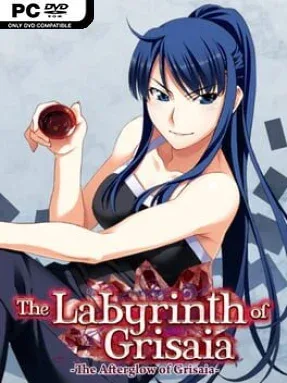
Game Overview
Kazami Yuuji’s past takes center stage in a compact, serious visual novel that fills in one of the most important relationships in the Grisaia saga. Rather than continuing the academy-focused drama of the main entries, the story looks back at Yuuji’s life after his rescue from a terrorist organization, when CIRS agent Kusakabe Asako becomes the defining adult presence in his life. The mood is reflective and often grim, balancing military intrigue, trauma, and the dry humor that long-time fans expect from these characters. As a side story, The Afterglow of Grisaia is less about introducing a new arc than revealing the emotional history beneath Yuuji’s hardened personality.
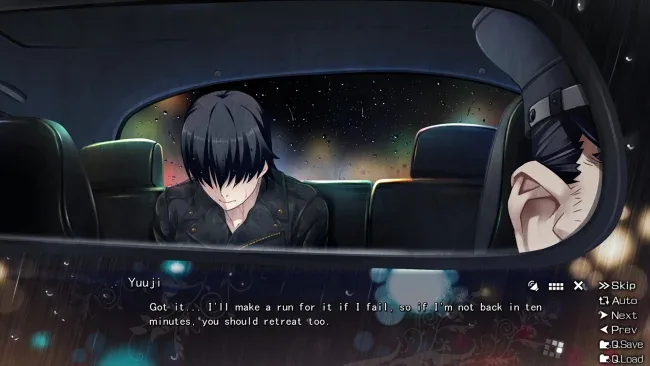
Reading is the central activity: players follow extended scenes, character conversations, internal narration, and revelations that recontextualize events from The Labyrinth of Grisaia. The experience focuses on pacing and writing rather than action systems, exploration, or stat management, making it best approached as a focused novella in visual-novel form. Its short format means the story moves quickly through key moments between Yuuji and Asako without the broad route structure or lengthy romantic detours of the larger Grisaia releases. Familiarity with Labyrinth matters, since the narrative assumes players already understand major characters, terminology, and the weight of Yuuji’s earlier revelations.
What makes it valuable is its narrower lens. Asako is one of Grisaia’s most influential figures, and seeing her relationship with Yuuji directly gives added force to both characters’ later choices and motivations. The presentation retains the series’ polished character art and expressive scene work, but the appeal rests squarely on lore, dialogue, and the added context it provides rather than replayability. Fans who enjoy character-driven visual novels such as Steins;Gate or Muv-Luv, especially those already invested in Grisaia’s darker backstory, should treat it as an essential companion piece after finishing The Labyrinth of Grisaia.
Screenshots
Installation
- Select the <strong>Download</strong> button at the top of this page to open UploadHaven.
- On UploadHaven, wait for any countdown, then select <strong>Free Download</strong>. Optional: UploadHaven Pro for faster downloads.
- When complete, extract the archive to a <strong>The Afterglow of Grisaia</strong> folder using 7-Zip.
- Open the extracted folder and start the game normally.
- For errors, check <strong>Setup Guide & Troubleshooting</strong> below. Keep your security software enabled.
System Requirements
- OS: Vista/7/8.1
- Processor: Intel Core 2 Duo
- Memory: 1 GB RAM
- Graphics: VRAM320MB, 1280×720
- DirectX: Version 9.0c
- Storage: 750 MB available space
- Sound Card: Support for PCM playback through DirectSound
Setup Guide & Troubleshooting
How do I fix missing DLL errors for The Afterglow of Grisaia?
After extracting The Afterglow of Grisaia, navigate to the _Redist or _CommonRedist folder inside the game directory and install DirectX, Vcredist, and any other dependencies included.
What should I do if the downloaded file is corrupted?
The full archive is 706.91 MB — make sure your download completed fully before extracting. Use 7-Zip to extract the files. If you still see a "file corrupted" error, re-download and try again.
Why should I run the game as administrator?
Right-click the game executable and select "Run as Administrator" to avoid save file issues and permission errors. This is especially important on the first launch.
How do I update my GPU drivers for this game?
The Afterglow of Grisaia requires a VRAM320MB, 1280×720 or equivalent. Update your NVIDIA or AMD drivers to the latest version for the best performance.
The game won't launch — what should I try?
This game requires Version 9.0c. Try running in compatibility mode, install the latest DirectX runtime, or install the All-in-One VC Redist Package.
My antivirus is blocking the game — is it safe?
Antivirus false positives are common with pre-installed games. Temporarily pause your antivirus during extraction to prevent it from quarantining game files. You can re-enable it after the extraction completes.