
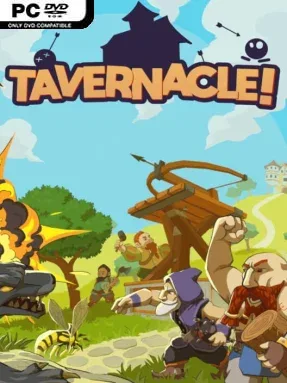
Game Overview
Beer is more than a comfort in Upper-Left-Earth: it is the foundation of Dwarven civilization, and invading monster hordes threaten to shut the brewery down for good. Tavernacle! turns that deliberately silly crisis into a fast, hectic cooperative defense game where stout-hearted miners scramble to keep their taps flowing. Its fantasy setting has the broad humor of a dwarven tavern tale, but the action stays urgent as enemies close in and every missing resource can leave a defensive plan unfinished. The result is a lively blend of gathering, crafting, and desperate last-minute fortification.
Players range across each map collecting essential supplies, kicking loose rocks and hauling wood, stone, iron, and other materials back into the production chain. Those resources feed a construction loop built around towers, traps, explosives, and other improvised tools for thinning the incoming waves before they reach the brewery. Enemies do not wait patiently while the team organizes, so success depends on moving efficiently, reacting to attacks, and deciding whether another player should harvest materials, process them, build defenses, or help hold a vulnerable lane. Up to four dwarves can tackle the chaos together online or through local split-screen, making communication and shared priorities as important as raw combat skill.
What separates Tavernacle! from a standard tower-defense game is its hands-on approach to every part of preparation: defenses are not simply bought from a menu, but supported by frantic labor in the field. The resource hunt gives each round a physical, arcade-like rhythm, while the comedic obsession with protecting beer keeps failure entertaining rather than grim. Maps encourage players to cover different areas and assemble layered kill zones, yet the constant pressure means even a well-organized crew can be forced into a brawl. Fans of Overcooked!’s cooperative panic who want more monsters, crafting, and defensive planning should find plenty to like, especially with a regular group of friends.
Installation
- Click the green button below to be redirected to UploadHaven.
- Wait 15 seconds, then hit “Free Download.” (Free downloads may be slower — upgrade to UploadHaven Pro for faster speeds.)
- Once downloaded, right-click the .zip file and choose “Extract to Tavernacle!.” (You’ll need 7-Zip for this.)
- Open the extracted folder and run the game as administrator.
- Enjoy! 🎮 If you see missing DLL errors, check the <strong>_Redist</strong> folder inside and install what’s needed.
System Requirements
- Requires a 64-bit processor and operating system
- OS: Windows 7 (64 bits)
- Processor: Dual Core 2.8Ghz
- Memory: 4 GB RAM
- Graphics: GeForce 10 Series or above
- DirectX: Version 11
- Storage: 4 GB available space
- Sound Card: DirectX Compatible Sound Card
Setup Guide & Troubleshooting
How do I fix missing DLL errors for Tavernacle! (v1.0.3)?
After extracting Tavernacle! (v1.0.3), navigate to the _Redist or _CommonRedist folder inside the game directory and install DirectX, Vcredist, and any other dependencies included.
What should I do if the downloaded file is corrupted?
The full archive is 3.12 GB — make sure your download completed fully before extracting. Use 7-Zip to extract the files. If you still see a "file corrupted" error, re-download and try again.
Why should I run the game as administrator?
Right-click the game executable and select "Run as Administrator" to avoid save file issues and permission errors. This is especially important on the first launch.
How do I update my GPU drivers for this game?
Tavernacle! (v1.0.3) requires a GeForce 10 Series or above or equivalent. Update your NVIDIA or AMD drivers to the latest version for the best performance.
The game won't launch — what should I try?
This game requires Version 11. Try running in compatibility mode, install the latest DirectX runtime, or install the All-in-One VC Redist Package.
My antivirus is blocking the game — is it safe?
Antivirus false positives are common with pre-installed games. Temporarily pause your antivirus during extraction to prevent it from quarantining game files. You can re-enable it after the extraction completes.