
Game Overview
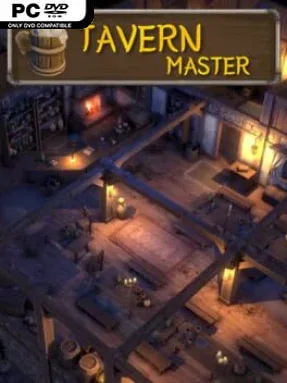
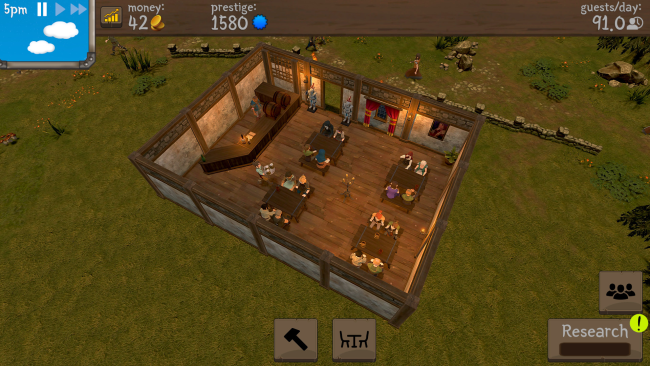
A successful medieval inn runs on more than ale: it needs smart floor plans, reliable workers, stocked cellars, and customers willing to stay for one more round. Tavern Master turns that everyday balancing act into a relaxed but surprisingly involved management sim, asking you to transform a bare room into a bustling, candlelit business. Its tone stays cozy and approachable rather than punishing, with the pleasure coming from watching a carefully arranged tavern fill with travelers, locals, and demanding event guests.
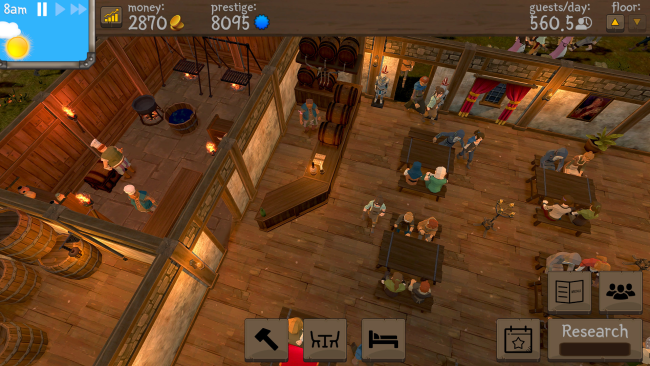
Construction begins with practical basics such as tables, benches, barrels, and service areas, but efficient placement matters as crowds grow and staff need room to move. You hire servers to carry drinks, cleaners to keep the premises presentable, and eventually chefs to run a kitchen, while monitoring supplies so a missing ingredient does not derail the menu. Special events bring in visitors with particular orders and all-day expectations, creating short-term challenges that test preparation and staffing. Musicians add another useful layer: they draw bigger crowds and help keep patrons patient when service slows under pressure.
What stands out is the focus on the lived-in details of hospitality rather than abstract spreadsheets alone; every expansion visibly changes how the tavern operates. Kitchens, food inventories, entertainment, and themed events steadily turn a simple alehouse into a more complex establishment without losing the game’s easygoing rhythm. The clean, colorful presentation makes it satisfying to admire your layout between upgrades, while the business decisions provide enough friction to prevent mindless decorating. Fans of Two Point Hospital, Prison Architect, or lighter restaurant-management games should feel at home, and newcomers to the genre can enjoy it without needing a head for brutal economic simulation.
Installation
- Click the green button below to be redirected to UploadHaven.
- Wait 15 seconds, then hit “Free Download.” (Free downloads may be slower — upgrade to UploadHaven Pro for faster speeds.)
- Once downloaded, right-click the .zip file and choose “Extract to Tavern Master.” (You’ll need 7-Zip for this.)
- Open the extracted folder and run the game as administrator.
- Enjoy! 🎮 If you see missing DLL errors, check the <strong>_Redist</strong> folder inside and install what’s needed.
System Requirements
- OS: Windows® XP (32-64 bits) /Windows Vista®(32-64 bits)/Windows 7® (32-64 bits)
- Processor: Intel Core® 2 Duo 1.8 GHZ or AMD Athlon X2 64 2.4GHZ
- Memory: 2 GB RAM
- Graphics: 256 MB DirectX® 9.0–compliant card with Shader Model 3.0 or higher (see supported list)
- Storage: 2 GB available space
- Sound Card: DirectX 9.0 –compliant sound card
Setup Guide & Troubleshooting
How do I fix missing DLL errors for Tavern Master (v2024.11.22 & ALL DLC)?
After extracting Tavern Master (v2024.11.22 & ALL DLC), navigate to the _Redist or _CommonRedist folder inside the game directory and install DirectX, Vcredist, and any other dependencies included.
What should I do if the downloaded file is corrupted?
The full archive is 1.16 GB — make sure your download completed fully before extracting. Use 7-Zip to extract the files. If you still see a "file corrupted" error, re-download and try again.
Why should I run the game as administrator?
Right-click the game executable and select "Run as Administrator" to avoid save file issues and permission errors. This is especially important on the first launch.
How do I update my GPU drivers for this game?
Tavern Master (v2024.11.22 & ALL DLC) requires a 256 MB DirectX® 9.0–compliant card with Shader Model 3.0 or higher (see supported list) or equivalent. Update your NVIDIA or AMD drivers to the latest version for the best performance.
The game won't launch — what should I try?
Try running in compatibility mode, install the latest DirectX runtime, or install the All-in-One VC Redist Package.
My antivirus is blocking the game — is it safe?
Antivirus false positives are common with pre-installed games. Temporarily pause your antivirus during extraction to prevent it from quarantining game files. You can re-enable it after the extraction completes.