
Game Overview
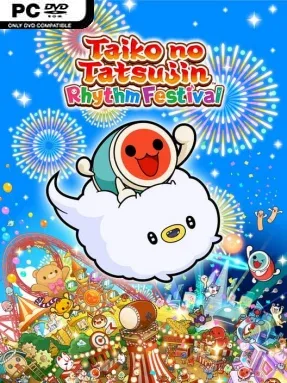
Omiko City turns drumming into a bright, welcoming rhythm adventure built around timing, momentum, and the satisfaction of landing a perfect beat. Taiko no Tatsujin: Rhythm Festival follows Don-chan and newcomer Kumo-kyun as they chase the title of Taiko Master, but its real appeal is the huge variety of music and its wonderfully cheerful presentation. Anime themes, pop tracks, Vocaloid staples, game music, and memorable songs such as “MEGALOVANIA” give the setlist a broad appeal, while colorful characters and exaggerated reactions keep every performance lively. The tone is playful rather than punishing, making it equally suited to quick solo sessions and noisy living-room competitions.
Each song sends note patterns scrolling across the screen, asking players to strike the drum face or rim at exactly the right moments. Four difficulty settings make the fundamentals approachable, then steadily introduce denser rhythms, rapid note strings, and demanding patterns that test both timing and endurance. A standard controller works well, while a compatible taiko drum controller provides the more physical, arcade-like way to play. Improvement Support offers practical help for players who want to sharpen weak spots instead of simply repeating tracks until something clicks, and local play lets two drummers compete directly for score supremacy.
Party modes give Rhythm Festival more range than a straightforward song-selection rhythm game. Great Drum Toy War mixes performances with a light tug-of-war strategy, Don-chan Band asks up to four players to cooperate for a successful show, and Run! Ninja Dojo turns drummers into obstacle-dodging racers. Its adorable art direction masks a system with genuine depth at higher levels, where reading patterns quickly matters as much as raw reflexes. Fans of Guitar Hero, Project DIVA, or arcade rhythm games will recognize the score-chasing appeal, while newcomers get one of the genre’s friendliest introductions.
Installation
- Click the green button below to be redirected to UploadHaven.
- Wait 15 seconds, then hit “Free Download.” (Free downloads may be slower — upgrade to UploadHaven Pro for faster speeds.)
- Once downloaded, right-click the .zip file and choose “Extract to Taiko no Tatsujin: Rhythm Festival.” (You’ll need 7-Zip for this.)
- Open the extracted folder and run the game as administrator.
- Enjoy! 🎮 If you see missing DLL errors, check the <strong>_Redist</strong> folder inside and install what’s needed.
System Requirements
- Requires a 64-bit processor and operating system
- OS: Windows 10 64bit / Windows 11 64bit
- Processor: Intel Core i5-750, 2.67 GHz / AMD A12-9800, 3.80 GHz
- Memory: 8 GB RAM
- Graphics: NVIDIA GeForce GTX 750 Ti, 2 GB / AMD Radeon HD 7770, 2 GB / Intel Iris Plus
- Storage: 4 GB available space
- Additional Notes: Estimated performance: 1080p/60fps with graphics settings at “Low”. Framerate might drop in graphics-intensive scenes. – 64-bit processor and operating system are required.
Setup Guide & Troubleshooting
How do I fix missing DLL errors for Taiko no Tatsujin: Rhythm Festival (v2.1.0 & ALL DLC)?
After extracting Taiko no Tatsujin: Rhythm Festival (v2.1.0 & ALL DLC), navigate to the _Redist or _CommonRedist folder inside the game directory and install DirectX, Vcredist, and any other dependencies included.
What should I do if the downloaded file is corrupted?
The full archive is 2.99 GB — make sure your download completed fully before extracting. Use 7-Zip to extract the files. If you still see a "file corrupted" error, re-download and try again.
Why should I run the game as administrator?
Right-click the game executable and select "Run as Administrator" to avoid save file issues and permission errors. This is especially important on the first launch.
How do I update my GPU drivers for this game?
Taiko no Tatsujin: Rhythm Festival (v2.1.0 & ALL DLC) requires a NVIDIA GeForce GTX 750 Ti, 2 GB / AMD Radeon HD 7770, 2 GB / Intel Iris Plus or equivalent. Update your NVIDIA or AMD drivers to the latest version for the best performance.
The game won't launch — what should I try?
Try running in compatibility mode, install the latest DirectX runtime, or install the All-in-One VC Redist Package.
My antivirus is blocking the game — is it safe?
Antivirus false positives are common with pre-installed games. Temporarily pause your antivirus during extraction to prevent it from quarantining game files. You can re-enable it after the extraction completes.