
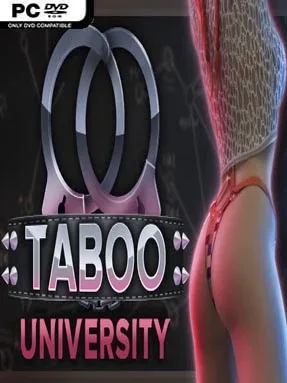
Game Overview
At ViNovella University, an undercover freshman investigation turns a polished campus drama into an adult-oriented mystery surrounding the disappearance of three students. Taboo University Book One serves as a loose prequel to the Fetish Locator series, but its focus is on establishing a new cast, new rivalries, and a more conspiratorial college setting. The tone shifts between flirtatious social scenes, melodramatic secrets, and occasionally sinister intrigue as the protagonist decides how far he is willing to go for answers. Beneath the provocative premise sits a branching detective story where personal relationships and the central case continually overlap.
Most of the action unfolds through visual-novel conversations, choice prompts, and relationship-driven scenes rather than traditional exploration or combat. Players question classmates and faculty, pursue leads around campus, and make decisions that alter trust, romances, faction standing, and eventually the route through the investigation. Three major groups shape the available storylines: an occult-minded cult, a criminal syndicate built around shady deals and conflicts, and a competitive sports club whose team politics conceal plenty of drama. Choosing one path does not simply change a few scenes; it influences the characters encountered, the atmosphere of the plot, and which conclusions become possible.
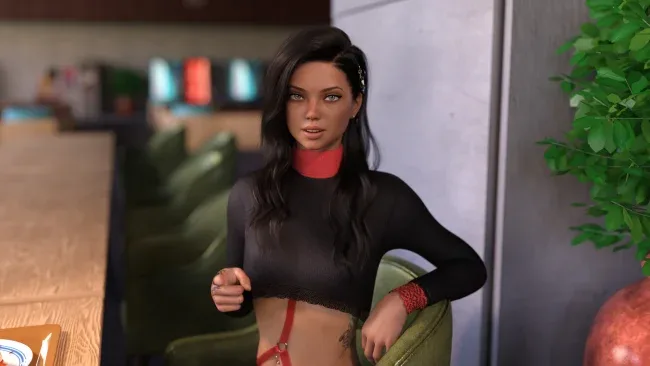
Its strongest feature is the faction structure, which gives the mystery distinct flavors instead of presenting one fixed linear route. The Cult leans into rituals and hidden traditions, the Syndicate emphasizes danger and power struggles, while the Winners Club trades in sports rivalry, parties, and social pressure. Character art, dialogue choices, and multiple endings make repeat playthroughs the main draw, especially for players who enjoy testing alternate relationships and outcomes. Fans of choice-heavy adult visual novels, campus mysteries, and Fetish Locator’s style of branching interpersonal drama find the most to enjoy here, while newcomers can start with Book One without needing deep knowledge of the earlier series.
Screenshots

Installation
- Select the <strong>Download</strong> button at the top of this page to open UploadHaven.
- On UploadHaven, wait for any countdown, then select <strong>Free Download</strong>. Optional: UploadHaven Pro for faster downloads.
- When complete, extract the archive to a <strong>Taboo University Book One</strong> folder using 7-Zip.
- Open the extracted folder and start the game normally.
- For errors, check <strong>Setup Guide & Troubleshooting</strong> below. Keep your security software enabled.
System Requirements
- OS *: Windows 7 or higher
- Processor: 2.0 GHz Core 2 Duo
- Memory: 3 GB RAM
- Graphics: OpenGL 2.0 or DirectX 9.0c compatible
- Storage: 8 GB available space
Setup Guide & Troubleshooting
How do I fix missing DLL errors for Taboo University Book One (v0.6.17 & Uncensored)?
After extracting Taboo University Book One (v0.6.17 & Uncensored), navigate to the _Redist or _CommonRedist folder inside the game directory and install DirectX, Vcredist, and any other dependencies included.
What should I do if the downloaded file is corrupted?
The full archive is 7.53 GB — make sure your download completed fully before extracting. Use 7-Zip to extract the files. If you still see a "file corrupted" error, re-download and try again.
Why should I run the game as administrator?
Right-click the game executable and select "Run as Administrator" to avoid save file issues and permission errors. This is especially important on the first launch.
How do I update my GPU drivers for this game?
Taboo University Book One (v0.6.17 & Uncensored) requires a OpenGL 2.0 or DirectX 9.0c compatible or equivalent. Update your NVIDIA or AMD drivers to the latest version for the best performance.
The game won't launch — what should I try?
Try running in compatibility mode, install the latest DirectX runtime, or install the All-in-One VC Redist Package.
My antivirus is blocking the game — is it safe?
Antivirus false positives are common with pre-installed games. Temporarily pause your antivirus during extraction to prevent it from quarantining game files. You can re-enable it after the extraction completes.