
Game Overview
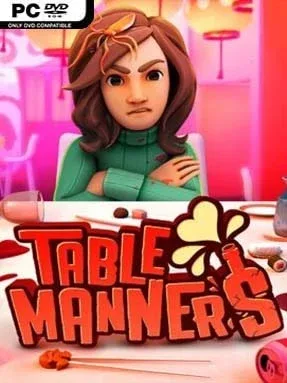
A first date becomes a full-scale slapstick disaster when every drink, plate, candle, and piece of cutlery reacts to your clumsy floating hand. Table Manners: Physics-Based Dating Game turns the anxious ritual of impressing someone over dinner into a deliberately awkward physics comedy, where a harmless attempt to pour wine can end with shattered glass and a burning tablecloth. Its tone is silly, chaotic, and knowingly uncomfortable rather than romantic, poking fun at dating-app expectations and restaurant etiquette. The goal is simple—make a good impression—but the route to it is rarely graceful.
Players control a single hand using intentionally unwieldy physics-based movement, grabbing objects, serving food, opening gifts, lighting candles, and carrying out date-specific requests without causing a scene. Each encounter introduces fresh environmental problems: a sushi restaurant demands speed and precision, an icy venue makes objects slide, a rocking boat turns the table into an unstable platform, and stranger locations escalate the absurdity further. Conversations on the in-game dating app lead to different potential partners, while successful dates improve your standing and open new scenarios. Failure is part of the appeal, as recovering from an accidental spill or trying to extinguish a fire often creates funnier moments than a perfect performance.
What makes the game memorable is its commitment to physical comedy rather than conventional dating-sim choices. Your character is literally only a customizable hand, with nail designs, tattoos, and accessories providing a ridiculous substitute for the usual avatar creator, while each date tests dexterity as much as charm. The compact challenge structure makes it easy to replay levels for cleaner runs or simply embrace spectacular mistakes, especially if you enjoy watching physics systems spiral out of control. Fans of Surgeon Simulator, I Am Bread, or other intentionally awkward control games will immediately understand the joke; newcomers should expect frustration, but patient players with a taste for absurd humor find a charmingly disastrous party game for one.
Installation
- Click the green button below to be redirected to UploadHaven.
- Wait 15 seconds, then hit “Free Download.” (Free downloads may be slower — upgrade to UploadHaven Pro for faster speeds.)
- Once downloaded, right-click the .zip file and choose “Extract to Table Manners: Physics-Based Dating Game.” (You’ll need 7-Zip for this.)
- Open the extracted folder and run the game as administrator.
- Enjoy! 🎮 If you see missing DLL errors, check the <strong>_Redist</strong> folder inside and install what’s needed.
System Requirements
- Requires a 64-bit processor and operating system
- OS: Windows 7/8.1/10 x64
- Processor: Intel i5-760 (4*2800) or equivalent
- Memory: 4 GB RAM
- Graphics: GeForce GTX 460 (1024 MB) or equivalent
- DirectX: Version 11
- Storage: 2 GB available space
- Sound Card: N/A
- Additional Notes: 30 FPS HIGH
Setup Guide & Troubleshooting
How do I fix missing DLL errors for Table Manners: Physics-Based Dating Game (v1.2.0)?
After extracting Table Manners: Physics-Based Dating Game (v1.2.0), navigate to the _Redist or _CommonRedist folder inside the game directory and install DirectX, Vcredist, and any other dependencies included.
What should I do if the downloaded file is corrupted?
The full archive is 833.40 MB — make sure your download completed fully before extracting. Use 7-Zip to extract the files. If you still see a "file corrupted" error, re-download and try again.
Why should I run the game as administrator?
Right-click the game executable and select "Run as Administrator" to avoid save file issues and permission errors. This is especially important on the first launch.
How do I update my GPU drivers for this game?
Table Manners: Physics-Based Dating Game (v1.2.0) requires a GeForce GTX 460 (1024 MB) or equivalent or equivalent. Update your NVIDIA or AMD drivers to the latest version for the best performance.
The game won't launch — what should I try?
This game requires Version 11. Try running in compatibility mode, install the latest DirectX runtime, or install the All-in-One VC Redist Package.
My antivirus is blocking the game — is it safe?
Antivirus false positives are common with pre-installed games. Temporarily pause your antivirus during extraction to prevent it from quarantining game files. You can re-enable it after the extraction completes.