
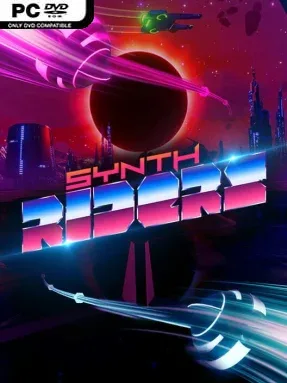
Game Overview
Neon arenas turn every track into a full-body rhythm performance, blending the precision of a music game with the loose, expressive movement of a dance workout. Synth Riders asks you to match colored notes with each hand, keep your arms flowing along glowing rails, and lean away from incoming barriers while electronic scenery pulses around you. The mood is energetic rather than punishing: it wants players to move with the beat, look cool doing it, and gradually work up a sweat. Its soundtrack ranges across synthwave, electro-pop, rock, and licensed hits, giving the game a broader musical identity than many VR rhythm staples.
Each song plays like a choreography challenge viewed from a first-person perspective. Notes reward accurate timing, while long rails encourage wide arm movements and obstacles force squats, side steps, and quick changes in posture; higher difficulty settings increase note density and demand sharper coordination. Score chasing comes from maintaining streaks, hitting perfect timings, and learning patterns well enough to turn frantic charts into smooth routines. Multiple modifiers let players tailor the experience for comfort, practice, or extra challenge, and the included editor plus official custom-song support opens the door to a nearly endless library of community-made beatmaps. Online multiplayer also lets friends compete on the same tracks, making it more social than a solitary fitness session.
What separates Synth Riders from Beat Saber is its emphasis on flowing movement over constant slicing. The rail system makes tracks feel closer to dancing through a music video, while the vivid stages and optional “Experience” levels turn selected songs into elaborate audiovisual rides. It works well for VR newcomers because its fundamentals are immediately readable, yet expert charts, leaderboards, modifiers, and custom maps give committed rhythm-game players plenty to master. Anyone wanting a lighter-footed alternative to saber-based score attack—or a genuinely enjoyable cardio routine—finds a lot to like here.
Installation
- Click the green button below to be redirected to UploadHaven.
- Wait 15 seconds, then hit “Free Download.” (Free downloads may be slower — upgrade to UploadHaven Pro for faster speeds.)
- Once downloaded, right-click the .zip file and choose “Extract to Synth Riders.” (You’ll need 7-Zip for this.)
- Open the extracted folder and run the game as administrator.
- Enjoy! 🎮 If you see missing DLL errors, check the <strong>_Redist</strong> folder inside and install what’s needed.
System Requirements
- OS: Windows 7/8.1/10 (64bit)
- Processor: Intel Core i5 Sandy Bridge or equivalent
- Memory: 4 GB RAM
- Graphics: Nvidia GTX 960 or equivalent
- DirectX: Version 11
- Storage: 3000 MB available space
- VR Support: SteamVR or Oculus PC. Standing Only
Setup Guide & Troubleshooting
How do I fix missing DLL errors for Synth Riders (v2.3.16.a11)?
After extracting Synth Riders (v2.3.16.a11), navigate to the _Redist or _CommonRedist folder inside the game directory and install DirectX, Vcredist, and any other dependencies included.
What should I do if the downloaded file is corrupted?
The full archive is 2.39 GB — make sure your download completed fully before extracting. Use 7-Zip to extract the files. If you still see a "file corrupted" error, re-download and try again.
Why should I run the game as administrator?
Right-click the game executable and select "Run as Administrator" to avoid save file issues and permission errors. This is especially important on the first launch.
How do I update my GPU drivers for this game?
Synth Riders (v2.3.16.a11) requires a Nvidia GTX 960 or equivalent or equivalent. Update your NVIDIA or AMD drivers to the latest version for the best performance.
The game won't launch — what should I try?
This game requires Version 11. Try running in compatibility mode, install the latest DirectX runtime, or install the All-in-One VC Redist Package.
My antivirus is blocking the game — is it safe?
Antivirus false positives are common with pre-installed games. Temporarily pause your antivirus during extraction to prevent it from quarantining game files. You can re-enable it after the extraction completes.