

Game Overview
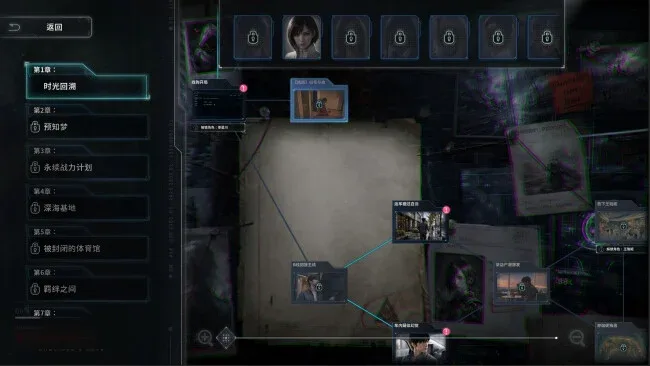
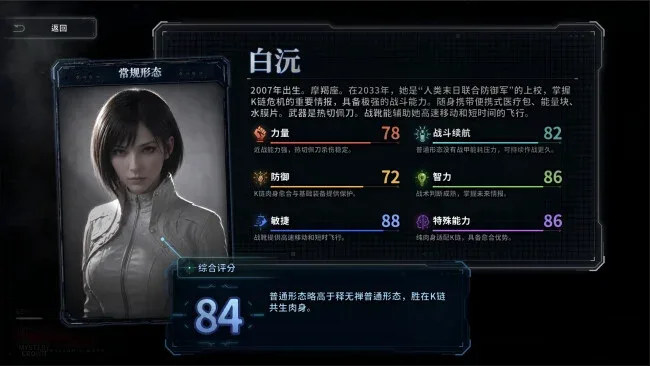
A collapsing 2026 city becomes the stage for a grim interactive drama about zombies, time travel, and the cost of preventing a future that may already be written. Survivor’s Notes follows Ji Xingchuan, a cartoonist whose recurring nightmares begin appearing in reality, alongside Bai Yuan, a soldier sent back from a ruined 2033 with one chance to stop the outbreak at its source. The tone is tense and mournful rather than action-heroic, focusing on ordinary people forced to make impossible decisions while the world falls apart around them.
Play unfolds as a full-motion-video narrative seen closely through the perspectives of both leads, with live-action scenes carrying the story’s suspense and emotional weight. Players guide Ji and Bai through branching conversations, high-pressure decisions, and quick-time events where hesitation can alter relationships, survival, and the direction of the investigation. Choices do more than decide who lives through a zombie encounter: they shape trust, reveal different pieces of the larger mystery, and lead toward distinct conclusions. The central loop is less about scavenging supplies or mastering gunplay than reading people, reacting under pressure, and deciding what sacrifices are acceptable when every answer has consequences.
What separates Survivor’s Notes from more conventional undead fiction is its interest in memory, responsibility, and erased heroism. The dual-protagonist structure lets players view the catastrophe from two sharply different angles: one character is pulled into a nightmare he barely understands, while the other carries firsthand knowledge of the future she is trying to erase. Its branching structure gives it replay value for players who want to trace alternate routes and endings, though the appeal rests on its melodramatic storytelling rather than mechanical depth. Fans of choice-driven FMV games such as The Complex or The Bunker, especially those who enjoy post-apocalyptic mysteries with emotional stakes, are the natural audience.
Screenshots
Installation
- Click the green button below to be redirected to UploadHaven.
- Wait 15 seconds, then hit “Free Download.” (Free downloads may be slower — upgrade to UploadHaven Pro for faster speeds.)
- Once downloaded, right-click the .zip file and choose “Extract to Survivor's Notes.” (You’ll need 7-Zip for this.)
- Open the extracted folder and run the game as administrator.
- Enjoy! 🎮 If you see missing DLL errors, check the <strong>_Redist</strong> folder inside and install what’s needed.
System Requirements
- Requires a 64-bit processor and operating system
- OS: Windows 10
- Processor: Intel Core i3
- Memory: 4 GB RAM
- DirectX: Version 11
- Storage: 40 GB available space
Setup Guide & Troubleshooting
How do I fix missing DLL errors for Survivor’s Notes?
After extracting Survivor’s Notes, navigate to the _Redist or _CommonRedist folder inside the game directory and install DirectX, Vcredist, and any other dependencies included.
What should I do if the downloaded file is corrupted?
The full archive is 33.81 GB — make sure your download completed fully before extracting. Use 7-Zip to extract the files. If you still see a "file corrupted" error, re-download and try again.
Why should I run the game as administrator?
Right-click the game executable and select "Run as Administrator" to avoid save file issues and permission errors. This is especially important on the first launch.
How do I update my GPU drivers for this game?
Update your NVIDIA or AMD drivers to the latest version for the best performance and compatibility.
The game won't launch — what should I try?
This game requires Version 11. Try running in compatibility mode, install the latest DirectX runtime, or install the All-in-One VC Redist Package.
My antivirus is blocking the game — is it safe?
Antivirus false positives are common with pre-installed games. Temporarily pause your antivirus during extraction to prevent it from quarantining game files. You can re-enable it after the extraction completes.