
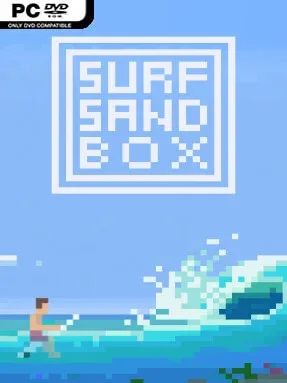
Game Overview
A calm shoreline becomes a personal wave laboratory in this compact surfing simulation built around believable water behavior. Rather than chasing scores or following a career ladder, Surf Sandbox focuses on the simple pleasure of shaping a break and seeing whether it produces the ride you imagined. Its mood shifts with your choices: one session can be a gentle beginner-friendly peel, while the next is a punishing shorebreak that throws the rider straight into the sand. It is as much a relaxing ocean toy as it is a hands-on experiment for people fascinated by how waves form.
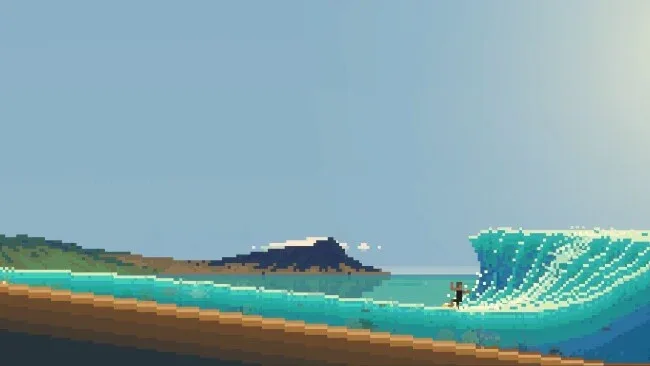
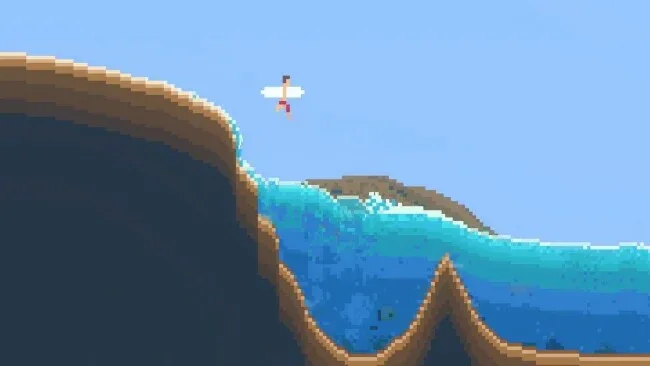
Most of the action begins in the SurfEdit tool, where you alter the seafloor contours that govern the way swells rise, bend, and break. Wave height, period, and frequency can also be adjusted, letting players create anything from small rolling lines to steep faces with sections for airs and barrels. Once a spot is ready, you jump in and ride with different equipment, including bodysurfing, bodyboards, shortboards, and longboards, each fitting a different kind of wave. Sessions reward patience and observation as much as control, since reading the peak, timing a takeoff, and choosing where to sit matter when the water behaves naturally.
Its strongest feature is the freedom to design the conditions instead of merely selecting from a fixed catalog of beaches. Naming a custom spot and restoring its reef give creations a welcome personal touch, while the sandbox structure encourages constant tweaking rather than a single “correct” way to play. The clean, small-scale presentation keeps attention on the changing surface of the ocean, making it easy to lose time simply watching sets roll through. Surfers who enjoy the technical side of Wave Break-style riding or the creative experimentation of a physics sandbox will get the most from it, though newcomers can also enjoy it as a laid-back virtual beach without mastering every board or break.
Screenshots
Installation
- Select the <strong>Download</strong> button at the top of this page to open UploadHaven.
- On UploadHaven, wait for any countdown, then select <strong>Free Download</strong>. Optional: UploadHaven Pro for faster downloads.
- When complete, extract the archive to a <strong>Surf Sandbox</strong> folder using 7-Zip.
- Open the extracted folder and start the game normally.
- For errors, check <strong>Setup Guide & Troubleshooting</strong> below. Keep your security software enabled.
System Requirements
- Requires a 64-bit processor and operating system
- OS: Windows 10 (64bit)
- Processor: 4-core
- Memory: 4 GB RAM
- Graphics: GeForce 1050 or equivalent
- DirectX: Version 11
- Storage: 1 GB available space
- Additional Notes: Requires a 64-bit processor and operating system