
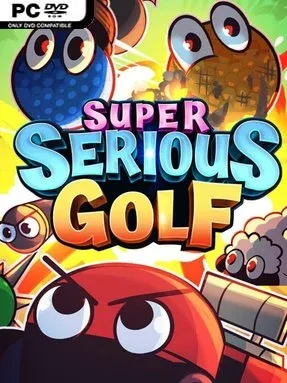
Super Serious Golf Cover Art

Super Serious Golf

INDIE 1.09 GB v1.1899

Game Overview

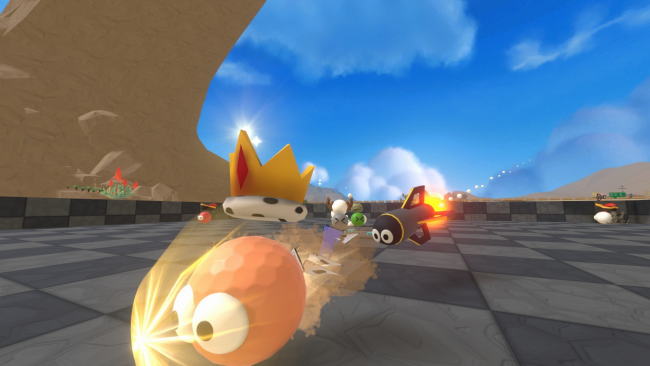
Precision takes a back seat to loud, unpredictable party-game chaos in Super Serious Golf, an indie multiplayer take on the sport where a huge swing and a lucky bounce can matter more than playing the perfect line. Rather than simulating a careful round on the fairway, it turns every shot into a chance for disaster, surprise comebacks, and the kind of accidental victories that spark arguments in voice chat. The mood is deliberately silly and competitive, built for players who enjoy watching a simple plan unravel the moment everyone starts hitting at once. It is golf only in the broadest sense: the ball is there, but restraint definitely is not.

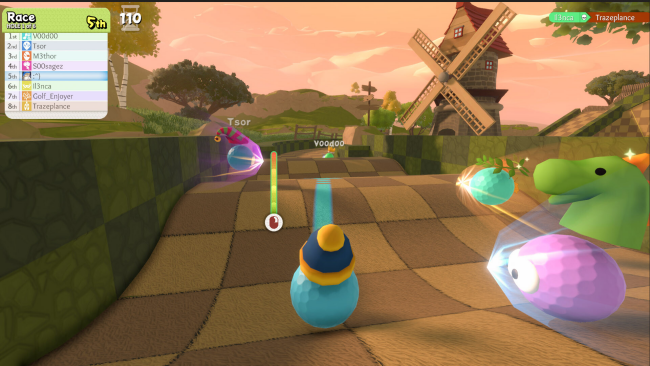
Matches revolve around approachable minigames that ask players to launch their ball, react to changing situations, and beat opponents through a mixture of timing, positioning, powerups, and good fortune. Controls are designed to be easy to grasp, so newcomers can contribute immediately instead of wrestling with a demanding sports-game simulation. Public and private lobbies support up to eight players, while bots can fill empty slots when a full group is unavailable. Different mode settings alter how individual minigames play, helping sessions stay varied rather than becoming a repetitive race to the same hole.

The strongest appeal lies in how it treats golf as a platform for social mayhem instead of a test of technical mastery. Powerups give trailing players ways to disrupt the field or swing a round in their favor, and the large selection of hats and ball trails provides progression without tying customization to purchases. Its compact minigame format also makes it a good fit for quick rounds, casual parties, and groups with mixed skill levels. Players who like the unruly competition of games such as Golf With Your Friends, Gang Beasts, or other physics-heavy party titles should find plenty to enjoy, especially if they prefer laughter and rivalry over realistic golfing etiquette.

Installation

  1. Click the green button below to be redirected to UploadHaven.
  2. Wait 15 seconds, then hit “Free Download.” (Free downloads may be slower — upgrade to UploadHaven Pro for faster speeds.)
  3. Once downloaded, right-click the .zip file and choose “Extract to Super Serious Golf.” (You’ll need 7-Zip for this.)
  4. Open the extracted folder and run the game as administrator.
  5. Enjoy! 🎮 If you see missing DLL errors, check the <strong>_Redist</strong> folder inside and install what’s needed.

System Requirements

  • Requires a 64-bit processor and operating system
  • OS: Windows 10, 64-bit / Windows 11, 64-bit
  • Processor: Intel Core i5 / AMD equivalent
  • Memory: 8 GB RAM
  • Graphics: NVIDIA GTX 750-Ti / AMD RX 550, 2GB VRam
  • DirectX: Version 11
  • Storage: 3 GB available space

Setup Guide & Troubleshooting

How do I fix missing DLL errors for Super Serious Golf (v1.1899)?

After extracting Super Serious Golf (v1.1899), navigate to the _Redist or _CommonRedist folder inside the game directory and install DirectX, Vcredist, and any other dependencies included.

What should I do if the downloaded file is corrupted?

The full archive is 1.09 GB — make sure your download completed fully before extracting. Use 7-Zip to extract the files. If you still see a "file corrupted" error, re-download and try again.

Why should I run the game as administrator?

Right-click the game executable and select "Run as Administrator" to avoid save file issues and permission errors. This is especially important on the first launch.

How do I update my GPU drivers for this game?

Super Serious Golf (v1.1899) requires a NVIDIA GTX 750-Ti / AMD RX 550, 2GB VRam or equivalent. Update your NVIDIA or AMD drivers to the latest version for the best performance.

The game won't launch — what should I try?

This game requires Version 11. Try running in compatibility mode, install the latest DirectX runtime, or install the All-in-One VC Redist Package.

My antivirus is blocking the game — is it safe?

Antivirus false positives are common with pre-installed games. Temporarily pause your antivirus during extraction to prevent it from quarantining game files. You can re-enable it after the extraction completes.

Need more help? Browse our FAQ & Troubleshooting Guide for solutions to common issues.
Looking for something else? Explore all games on Steam Unlocked