
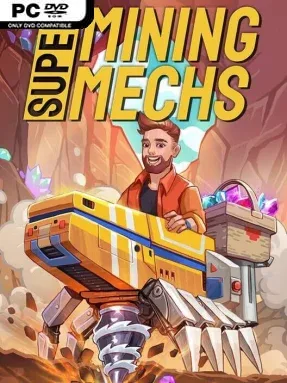
Game Overview
Earth’s exhausted resource supply turns industrial excavation into a planetary rescue mission. Super Mining Mechs is a light, goal-driven mining adventure built around descending through alien soil, harvesting valuable materials, and hauling them back to the surface for Earth’s benefit. Its tone stays approachable rather than punishing: the focus is on the satisfying rhythm of breaking through terrain, uncovering useful elements, and steadily turning a basic machine into a far more capable digging rig. Three planets and more than a dozen locations give the campaign a broader sense of travel than a single endless mine.
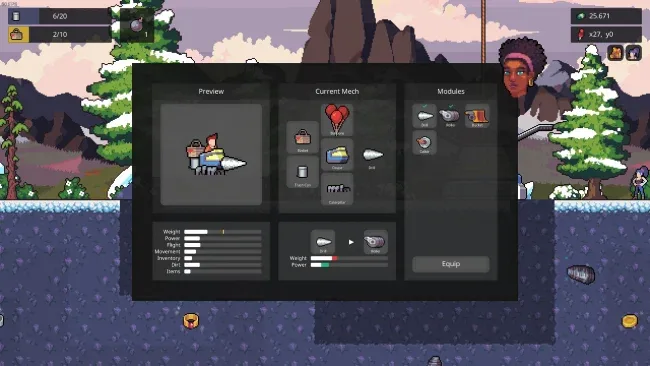
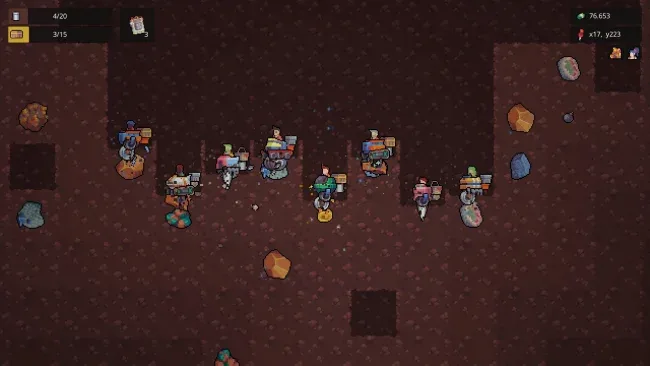
Players assemble and customize a mining mech, then take on missions that send them deeper into each underground region. The central loop revolves around drilling through layers of earth, collecting loot, managing how much the mech can carry, and choosing whether to sell finds for money or pursue mission rewards that unlock parts and abilities. Upgrades improve practical essentials such as digging speed, carrying capacity, and the ability to reach greater depths, so progress continually opens tougher excavation targets. Solo play supports a more relaxed, methodical pace, while online co-op allows up to eight players to work through the mines together, making resource runs and objectives feel more social and chaotic.
What separates Super Mining Mechs from a pure sandbox miner is its clear mission structure and mech-building progression. Rather than simply digging for its own sake, each expedition feeds a larger advancement system of components, skills, cash, challenges, and collectible elements tied to restoring lost resources. The emphasis on cooperative machinery gives it a different flavor from games like Terraria or Deep Rock Galactic: it is less about survival combat and more about coordinated excavation and upgrading. Players who enjoy incremental improvement, straightforward objectives, and cooperative gathering will find an easygoing mining game with enough destinations and achievements to encourage repeat trips underground.
Screenshots
Installation
- Select the <strong>Download</strong> button at the top of this page to open UploadHaven.
- On UploadHaven, wait for any countdown, then select <strong>Free Download</strong>. Optional: UploadHaven Pro for faster downloads.
- When complete, extract the archive to a <strong>Super Mining Mechs</strong> folder using 7-Zip.
- Open the extracted folder and start the game normally.
- For errors, check <strong>Setup Guide & Troubleshooting</strong> below. Keep your security software enabled.
System Requirements
- OS *: Windows 7
- Processor: Intel i5
- Memory: 4 GB RAM
- Graphics: NVIDIA GeForce GTX970
- DirectX: Version 9.0
- Network: Broadband Internet connection
- Storage: 200 MB available space
Setup Guide & Troubleshooting
How do I fix missing DLL errors for Super Mining Mechs (v1.00.84b & ALL DLC)?
After extracting Super Mining Mechs (v1.00.84b & ALL DLC), navigate to the _Redist or _CommonRedist folder inside the game directory and install DirectX, Vcredist, and any other dependencies included.
What should I do if the downloaded file is corrupted?
The full archive is 174.31 MB — make sure your download completed fully before extracting. Use 7-Zip to extract the files. If you still see a "file corrupted" error, re-download and try again.
Why should I run the game as administrator?
Right-click the game executable and select "Run as Administrator" to avoid save file issues and permission errors. This is especially important on the first launch.
How do I update my GPU drivers for this game?
Super Mining Mechs (v1.00.84b & ALL DLC) requires a NVIDIA GeForce GTX970 or equivalent. Update your NVIDIA or AMD drivers to the latest version for the best performance.
The game won't launch — what should I try?
This game requires Version 9.0. Try running in compatibility mode, install the latest DirectX runtime, or install the All-in-One VC Redist Package.
My antivirus is blocking the game — is it safe?
Antivirus false positives are common with pre-installed games. Temporarily pause your antivirus during extraction to prevent it from quarantining game files. You can re-enable it after the extraction completes.