
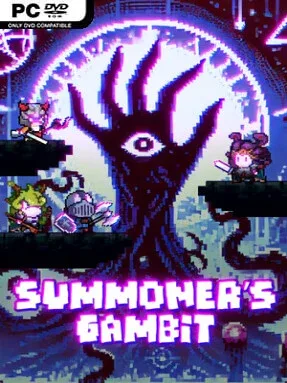
Game Overview
Ancient creatures exist as cards in a hostile realm charged with unstable magic, and every battle asks you to gamble with forces that can just as easily punish their master. Summoner’s Gambit is an indie tactical card battler built around commanding summoned units rather than simply trading damage across a board. You play as an Apostle serving an Old God, collecting the souls of strange races and turning them into a fighting force through careful deck construction. The atmosphere leans dark and arcane, but the appeal comes from methodical planning, tense resource decisions, and the satisfaction of making an unconventional creature combination work.
Battles revolve around deploying creatures, arranging their positions, and exploiting the way placement affects targeting, attack order, and ability reach. Energy is more than a standard mana bar: pushing your reserves too far risks overflow and painful backlash, so strong turns require a balance between restraint and deliberate overextension. New cards expand your options as you progress, while bonuses, racial traits, and creature synergies encourage decks built around a particular tactical identity instead of a pile of individually powerful units. Fusion is the central progression hook, allowing most creatures to merge their properties with those of another card and produce stronger, more specialized summons. That system gives repeated runs and experimentation real weight, since a familiar card can take on a very different role after the right fusion.
Positioning and energy management distinguish it from card games that focus mainly on random draws or direct stat comparisons. Multiple race-based build routes support everything from focused synergy decks to experimental hybrid armies, and the fusion system provides plenty of room to chase unusual combinations. After the main challenge, asynchronous online duels give completed decks a place to prove themselves against other players’ setups. Fans of tactical battlers such as Into the Breach’s spatial decision-making or deckbuilders like Slay the Spire who want more unit customization should find a lot to investigate here, while newcomers should expect a learning curve before energy overflow and board placement become second nature.
Installation
- Click the green button below to be redirected to UploadHaven.
- Wait 15 seconds, then hit “Free Download.” (Free downloads may be slower — upgrade to UploadHaven Pro for faster speeds.)
- Once downloaded, right-click the .zip file and choose “Extract to Summoner's Gambit.” (You’ll need 7-Zip for this.)
- Open the extracted folder and run the game as administrator.
- Enjoy! 🎮 If you see missing DLL errors, check the <strong>_Redist</strong> folder inside and install what’s needed.
System Requirements
- OS: Windows 10
- Processor: Intel Core i3
- Memory: 4 GB RAM
- Graphics: GTX 1060
- DirectX: Version 11
- Network: Broadband Internet connection
- Storage: 1 GB available space
Setup Guide & Troubleshooting
How do I fix missing DLL errors for Summoner’s Gambit?
After extracting Summoner’s Gambit, navigate to the _Redist or _CommonRedist folder inside the game directory and install DirectX, Vcredist, and any other dependencies included.
What should I do if the downloaded file is corrupted?
The full archive is 531.32 MB — make sure your download completed fully before extracting. Use 7-Zip to extract the files. If you still see a "file corrupted" error, re-download and try again.
Why should I run the game as administrator?
Right-click the game executable and select "Run as Administrator" to avoid save file issues and permission errors. This is especially important on the first launch.
How do I update my GPU drivers for this game?
Summoner’s Gambit requires a GTX 1060 or equivalent. Update your NVIDIA or AMD drivers to the latest version for the best performance.
The game won't launch — what should I try?
This game requires Version 11. Try running in compatibility mode, install the latest DirectX runtime, or install the All-in-One VC Redist Package.
My antivirus is blocking the game — is it safe?
Antivirus false positives are common with pre-installed games. Temporarily pause your antivirus during extraction to prevent it from quarantining game files. You can re-enable it after the extraction completes.