
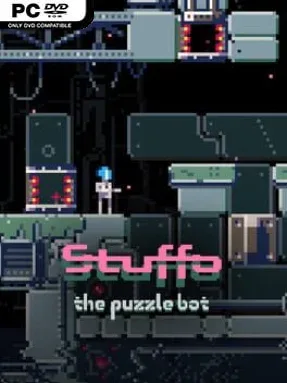
Stuffo the Puzzle Bot Cover Art

Stuffo the Puzzle Bot

PUZZLE 138.88 MB v1.1.1

Game Overview

Stuffo the Puzzle Bot turns a lonely robot’s escape route into a compact series of satisfying spatial riddles. Set in an abstract, atmospheric world with almost no narrative baggage, it focuses entirely on the pleasure of understanding a puzzle, testing an idea, and watching a route to the exit finally come together. The mood stays calm rather than punishing, pairing its clean puzzle spaces with downtempo electronic music and a relaxed ambient presentation. It is a thoughtful indie brain-teaser for players who want a challenge without timers, enemies, or reflex-heavy pressure.

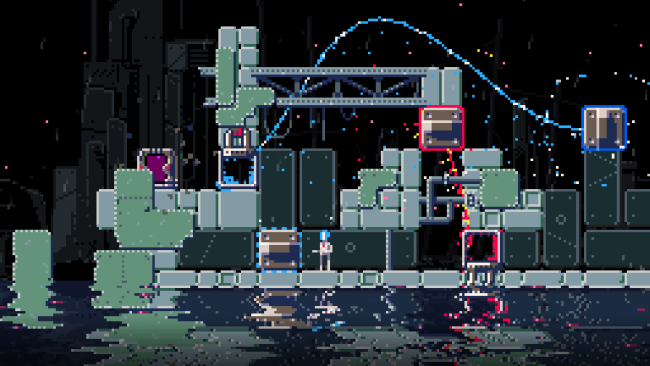
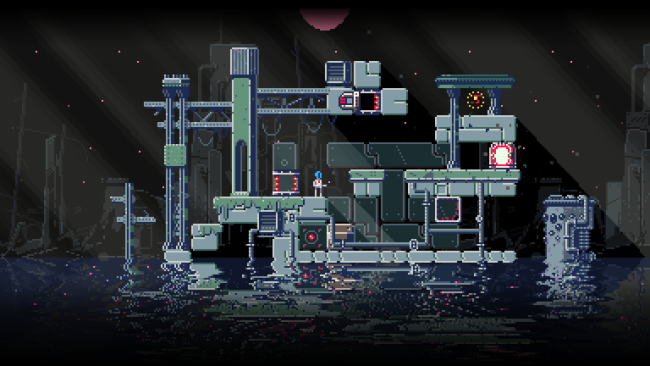
Each level asks you to guide Stuffo across a grid-like environment by moving blocks, building paths, shoving obstacles into useful positions, and making smart use of teleportation. Solutions depend on planning several moves ahead: a block that looks like a staircase may need to become a barrier, a platform, or the key to reaching a portal later in the room. The controls remain deliberately simple, relying on directional movement and an action input, so the challenge comes from logic rather than complex execution. With 65 levels available, the game steadily develops its ideas while allowing players to work through each room at their own pace; keyboard, controller, mouse, and touch inputs are supported, with remapping available for the traditional control options.

Its strongest feature is the approachable design philosophy. Stuffo the Puzzle Bot strips away story, combat, and busy interface clutter, leaving a focused sequence of bite-sized puzzles that are easy to read but often tricky to solve. Minimal text also makes the experience welcoming for players who prefer visual problem-solving, while the lack of difficulty settings means every player confronts the same carefully built challenges. Fans of Sokoban-style push-block puzzlers, Portal’s spatial thinking, or the clean logic of games like Stephen’s Sausage Roll should find plenty to enjoy, especially if they prefer a chill atmosphere over relentless difficulty.

Installation

  1. Click the green button below to be redirected to UploadHaven.
  2. Wait 15 seconds, then hit “Free Download.” (Free downloads may be slower — upgrade to UploadHaven Pro for faster speeds.)
  3. Once downloaded, right-click the .zip file and choose “Extract to Stuffo the Puzzle Bot.” (You’ll need 7-Zip for this.)
  4. Open the extracted folder and run the game as administrator.
  5. Enjoy! 🎮 If you see missing DLL errors, check the <strong>_Redist</strong> folder inside and install what’s needed.

System Requirements

  • Requires a 64-bit processor and operating system
  • OS: Windows 7
  • Processor: 2GHz
  • Memory: 1 GB RAM
  • Graphics: Intel HD Graphics 3000
  • Storage: 200 MB available space
  • Additional Notes: Requires a 64-bit processor and operating system

Setup Guide & Troubleshooting

How do I fix missing DLL errors for Stuffo the Puzzle Bot (v1.1.1)?

After extracting Stuffo the Puzzle Bot (v1.1.1), navigate to the _Redist or _CommonRedist folder inside the game directory and install DirectX, Vcredist, and any other dependencies included.

What should I do if the downloaded file is corrupted?

The full archive is 138.88 MB — make sure your download completed fully before extracting. Use 7-Zip to extract the files. If you still see a "file corrupted" error, re-download and try again.

Why should I run the game as administrator?

Right-click the game executable and select "Run as Administrator" to avoid save file issues and permission errors. This is especially important on the first launch.

How do I update my GPU drivers for this game?

Stuffo the Puzzle Bot (v1.1.1) requires a Intel HD Graphics 3000 or equivalent. Update your NVIDIA or AMD drivers to the latest version for the best performance.

The game won't launch — what should I try?

Try running in compatibility mode, install the latest DirectX runtime, or install the All-in-One VC Redist Package.

My antivirus is blocking the game — is it safe?

Antivirus false positives are common with pre-installed games. Temporarily pause your antivirus during extraction to prevent it from quarantining game files. You can re-enable it after the extraction completes.

Need more help? Browse our FAQ & Troubleshooting Guide for solutions to common issues.
Looking for something else? Explore all games on Steam Unlocked