
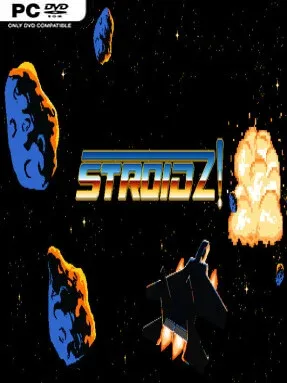
Game Overview
The Great Solar War turns deep space into a hostile arcade battlefield, and STROIDZ! leans hard into that pressure. Set in 2592, the game casts you as a Quarriors Guild pilot living in exile while corporate enforcement drones hunt you through a lethal asteroid field. Its tone is defiantly retro: bright hand-drawn pixels, ominous dystopian sci-fi, chunky explosions, and synthwave music give every encounter the feel of a lost 16-bit cabinet game with sharper modern presentation. Survival matters, but so does the score chase, with 100,000 points serving as the mark for pilots ready to join the resistance against the C.E.O.
Flying is built around deliberate inertia rather than instant, frictionless movement, so positioning the ship takes as much attention as aiming its weapons. You weave between rocks, evade aggressive C.O.R.P.O. drone formations, destroy threats, and grab power-ups that improve your chances of staying alive as the screen becomes more crowded. That momentum makes reckless movement dangerous; a late turn can send you into an asteroid or leave you exposed to incoming fire, rewarding players who learn to anticipate their trajectory. The central loop is classic arcade action: survive escalating pressure, maximize points, and keep pushing for a cleaner, longer run.
What separates STROIDZ! from a generic retro shooter is its commitment to physical-feeling controls and a deliberately handcrafted audiovisual style. The pixel artwork and 16-bit effects complement the action instead of merely imitating an old console, while the synth soundtrack supports its cold corporate-war atmosphere. It appears focused on immediate solo score attack rather than expansive story progression, making replay value depend on improving reflexes, route planning, and leaderboard-minded persistence. Fans of Asteroids-style momentum, Geometry Wars-style visual intensity, and demanding old-school shooters should find a compact challenge here, while newcomers should expect a learning curve before the ship’s weight starts to feel natural.
Installation
- Click the green button below to be redirected to UploadHaven.
- Wait 15 seconds, then hit “Free Download.” (Free downloads may be slower — upgrade to UploadHaven Pro for faster speeds.)
- Once downloaded, right-click the .zip file and choose “Extract to STROIDZ!.” (You’ll need 7-Zip for this.)
- Open the extracted folder and run the game as administrator.
- Enjoy! 🎮 If you see missing DLL errors, check the <strong>_Redist</strong> folder inside and install what’s needed.
System Requirements
- OS *: Windows 7 64-bit
- Processor: 64bit Intel compatible Dual Core CPU
- Memory: 2 GB RAM
- Graphics: DX11 compliant graphics card
- DirectX: Version 11
- Storage: 300 MB available space
- Sound Card: Sound Blaster Pro, CT1330
Setup Guide & Troubleshooting
How do I fix missing DLL errors for STROIDZ!?
After extracting STROIDZ!, navigate to the _Redist or _CommonRedist folder inside the game directory and install DirectX, Vcredist, and any other dependencies included.
What should I do if the downloaded file is corrupted?
The full archive is 168.70 MB — make sure your download completed fully before extracting. Use 7-Zip to extract the files. If you still see a "file corrupted" error, re-download and try again.
Why should I run the game as administrator?
Right-click the game executable and select "Run as Administrator" to avoid save file issues and permission errors. This is especially important on the first launch.
How do I update my GPU drivers for this game?
STROIDZ! requires a DX11 compliant graphics card or equivalent. Update your NVIDIA or AMD drivers to the latest version for the best performance.
The game won't launch — what should I try?
This game requires Version 11. Try running in compatibility mode, install the latest DirectX runtime, or install the All-in-One VC Redist Package.
My antivirus is blocking the game — is it safe?
Antivirus false positives are common with pre-installed games. Temporarily pause your antivirus during extraction to prevent it from quarantining game files. You can re-enable it after the extraction completes.