
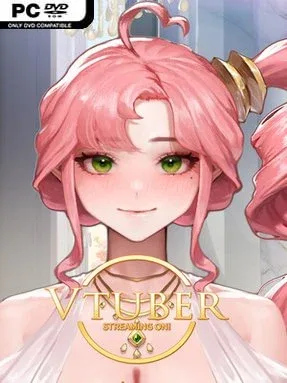
Game Overview
An ousted entertainment executive rebuilds his career from the street level in this adult-themed VTuber management drama. Set during the explosive rise of the fictional Yatube streaming industry, the story follows a producer who once turns unknown broadcasters into household names before a calculated scandal destroys his company, reputation, and home. Its mood balances underdog ambition with betrayal, industry politics, and mature relationship material as rookie creator BJ Hanna becomes the one person willing to stand beside him. The central appeal lies in watching a fallen founder attempt to reclaim a place in a ruthless online entertainment business.
Progress revolves around starting a new agency with Hanna and nurturing its growth from a fragile independent operation into a serious rival to the company that cast the protagonist aside. Players follow character-driven scenes, develop connections with streamers, and navigate the personal complications surrounding talent management, public image, and the adult side of the narrative. Rather than centering on action or twitch reflexes, the experience leans on story progression, interpersonal choices, and the satisfaction of rebuilding influence after a total collapse. The premise creates a natural rags-to-riches loop: recruit promising personalities, support their careers, and turn a small comeback effort into an industry threat.
What separates Streaming ON! VTuber Training from a straightforward romance visual novel is its focus on the murkier business side of streamer culture: boardroom betrayal, manufactured controversy, audience-facing personas, and the dependency between creator and manager. Hanna serves as more than a romantic interest; she is the emotional foundation for the comeback, giving the plot a warmer core beneath its cynical view of entertainment companies. Players who enjoy adult visual novels with entrepreneurial stakes and Korean streaming-culture flavor should find its setup engaging, especially if they like comeback stories more than pure slice-of-life dating sims. It suits newcomers to the genre as long as they are comfortable with mature themes and a narrative built around scandal.
Installation
- Click the green button below to be redirected to UploadHaven.
- Wait 15 seconds, then hit “Free Download.” (Free downloads may be slower — upgrade to UploadHaven Pro for faster speeds.)
- Once downloaded, right-click the .zip file and choose “Extract to Streaming ON! VTuber Training.” (You’ll need 7-Zip for this.)
- Open the extracted folder and run the game as administrator.
- Enjoy! 🎮 If you see missing DLL errors, check the <strong>_Redist</strong> folder inside and install what’s needed.
System Requirements
- OS: Window10/11
- Processor: 1.2 GHz
- Memory: 1 GB RAM
- Storage: 1 GB available space
Setup Guide & Troubleshooting
How do I fix missing DLL errors for Streaming ON! VTuber Training (v1.0.0 & Uncensored)?
After extracting Streaming ON! VTuber Training (v1.0.0 & Uncensored), navigate to the _Redist or _CommonRedist folder inside the game directory and install DirectX, Vcredist, and any other dependencies included.
What should I do if the downloaded file is corrupted?
The full archive is 559.88 MB — make sure your download completed fully before extracting. Use 7-Zip to extract the files. If you still see a "file corrupted" error, re-download and try again.
Why should I run the game as administrator?
Right-click the game executable and select "Run as Administrator" to avoid save file issues and permission errors. This is especially important on the first launch.
How do I update my GPU drivers for this game?
Update your NVIDIA or AMD drivers to the latest version for the best performance and compatibility.
The game won't launch — what should I try?
Try running in compatibility mode, install the latest DirectX runtime, or install the All-in-One VC Redist Package.
My antivirus is blocking the game — is it safe?
Antivirus false positives are common with pre-installed games. Temporarily pause your antivirus during extraction to prevent it from quarantining game files. You can re-enable it after the extraction completes.