
Game Overview
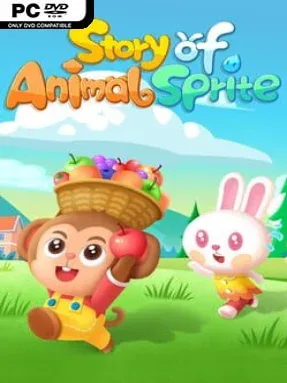
A ruined beachside sanctuary becomes a soothing restoration project built around merging, collecting, and decorating. Story of Animal Sprite centers on an ancient Spirit Tree and the animal residents drawn to its peaceful shores, until a volcanic disaster leaves much of their home damaged and barren. Using Purifying Light and a steadily expanding collection of materials, players turn scattered scraps into a thriving woodland settlement. The mood stays gentle and colorful rather than dramatic, making it a relaxed fit for short sessions or long bouts of methodical organizing.
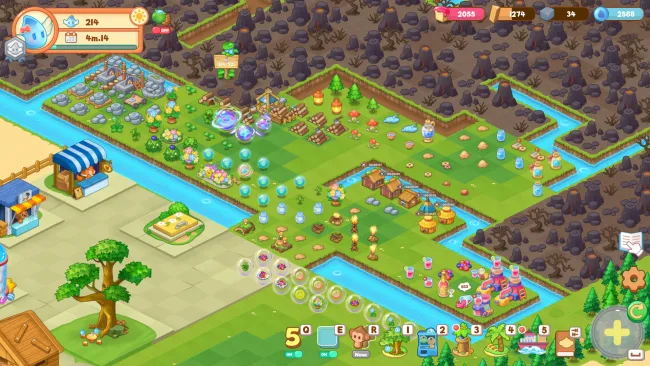
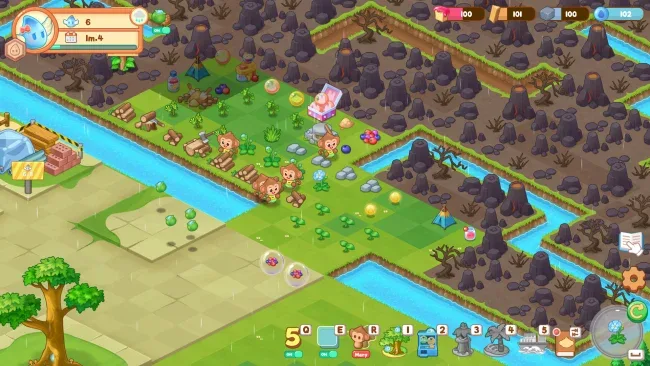
Most of the action comes from combining matching low-level objects to create stronger plants, improved resources, new land tiles, and increasingly elaborate buildings. Resource structures produce the ingredients needed for construction, so progress involves balancing what to merge now against what to save for later upgrades. Animal spheres can also be combined to summon helpers, including cats, bears, and monkeys, which gather materials and gradually gain new appearances. As the settlement grows, locked territory opens in sections, giving each successful chain of merges a practical payoff beyond simply clearing space on the board.
Its appeal lies in the constant sense of tidy, visible improvement: messy ruins become productive gardens, animal habitats, and decorative landmarks one merge at a time. The large catalog of creatures, plants, structures, and collectible discoveries gives completion-minded players an encyclopedia to fill, while the evolving island provides room to arrange a personal homeland. Compared with games such as Merge Dragons! or EverMerge, the focus leans more toward rebuilding a cute animal refuge and maintaining its production loops than following a story-heavy campaign. Story of Animal Sprite suits newcomers to merge games thanks to its clear premise, but genre veterans who enjoy optimizing boards, unlocking cosmetic variants, and chasing long upgrade chains also find plenty to work toward.
Screenshots
Installation
- Select the <strong>Download</strong> button at the top of this page to open UploadHaven.
- On UploadHaven, wait for any countdown, then select <strong>Free Download</strong>. Optional: UploadHaven Pro for faster downloads.
- When complete, extract the archive to a <strong>Story of Animal Sprite</strong> folder using 7-Zip.
- Open the extracted folder and start the game normally.
- For errors, check <strong>Setup Guide & Troubleshooting</strong> below. Keep your security software enabled.
System Requirements
- OS: win7/8/10/11
- Processor: intel core i3
- Memory: 8 GB RAM
- Graphics: GTX730
- Storage: 2 GB available space
Setup Guide & Troubleshooting
How do I fix missing DLL errors for Story of Animal Sprite (v0.2.01)?
After extracting Story of Animal Sprite (v0.2.01), navigate to the _Redist or _CommonRedist folder inside the game directory and install DirectX, Vcredist, and any other dependencies included.
What should I do if the downloaded file is corrupted?
The full archive is 216.68 MB — make sure your download completed fully before extracting. Use 7-Zip to extract the files. If you still see a "file corrupted" error, re-download and try again.
Why should I run the game as administrator?
Right-click the game executable and select "Run as Administrator" to avoid save file issues and permission errors. This is especially important on the first launch.
How do I update my GPU drivers for this game?
Story of Animal Sprite (v0.2.01) requires a GTX730 or equivalent. Update your NVIDIA or AMD drivers to the latest version for the best performance.
The game won't launch — what should I try?
Try running in compatibility mode, install the latest DirectX runtime, or install the All-in-One VC Redist Package.
My antivirus is blocking the game — is it safe?
Antivirus false positives are common with pre-installed games. Temporarily pause your antivirus during extraction to prevent it from quarantining game files. You can re-enable it after the extraction completes.