
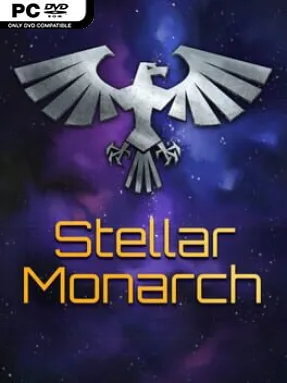
Game Overview
An interstellar empire rises or fractures according to the decisions made from its throne room, not the placement of a thousand individual buildings. Stellar Monarch is a turn-based grand strategy 4X game that casts you as humanity’s emperor, balancing conquest with the dangerous politics of an imperial court. Its galaxy feels less like a symmetrical board game and more like a living frontier filled with species, border disputes, revolts, and opportunities for ruthless expansion. The tone is deliberately imperial: powerful, occasionally darkly humorous, and more concerned with decrees and dynasties than with the work of ordinary administrators.
Each turn centers on high-level decisions: setting production priorities, issuing edicts, selecting officials, hearing petitions, and responding to threats that can emerge inside your own government. Court factions pursue their own interests, assassins can remove valuable figures, and rebellious worlds demand either concessions or force, giving internal politics as much weight as external warfare. Fleets and industry operate at an abstract level, so there is no fiddling with individual ship routes, farm construction, or factory layouts. Progress comes from expanding imperial influence, exploiting the strengths of appointed leaders, securing valuable systems, and deciding which crises deserve the emperor’s immediate attention.
Its most distinctive idea is asymmetry. Alien powers do not simply behave like rival human players racing toward the same victory condition; they act more like distinct inhabitants of the galaxy, with some becoming useful allies or protected subjects while others are little more than hostile obstacles. That approach makes diplomacy, conquest, and moral choices feel less predictable than in standard space 4X games. Stellar Monarch suits strategy players who enjoy the broad political control of Crusader Kings or the empire-scale decisions of Stellaris, but dislike their logistical busywork. Newcomers can appreciate its streamlined command structure, while veterans looking for a fresh, emperor-focused take on galactic strategy find its court intrigue and unusual AI design especially rewarding.
Installation
- Click the green button below to be redirected to UploadHaven.
- Wait 15 seconds, then hit “Free Download.” (Free downloads may be slower — upgrade to UploadHaven Pro for faster speeds.)
- Once downloaded, right-click the .zip file and choose “Extract to Stellar Monarch.” (You’ll need 7-Zip for this.)
- Open the extracted folder and run the game as administrator.
- Enjoy! 🎮 If you see missing DLL errors, check the <strong>_Redist</strong> folder inside and install what’s needed.
System Requirements
- OS: Win XP or better
- Graphics: Screen resolution minimum 1024×768
- Storage: 49 MB available space
- Additional Notes: The game should run on almost any hardware, even outdated one. In case of problems run “safe” mode version.
Setup Guide & Troubleshooting
How do I fix missing DLL errors for Stellar Monarch (v1.40.1)?
After extracting Stellar Monarch (v1.40.1), navigate to the _Redist or _CommonRedist folder inside the game directory and install DirectX, Vcredist, and any other dependencies included.
What should I do if the downloaded file is corrupted?
The full archive is 72.19 MB — make sure your download completed fully before extracting. Use 7-Zip to extract the files. If you still see a "file corrupted" error, re-download and try again.
Why should I run the game as administrator?
Right-click the game executable and select "Run as Administrator" to avoid save file issues and permission errors. This is especially important on the first launch.
How do I update my GPU drivers for this game?
Stellar Monarch (v1.40.1) requires a Screen resolution minimum 1024×768 or equivalent. Update your NVIDIA or AMD drivers to the latest version for the best performance.
The game won't launch — what should I try?
Try running in compatibility mode, install the latest DirectX runtime, or install the All-in-One VC Redist Package.
My antivirus is blocking the game — is it safe?
Antivirus false positives are common with pre-installed games. Temporarily pause your antivirus during extraction to prevent it from quarantining game files. You can re-enable it after the extraction completes.