
Game Overview
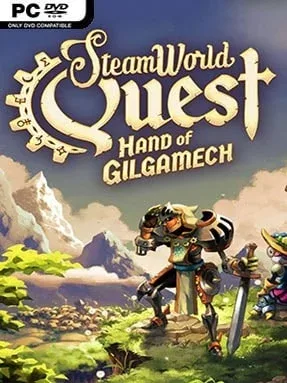
A hand-drawn kingdom of steam-powered knights, dragons, and ancient magic gives this role-playing adventure a charm few card battlers can match. SteamWorld Quest: Hand of Gilgamech trades the series’ usual digging and shooting for a compact fantasy campaign where every sword swing, spell, and gadget comes from a deck of punch-cards. Its tone is playful rather than grim, with robot heroes delivering dry jokes amid royal conspiracies and world-threatening machinery. Beneath the colorful storybook presentation sits a surprisingly tactical turn-based RPG.
Combat revolves around a three-character party and customized decks built from more than 100 cards. Each turn lets you play a limited number of cards, so victory depends on arranging attacks, defenses, healing, buffs, and special effects in the right order instead of simply using the strongest move available. Certain cards gain extra power when chained together, encouraging players to learn each hero’s role and construct focused combinations rather than stuffing every useful option into one deck. Between fights, the party travels through largely linear but secret-filled areas, finds equipment and treasure, earns experience, and adjusts its card loadouts to answer tougher enemy groups and bosses.
What makes the adventure work is how naturally deckbuilding supports a traditional RPG structure: new cards feel like learned skills, while equipment and party changes keep old strategies from becoming stale. The illustrated environments, expressive character portraits, and mix of medieval fantasy with brass-and-bolt technology give it a distinct identity even beside other SteamWorld games. Battles demand more thought than their approachable opening suggests, especially when bosses punish unfocused decks or poor card sequencing, but the campaign remains manageable for players new to card games. Fans of Slay the Spire’s decision-making, classic turn-based RPG parties, or the witty SteamWorld universe find a polished, single-player adventure that favors clever planning over grind.
Installation
- Click the green button below to be redirected to UploadHaven.
- Wait 15 seconds, then hit “Free Download.” (Free downloads may be slower — upgrade to UploadHaven Pro for faster speeds.)
- Once downloaded, right-click the .zip file and choose “Extract to Steamworld Quest: Hand Of Gilgamech.” (You’ll need 7-Zip for this.)
- Open the extracted folder and run the game as administrator.
- Enjoy! 🎮 If you see missing DLL errors, check the <strong>_Redist</strong> folder inside and install what’s needed.
System Requirements
- OS: Windows 7
- Processor: 2 GHz, SSE2 support
- Memory: 1024 MB RAM
- Graphics: OpenGL 2.1-compatible, 512 MB video memory, framebuffer object support. E.g. Intel HD 4600 or better.
- Storage: 750 MB available space
- Additional Notes: You may need to update your graphics drivers for OpenGL 2.1 support.
Setup Guide & Troubleshooting
How do I fix missing DLL errors for Steamworld Quest: Hand Of Gilgamech (v2.1)?
After extracting Steamworld Quest: Hand Of Gilgamech (v2.1), navigate to the _Redist or _CommonRedist folder inside the game directory and install DirectX, Vcredist, and any other dependencies included.
What should I do if the downloaded file is corrupted?
The full archive is 936.42 MB — make sure your download completed fully before extracting. Use 7-Zip to extract the files. If you still see a "file corrupted" error, re-download and try again.
Why should I run the game as administrator?
Right-click the game executable and select "Run as Administrator" to avoid save file issues and permission errors. This is especially important on the first launch.
How do I update my GPU drivers for this game?
Steamworld Quest: Hand Of Gilgamech (v2.1) requires a OpenGL 2.1-compatible, 512 MB video memory, framebuffer object support. E.g. Intel HD 4600 or better. or equivalent. Update your NVIDIA or AMD drivers to the latest version for the best performance.
The game won't launch — what should I try?
Try running in compatibility mode, install the latest DirectX runtime, or install the All-in-One VC Redist Package.
My antivirus is blocking the game — is it safe?
Antivirus false positives are common with pre-installed games. Temporarily pause your antivirus during extraction to prevent it from quarantining game files. You can re-enable it after the extraction completes.