
Game Overview
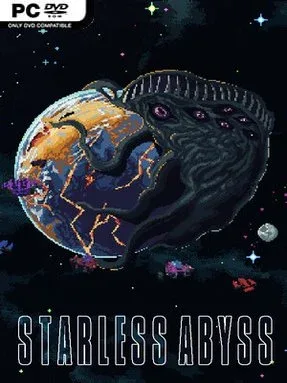
Earth’s last defense hangs on a lone Proxima, a stasis-born operative sent to confront cosmic entities that turn the void into a nightmare. Starless Abyss blends roguelike structure, fleet tactics, and deck-building into a dark sci-fi campaign steeped in occult horror. Its tone is oppressive rather than heroic: every expedition pushes deeper into hostile space, where sanity is another resource to manage and ancient powers offer dangerous shortcuts. The result feels like a naval command game filtered through Lovecraftian dread.
Combat plays out in deliberate turns as you direct a small fleet of ships against alien threats and towering bosses. Cards define your offensive maneuvers, defenses, rituals, and faction-specific tricks, while battles reward smart sequencing and combinations over simply playing the strongest card available. Runs gradually expand your options through artifacts, D.I.C.E., sanity shards, ship improvements, and fresh cards drawn from six distinct factions. Defeat remains part of the roguelike loop, but each attempt teaches you which synergies, upgrades, and calculated risks can carry a fleet farther into the abyss.
The strongest hook is the way conventional space warfare shares the screen with forbidden rituals and mental collapse. Rather than treating deck construction as a separate menu exercise, Starless Abyss makes every new card or artifact feel like a tactical choice with unsettling thematic weight. Faction mixing should give repeat runs room to evolve, whether you favor direct fleet aggression, defensive control, strange ritual effects, or volatile card combos. Players who enjoy Slay the Spire-style buildcraft but want a more cosmic, turn-based fleet-command setting are the obvious audience, while roguelike newcomers may find its layered systems demanding but rewarding once the fundamentals click.
Installation
- Click the green button below to be redirected to UploadHaven.
- Wait 15 seconds, then hit “Free Download.” (Free downloads may be slower — upgrade to UploadHaven Pro for faster speeds.)
- Once downloaded, right-click the .zip file and choose “Extract to Starless Abyss.” (You’ll need 7-Zip for this.)
- Open the extracted folder and run the game as administrator.
- Enjoy! 🎮 If you see missing DLL errors, check the <strong>_Redist</strong> folder inside and install what’s needed.
System Requirements
- Requires a 64-bit processor and operating system
- OS *: Windows 7 or later
- Processor: 2 GHz
- Memory: 2 GB RAM
- Graphics: NVIDIA GeForce GTX 550/equivalent or higher
Setup Guide & Troubleshooting
How do I fix missing DLL errors for Starless Abyss (v1.2.5)?
After extracting Starless Abyss (v1.2.5), navigate to the _Redist or _CommonRedist folder inside the game directory and install DirectX, Vcredist, and any other dependencies included.
What should I do if the downloaded file is corrupted?
The full archive is 816.17 MB — make sure your download completed fully before extracting. Use 7-Zip to extract the files. If you still see a "file corrupted" error, re-download and try again.
Why should I run the game as administrator?
Right-click the game executable and select "Run as Administrator" to avoid save file issues and permission errors. This is especially important on the first launch.
How do I update my GPU drivers for this game?
Starless Abyss (v1.2.5) requires a NVIDIA GeForce GTX 550/equivalent or higher or equivalent. Update your NVIDIA or AMD drivers to the latest version for the best performance.
The game won't launch — what should I try?
Try running in compatibility mode, install the latest DirectX runtime, or install the All-in-One VC Redist Package.
My antivirus is blocking the game — is it safe?
Antivirus false positives are common with pre-installed games. Temporarily pause your antivirus during extraction to prevent it from quarantining game files. You can re-enable it after the extraction completes.