
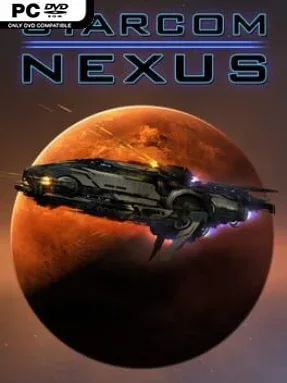
Game Overview
A rookie commander’s first assignment turns into a desperate exile when a routine voyage leaves their tiny shuttle stranded beyond known space. Starcom: Nexus is a top-down open-world space RPG built around charting an unfamiliar galaxy, deciding whom to trust, and slowly turning a fragile starter craft into a serious warship. Its tone balances lonely cosmic exploration with brisk arcade-style battles, ancient mysteries, and the occasional diplomatic gamble. Every new star system can offer a useful ally, a hostile fleet, a strange signal, or evidence of the civilization that came before.
Flying the ship involves real-time twin-stick-style movement and combat, with weapons, shields, engines, and positioning all mattering when enemy vessels close in. Exploration feeds progression: scan worlds and anomalies, investigate distress calls, collect artifacts, complete quests, and trade resources to unlock a large technology tree. The standout loop is the modular ship editor, which lets players attach hull sections and equipment to create specialized scouts, cargo haulers, long-range missile boats, or heavily armed brawlers. Conversations with alien factions offer peaceful routes as well as combat opportunities, while quick saving makes it easy to test a risky choice or push deeper into dangerous territory.
Rather than relying on a fixed mission corridor, Starcom: Nexus makes curiosity its main engine, packing its map with optional discoveries, side stories, hidden rewards, and faction-driven consequences. The clean 2D presentation keeps the focus on readable ship designs and starfield exploration, while the construction system gives every player’s vessel a personal identity. It feels like a more action-focused, handcrafted cousin to Starsector or a lighter take on the discovery-driven side of No Man’s Sky, without demanding the micromanagement of a full space sim. Players who enjoy designing ships, uncovering lore, and building strength at their own pace will find plenty to chase, while genre newcomers get an approachable entry point into open-ended space adventure.
Installation
- Click the green button below to be redirected to UploadHaven.
- Wait 15 seconds, then hit “Free Download.” (Free downloads may be slower — upgrade to UploadHaven Pro for faster speeds.)
- Once downloaded, right-click the .zip file and choose “Extract to Starcom: Nexus.” (You’ll need 7-Zip for this.)
- Open the extracted folder and run the game as administrator.
- Enjoy! 🎮 If you see missing DLL errors, check the <strong>_Redist</strong> folder inside and install what’s needed.
System Requirements
- OS: Windows Vista/7/8/10
- Processor: Intel Core i5 2.2 GHz+
- Memory: 4 GB RAM
- Graphics: 2 GB Direct3D 11 Capable video card or better
- DirectX: Version 10
- Storage: 2 GB available space
Setup Guide & Troubleshooting
How do I fix missing DLL errors for Starcom: Nexus (v1.0.13c)?
After extracting Starcom: Nexus (v1.0.13c), navigate to the _Redist or _CommonRedist folder inside the game directory and install DirectX, Vcredist, and any other dependencies included.
What should I do if the downloaded file is corrupted?
The full archive is 1.37 GB — make sure your download completed fully before extracting. Use 7-Zip to extract the files. If you still see a "file corrupted" error, re-download and try again.
Why should I run the game as administrator?
Right-click the game executable and select "Run as Administrator" to avoid save file issues and permission errors. This is especially important on the first launch.
How do I update my GPU drivers for this game?
Starcom: Nexus (v1.0.13c) requires a 2 GB Direct3D 11 Capable video card or better or equivalent. Update your NVIDIA or AMD drivers to the latest version for the best performance.
The game won't launch — what should I try?
This game requires Version 10. Try running in compatibility mode, install the latest DirectX runtime, or install the All-in-One VC Redist Package.
My antivirus is blocking the game — is it safe?
Antivirus false positives are common with pre-installed games. Temporarily pause your antivirus during extraction to prevent it from quarantining game files. You can re-enable it after the extraction completes.