
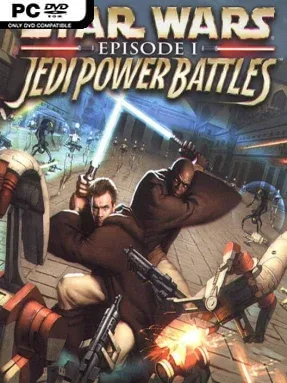
Game Overview
Naboo becomes a loud, unforgiving arcade battlefield where Jedi cut through mechanical armies, leap across perilous platforms, and hold the line against the Trade Federation. STAR WARS: Episode I: Jedi Power Battles revisits the Phantom Menace era as a brisk side-scrolling action game built around lightsaber combat, Force abilities, and old-school coin-op intensity. The mood is proudly pulpy rather than contemplative: battle droids swarm the screen, hazards punish sloppy movement, and every level pushes players toward another familiar Star Wars location. Its anniversary edition keeps the retro spirit intact while making more of its roster and extras readily available.
Players choose from Jedi such as Qui-Gon Jinn, Obi-Wan Kenobi, Mace Windu, Plo Koon, and Adi Gallia, then battle through a ten-stage campaign spanning Naboo and other Episode I-inspired conflicts. Combat centers on saber strikes, deflecting enemy fire, jumping between platforms, and deploying Force powers to control crowds or survive tougher opponents like destroyer droids and assassins. Previously hidden fighters, including Darth Maul, Queen Amidala, Captain Panaka, Ki-Adi Mundi, and even a battle droid, are selectable immediately, giving each run a different flavor. Two players can tackle the full adventure together on the same screen, while New Game+ options, alternate controls, cheats, and bonus challenges add reasons to revisit completed stages.
What stands out is the sheer messiness of its action: enemies attack in numbers, platforming demands timing, and the game captures the hectic energy of a late-1990s Star Wars arcade adaptation. Modern control support and customizable saber colors make the presentation friendlier, but the underlying design still expects patience with sudden hazards and a fairly demanding difficulty curve. Couch co-op is the strongest way to play, especially for friends who enjoy brawling through a campaign rather than chasing a polished cinematic adventure. Fans of arcade beat-’em-ups, classic Star Wars games, and titles such as Battletoads or The Clone Wars-era action games should find plenty to enjoy, while newcomers should come prepared for a deliberately retro challenge.
Installation
- Click the green button below to be redirected to UploadHaven.
- Wait 15 seconds, then hit “Free Download.” (Free downloads may be slower — upgrade to UploadHaven Pro for faster speeds.)
- Once downloaded, right-click the .zip file and choose “Extract to STAR WARS: Episode I: Jedi Power Battles.” (You’ll need 7-Zip for this.)
- Open the extracted folder and run the game as administrator.
- Enjoy! 🎮 If you see missing DLL errors, check the <strong>_Redist</strong> folder inside and install what’s needed.
System Requirements
- Requires a 64-bit processor and operating system
- OS: Windows 10
- Processor: AMD Phenom II X4 945 / Intel Core i5-750
- Memory: 4 GB RAM
- Graphics: Nvidia GeForce GTX 650 / AMD Radeon R7 260X / Intel Arc A310
- Storage: 10 GB available space
Setup Guide & Troubleshooting
How do I fix missing DLL errors for STAR WARS: Episode I: Jedi Power Battles?
After extracting STAR WARS: Episode I: Jedi Power Battles, navigate to the _Redist or _CommonRedist folder inside the game directory and install DirectX, Vcredist, and any other dependencies included.
What should I do if the downloaded file is corrupted?
The full archive is 5.22 GB — make sure your download completed fully before extracting. Use 7-Zip to extract the files. If you still see a "file corrupted" error, re-download and try again.
Why should I run the game as administrator?
Right-click the game executable and select "Run as Administrator" to avoid save file issues and permission errors. This is especially important on the first launch.
How do I update my GPU drivers for this game?
STAR WARS: Episode I: Jedi Power Battles requires a Nvidia GeForce GTX 650 / AMD Radeon R7 260X / Intel Arc A310 or equivalent. Update your NVIDIA or AMD drivers to the latest version for the best performance.
The game won't launch — what should I try?
Try running in compatibility mode, install the latest DirectX runtime, or install the All-in-One VC Redist Package.
My antivirus is blocking the game — is it safe?
Antivirus false positives are common with pre-installed games. Temporarily pause your antivirus during extraction to prevent it from quarantining game files. You can re-enable it after the extraction completes.