
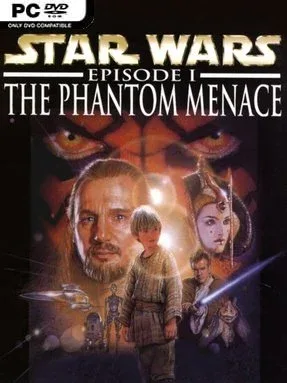
Game Overview
The Republic’s collapse begins as Jedi diplomacy turns into a sprawling, old-school action-adventure across Trade Federation ships, the streets of Theed, Tatooine’s deserts, and Coruscant’s towering cityscape. Star Wars: Episode I – The Phantom Menace follows the film’s major story beats, but it does more than simply march players from cutscene to cutscene. Its tone balances the familiar space-opera spectacle of the prequels with a surprisingly grounded sense of danger, especially when hostile droids, bounty hunters, and criminal gangs fill the screen. For a 1999 tie-in, it aims to make Episode I feel like a place to investigate rather than merely watch.
Players switch between Qui-Gon Jinn, Obi-Wan Kenobi, Queen Amidala, and Captain Panaka, with each character bringing different equipment and access to certain situations. Missions combine third-person movement and exploration with lightsaber duels, Force powers, blaster firefights, item use, simple environmental puzzles, and conversations that can affect how encounters unfold. Jedi can deflect shots and manipulate objects, while non-Force characters rely more heavily on firearms, keys, and careful positioning. Levels often allow a little room for improvisation: players may negotiate, sneak around danger, search for supplies, or solve a problem through combat, though the fixed camera angles and period-typical controls can make navigation demanding.
What separates it from many movie adaptations is its willingness to expand individual scenes into substantial locations packed with optional rooms, NPCs, secrets, and alternate interactions. The low-polygon presentation looks undeniably dated, yet its character models, music, and environments retain much of the era’s Star Wars atmosphere. Combat lacks the polish of later lightsaber games such as Jedi Knight or The Force Unleashed, but its multi-character structure and adventure-game flavor give it a distinct identity. It suits Star Wars fans who enjoy revisiting the prequel era, as well as players with patience for late-1990s design conventions and a more methodical pace.
Installation
- Click the green button below to be redirected to UploadHaven.
- Wait 15 seconds, then hit “Free Download.” (Free downloads may be slower — upgrade to UploadHaven Pro for faster speeds.)
- Once downloaded, right-click the .zip file and choose “Extract to Star Wars: Episode I - The Phantom Menace.” (You’ll need 7-Zip for this.)
- Open the extracted folder and run the game as administrator.
- Enjoy! 🎮 If you see missing DLL errors, check the <strong>_Redist</strong> folder inside and install what’s needed.
System Requirements
- OS *: Windows® XP / 7 / 8 / 10 / 11
- Processor: Intel Pentium 4 2.0 GHz or newer
- Memory: 1 GB RAM
- Graphics: DirectX 9.0c compatible GPU with 128 MB VRAM
- DirectX: Version 9.0c
- Storage: 1 GB available space
Setup Guide & Troubleshooting
How do I fix missing DLL errors for Star Wars: Episode I – The Phantom Menace?
After extracting Star Wars: Episode I – The Phantom Menace, navigate to the _Redist or _CommonRedist folder inside the game directory and install DirectX, Vcredist, and any other dependencies included.
What should I do if the downloaded file is corrupted?
The full archive is 877.83 MB — make sure your download completed fully before extracting. Use 7-Zip to extract the files. If you still see a "file corrupted" error, re-download and try again.
Why should I run the game as administrator?
Right-click the game executable and select "Run as Administrator" to avoid save file issues and permission errors. This is especially important on the first launch.
How do I update my GPU drivers for this game?
Star Wars: Episode I – The Phantom Menace requires a DirectX 9.0c compatible GPU with 128 MB VRAM or equivalent. Update your NVIDIA or AMD drivers to the latest version for the best performance.
The game won't launch — what should I try?
This game requires Version 9.0c. Try running in compatibility mode, install the latest DirectX runtime, or install the All-in-One VC Redist Package.
My antivirus is blocking the game — is it safe?
Antivirus false positives are common with pre-installed games. Temporarily pause your antivirus during extraction to prevent it from quarantining game files. You can re-enable it after the extraction completes.