
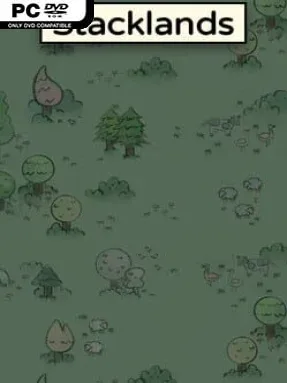
Game Overview
A quiet tabletop village takes shape one card at a time, then gradually turns into a desperate balancing act against hunger, hostile creatures, and the passing moons. Stacklands blends city-building, survival management, and light roguelike card mechanics into a compact, wonderfully tactile puzzle game. Every resource, citizen, building, animal, and enemy exists as a card on a crowded virtual table, so even a thriving settlement always feels one misplaced stack away from chaos. Its charming hand-drawn look keeps the mood playful, but the survival pressure gives each decision real weight.
Most actions come from dragging cards onto one another and seeing what they produce. A villager harvesting a berry bush creates food, while combinations involving materials, buildings, and workers unlock more advanced production chains, recipes, and “Ideas” that reveal useful crafting directions. Selling excess cards funds randomized card packs themed around areas such as farming, cooking, and construction, creating a steady loop of buying, experimenting, expanding, and adapting. Combat is simple but tense: villagers automatically fight creatures when stacked together, and losing workers can derail an entire economy before the next moon demands enough food for everyone.
What makes Stacklands memorable is how much personality it pulls from an interface that is essentially a messy pile of cards. Learning recipes feels like solving small discovery puzzles, while randomized packs ensure no two settlements develop in exactly the same way. The campaign is deliberately concise, with over 100 cards, dozens of quests, and a brisk several-hour arc that makes it easy to replay without becoming a major time commitment. Fans of Cultist Simulator, Islanders, or compact management games will appreciate its clever systems, while newcomers can enjoy it because experimentation is more important than mastering complicated controls.
Installation
- Click the green button below to be redirected to UploadHaven.
- Wait 15 seconds, then hit “Free Download.” (Free downloads may be slower — upgrade to UploadHaven Pro for faster speeds.)
- Once downloaded, right-click the .zip file and choose “Extract to Stacklands.” (You’ll need 7-Zip for this.)
- Open the extracted folder and run the game as administrator.
- Enjoy! 🎮 If you see missing DLL errors, check the <strong>_Redist</strong> folder inside and install what’s needed.
System Requirements
- Requires a 64-bit processor and operating system
- OS: Windows 7
- Processor: Dual Core 2 GHz
- Memory: 2 GB RAM
- Graphics: DirectX9 compatible with at least 500MB of memory
- DirectX: Version 9.0
- Storage: 200 MB available space
Setup Guide & Troubleshooting
How do I fix missing DLL errors for Stacklands (v1.5.0.25 & ALL DLC)?
After extracting Stacklands (v1.5.0.25 & ALL DLC), navigate to the _Redist or _CommonRedist folder inside the game directory and install DirectX, Vcredist, and any other dependencies included.
What should I do if the downloaded file is corrupted?
The full archive is 335.29 MB — make sure your download completed fully before extracting. Use 7-Zip to extract the files. If you still see a "file corrupted" error, re-download and try again.
Why should I run the game as administrator?
Right-click the game executable and select "Run as Administrator" to avoid save file issues and permission errors. This is especially important on the first launch.
How do I update my GPU drivers for this game?
Stacklands (v1.5.0.25 & ALL DLC) requires a DirectX9 compatible with at least 500MB of memory or equivalent. Update your NVIDIA or AMD drivers to the latest version for the best performance.
The game won't launch — what should I try?
This game requires Version 9.0. Try running in compatibility mode, install the latest DirectX runtime, or install the All-in-One VC Redist Package.
My antivirus is blocking the game — is it safe?
Antivirus false positives are common with pre-installed games. Temporarily pause your antivirus during extraction to prevent it from quarantining game files. You can re-enable it after the extraction completes.