
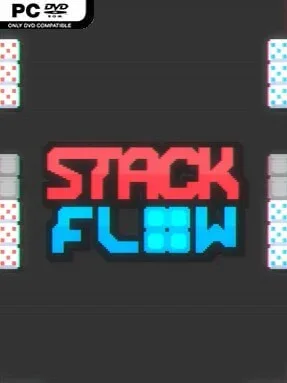
Game Overview
Perfect placement becomes the foundation of a tense, score-chasing puzzle loop where every block can either complete a brilliant chain or ruin the board’s potential. Stackflow is an indie strategic roguelike built around arranging unusual pieces, connecting their effects, and turning careful setups into enormous point explosions. Its mood lands somewhere between a calming tile puzzler and a high-pressure arcade run: the board looks inviting, but rising score requirements quickly demand planning, adaptation, and nerve.
Each run asks you to place newly discovered blocks in positions that maximize their individual properties and feed into larger combos. Stone blocks convert destruction into points, while durable Obsidian pieces remain on the board and provide lasting score multipliers, encouraging players to build around valuable long-term anchors rather than chase every immediate payoff. Reaching a level’s target means judging space, timing detonations, and deciding when a modest connection is worth sacrificing for a potentially run-defining cascade. Progression comes through special blocks and powerful advantages that can automate parts of the puzzle, enhance multipliers, or fundamentally alter how pieces interact, so successful strategies evolve instead of settling into one routine.
What separates Stackflow from a straightforward block-stacking game is its emphasis on engineered chain reactions and roguelike improvisation. Randomized tools make every attempt a fresh tactical problem, with the best runs often emerging from an unexpected interaction between a strange block and an aggressive modifier. The clean satisfaction of fitting pieces together gives it an immediate appeal, while the demand for score efficiency gives experienced puzzle players plenty to optimize. Fans of Balatro’s build-crafting mentality or score-focused games such as Tetris Effect will likely appreciate its pursuit of ever more absurd combos, and newcomers can enjoy it too if they are willing to learn through failed runs and gradually recognize the value of patience.
Installation
- Click the green button below to be redirected to UploadHaven.
- Wait 15 seconds, then hit “Free Download.” (Free downloads may be slower — upgrade to UploadHaven Pro for faster speeds.)
- Once downloaded, right-click the .zip file and choose “Extract to Stackflow.” (You’ll need 7-Zip for this.)
- Open the extracted folder and run the game as administrator.
- Enjoy! 🎮 If you see missing DLL errors, check the <strong>_Redist</strong> folder inside and install what’s needed.
System Requirements
- Requires a 64-bit processor and operating system
- OS *: Windows 7 64-Bit
- Processor: 2 GHz
- Memory: 4 GB RAM
- Graphics: Support for OpenGL 3
- Storage: 200 MB available space
Setup Guide & Troubleshooting
How do I fix missing DLL errors for Stackflow (v1.2.0)?
After extracting Stackflow (v1.2.0), navigate to the _Redist or _CommonRedist folder inside the game directory and install DirectX, Vcredist, and any other dependencies included.
What should I do if the downloaded file is corrupted?
The full archive is 294.43 MB — make sure your download completed fully before extracting. Use 7-Zip to extract the files. If you still see a "file corrupted" error, re-download and try again.
Why should I run the game as administrator?
Right-click the game executable and select "Run as Administrator" to avoid save file issues and permission errors. This is especially important on the first launch.
How do I update my GPU drivers for this game?
Stackflow (v1.2.0) requires a Support for OpenGL 3 or equivalent. Update your NVIDIA or AMD drivers to the latest version for the best performance.
The game won't launch — what should I try?
Try running in compatibility mode, install the latest DirectX runtime, or install the All-in-One VC Redist Package.
My antivirus is blocking the game — is it safe?
Antivirus false positives are common with pre-installed games. Temporarily pause your antivirus during extraction to prevent it from quarantining game files. You can re-enable it after the extraction completes.